# HTML to PDF — Render URL or HTML to PDF (`hipersoft/html-to-pdf`) Actor
Render any URL or raw HTML into a pixel-accurate PDF with headers, footers, margins and page size. Generate invoices, reports and receipts from templates in an n8n or Make workflow.
- **URL**: https://apify.com/hipersoft/html-to-pdf.md
- **Developed by:** [Hipersoft](https://apify.com/hipersoft) (community)
- **Categories:** Developer tools, Other
- **Features:** Limited permissions
- **Stats:** 3 total users, 2 monthly users, 100.0% runs succeeded, 0 bookmarks
- **User rating**: No ratings yet
## Pricing
from $0.005 / pdf generated
This Actor is paid per event. You are not charged for the Apify platform usage, but only a fixed price for specific events.
Since this Actor supports Apify Store discounts, the price gets lower the higher subscription plan you have.
Learn more: https://docs.apify.com/actors/running/actors-in-store.md#pay-per-event
## What's an Apify Actor?
An Actor is a serverless cloud program that runs on the Apify platform. It has two run modes.
In Batch mode, an Actor accepts a well-defined JSON input, performs an action which can take anything from a few seconds to a few hours,
and optionally produces a well-defined JSON output, datasets with results, or files in key-value store.
In Standby mode, an Actor provides a web server which can be used as a website, API, or an MCP server.
Apify vocabulary and the platform model are defined once, in the agent quickstart at https://apify.com/agents.md.
## How to integrate an Actor?
If asked about integration, you help developers integrate Actors into their projects.
You adapt to their stack and deliver integrations that are safe, well-documented, and production-ready.
Do not guess an integration path. Every one of them is in the agent quickstart at https://apify.com/agents.md: the Apify MCP server, Agent Skills with the Apify CLI, the JavaScript and Python clients, the REST API, and the account-free path for an agent with no human to sign in. It also carries the rule on stating cost before the first paid run.
For examples already wired to this Actor's own input schema, see the [API](#api) section below.
Each client library has reference documentation the quickstart does not restate: [JavaScript/TypeScript](https://docs.apify.com/api/client/js/docs.md) (`npm install apify-client`) and [Python](https://docs.apify.com/api/client/python/docs.md) (`pip install apify-client`).
# README
## HTML to PDF — Render URL or HTML to PDF
**Render any URL or raw HTML into a pixel-accurate PDF** — with page size, orientation, margins, backgrounds and header/footer templates. Generate invoices, reports, receipts and certificates from templates inside an n8n, Make or Zapier workflow.
### What it does
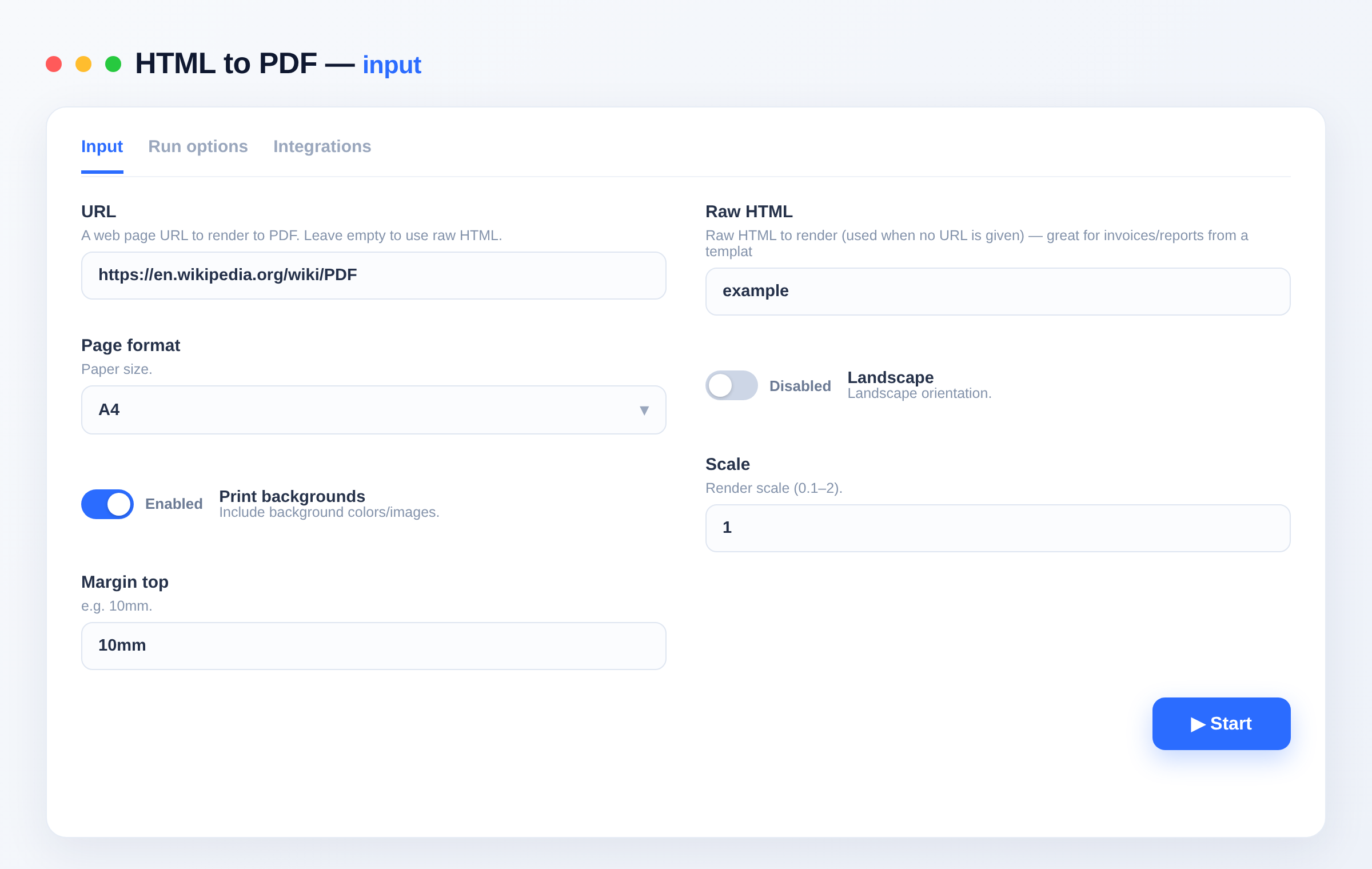
- Renders a **URL** or **raw HTML** to PDF with a real browser engine.
- Control **page format, orientation, margins, scale** and **backgrounds**.
- Optional **header/footer** templates (page numbers, dates).
### Use cases
- **Document generation** — turn an HTML invoice/report template into a PDF in a workflow.
- **Archiving** — save web pages as PDF.
- **Automation** — the PDF step for n8n/Make pipelines (no self-hosted renderer needed).
### Input
```json
{ "url": "https://example.com/invoice", "format": "A4", "printBackground": true, "marginTop": "12mm" }
```
| Field | Type | Description |
|---|---|---|
| `url` | string | Page to render (or use `html`). |
| `html` | string | Raw HTML to render. |
| `format` | string | A4, Letter, Legal… |
| `landscape` | boolean | Landscape orientation. |
| `printBackground` | boolean | Include backgrounds. |
| `scale` | string | Render scale (0.1–2). |
| `marginTop/Bottom/Left/Right` | string | Page margins (e.g. `10mm`). |
| `headerHtml` / `footerHtml` | string | Optional header/footer templates. |
### Output
```json
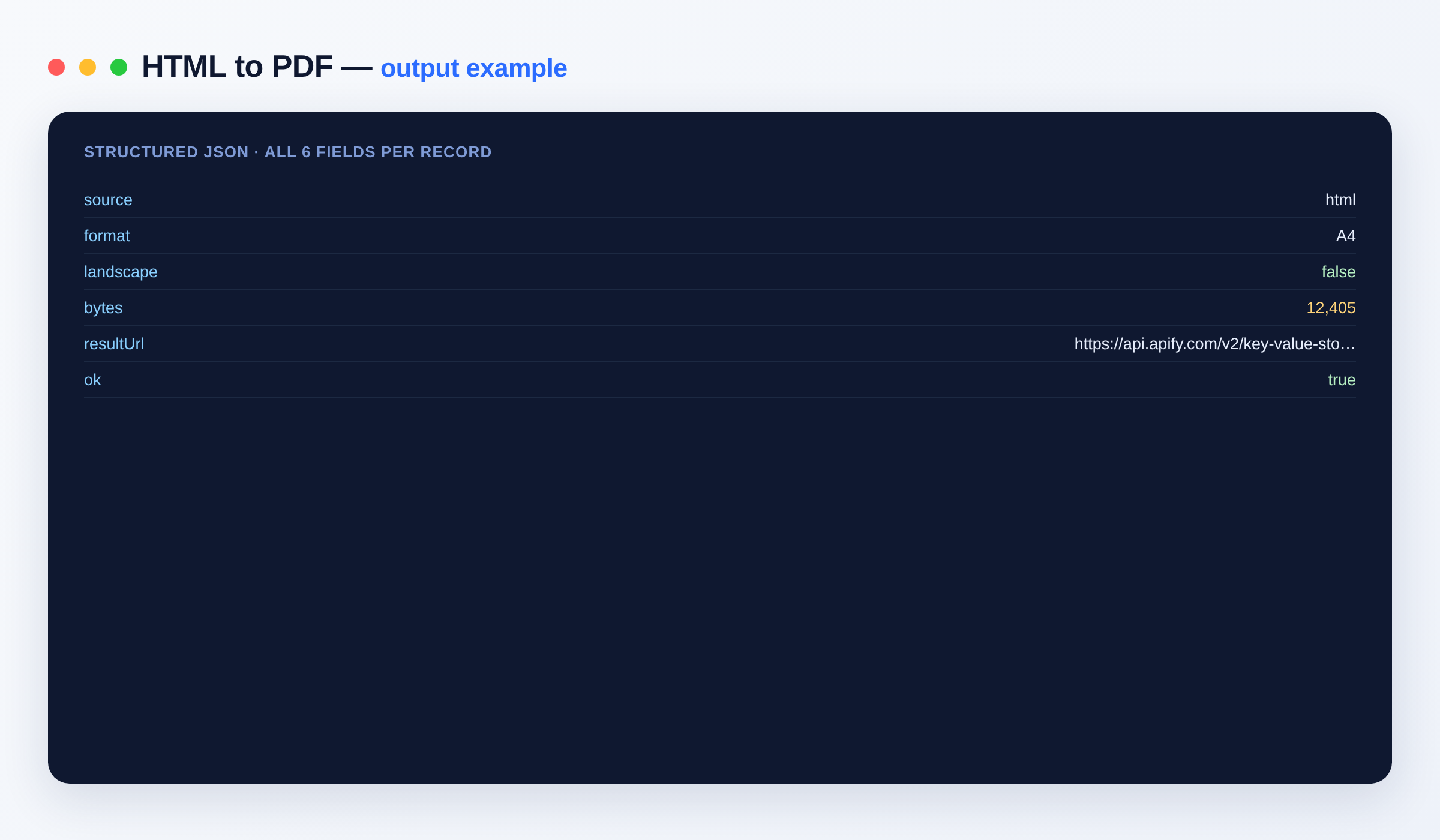
{ "source": "https://example.com/invoice", "format": "A4", "bytes": 48213, "resultUrl": "https://api.apify.com/v2/key-value-stores/.../records/document.pdf", "ok": true }
```
#### Output schema
| Field | Type | Description |
|---|---|---|
| `source` | string | The URL or `html`. |
| `format` | string | Page format used. |
| `bytes` | integer | PDF size. |
| `resultUrl` | string (URL) | Link to the PDF. |
### Related Actors
Explore more data tools from the same author:
- [Template Document Generator — Handlebars to PDF/HTML](https://apify.com/hipersoft/template-document-generator)
- [Images to PDF — Combine Photos into One PDF](https://apify.com/hipersoft/images-to-pdf)
- [Markdown to HTML Converter — Bulk](https://apify.com/hipersoft/markdown-to-html)
- [PDF Form Filler — Fill AcroForm Fields](https://apify.com/hipersoft/pdf-fill-form)
Plug the results straight into your stack with [Make](https://apify.com/integrations/make), [Zapier](https://apify.com/integrations/zapier) or any of Apify's [integrations](https://apify.com/integrations).
### FAQ
**Can I generate invoices from a template?** Yes — send your filled HTML in `html` and get the PDF back.
**Can I use it in n8n?** Yes — run it from the Apify node in your workflow, or via [integrations](https://apify.com/integrations) and the [Apify API](https://docs.apify.com/api/v2).
### Notes
Original clean-room implementation.
# Actor input Schema
## `url` (type: `string`):
A web page URL to render to PDF. Leave empty to use raw HTML.
## `html` (type: `string`):
Raw HTML to render (used when no URL is given) — great for invoices/reports from a template.
## `format` (type: `string`):
Paper size.
## `landscape` (type: `boolean`):
Landscape orientation.
## `printBackground` (type: `boolean`):
Include background colors/images.
## `scale` (type: `string`):
Render scale (0.1–2).
## `marginTop` (type: `string`):
e.g. 10mm.
## `marginBottom` (type: `string`):
e.g. 10mm.
## `marginLeft` (type: `string`):
e.g. 10mm.
## `marginRight` (type: `string`):
e.g. 10mm.
## `headerHtml` (type: `string`):
Optional header template (supports date, title, pageNumber classes).
## `footerHtml` (type: `string`):
Optional footer template.
## `outputName` (type: `string`):
Name for the PDF.
## Actor input object example
```json
{
"url": "https://en.wikipedia.org/wiki/PDF",
"format": "A4",
"landscape": false,
"printBackground": true,
"scale": "1",
"marginTop": "10mm",
"marginBottom": "10mm",
"marginLeft": "10mm",
"marginRight": "10mm",
"outputName": "document.pdf"
}
```
# Actor output Schema
## `results` (type: `string`):
The results as dataset items.
# API
You can run this Actor programmatically using our API. Below are code examples in JavaScript, Python, and CLI, as well as the OpenAPI specification and MCP server setup.
## JavaScript example
```javascript
import { ApifyClient } from 'apify-client';
// Initialize the ApifyClient with your Apify API token
// Replace the '' with your token
const client = new ApifyClient({
token: '',
});
// Prepare Actor input
const input = {
"url": "https://en.wikipedia.org/wiki/PDF"
};
// Run the Actor and wait for it to finish
const run = await client.actor("hipersoft/html-to-pdf").call(input);
// Fetch and print Actor results from the run's dataset (if any)
console.log('Results from dataset');
console.log(`💾 Check your data here: https://console.apify.com/storage/datasets/${run.defaultDatasetId}`);
const { items } = await client.dataset(run.defaultDatasetId).listItems();
items.forEach((item) => {
console.dir(item);
});
// 📚 Want to learn more 📖? Go to → https://docs.apify.com/api/client/js/docs
```
## Python example
```python
from apify_client import ApifyClient
# Initialize the ApifyClient with your Apify API token
# Replace '' with your token.
client = ApifyClient("")
# Prepare the Actor input
run_input = { "url": "https://en.wikipedia.org/wiki/PDF" }
# Run the Actor and wait for it to finish
run = client.actor("hipersoft/html-to-pdf").call(run_input=run_input)
# Fetch and print Actor results from the run's dataset (if there are any)
print(f"💾 Check your data here: https://console.apify.com/storage/datasets/{run.default_dataset_id}")
for item in client.dataset(run.default_dataset_id).iterate_items():
print(item)
# 📚 Want to learn more 📖? Go to → https://docs.apify.com/api/client/python/docs/quick-start
```
## CLI example
```bash
echo '{
"url": "https://en.wikipedia.org/wiki/PDF"
}' |
apify call hipersoft/html-to-pdf --silent --output-dataset
```
## MCP server setup
```json
{
"mcpServers": {
"apify": {
"type": "http",
"url": "https://mcp.apify.com/?tools=fetch-actor-details,hipersoft/html-to-pdf"
}
}
}
```
The hosted server signs you in with OAuth on first connect, so no API token belongs in this config. Clients without OAuth support can send an `Authorization: Bearer ` header instead, using a token from API & Integrations in Apify Console (https://console.apify.com/settings/integrations).
## OpenAPI specification
Download the OpenAPI definition: https://api.apify.com/v2/actors/cvb79cEG2qEl4ev1h/builds/j0rVJW46DGFvt3jIj/openapi.json