# Contact Finder & Email Finder API — MX-Domain Signals (`tugelbay/contact-finder-pro`) Actor
Email finder API and contact scraper for B2B enrichment: crawl domains and return email candidates with MX-domain status, role labels, normalized phones, socials, source context, and CRM-ready JSON. MX status does not verify a mailbox or consent.
- **URL**: https://apify.com/tugelbay/contact-finder-pro.md
- **Developed by:** [Tugelbay Konabayev](https://apify.com/tugelbay) (community)
- **Categories:** Lead generation, Marketing
- **Features:** Limited permissions
- **Stats:** 11 total users, 1 monthly users, 100.0% runs succeeded, 0 bookmarks
- **User rating**: No ratings yet
## Pricing
from $14.00 / 1,000 url processeds
This Actor is paid per event. You are not charged for the Apify platform usage, but only a fixed price for specific events.
Since this Actor supports Apify Store discounts, the price gets lower the higher subscription plan you have.
Learn more: https://docs.apify.com/actors/running/actors-in-store.md#pay-per-event
## What's an Apify Actor?
An Actor is a serverless cloud program that runs on the Apify platform. It has two run modes.
In Batch mode, an Actor accepts a well-defined JSON input, performs an action which can take anything from a few seconds to a few hours,
and optionally produces a well-defined JSON output, datasets with results, or files in key-value store.
In Standby mode, an Actor provides a web server which can be used as a website, API, or an MCP server.
Apify vocabulary and the platform model are defined once, in the agent quickstart at https://apify.com/agents.md.
## How to integrate an Actor?
If asked about integration, you help developers integrate Actors into their projects.
You adapt to their stack and deliver integrations that are safe, well-documented, and production-ready.
Do not guess an integration path. Every one of them is in the agent quickstart at https://apify.com/agents.md: the Apify MCP server, Agent Skills with the Apify CLI, the JavaScript and Python clients, the REST API, and the account-free path for an agent with no human to sign in. It also carries the rule on stating cost before the first paid run.
For examples already wired to this Actor's own input schema, see the [API](#api) section below.
Each client library has reference documentation the quickstart does not restate: [JavaScript/TypeScript](https://docs.apify.com/api/client/js/docs.md) (`npm install apify-client`) and [Python](https://docs.apify.com/api/client/python/docs.md) (`pip install apify-client`).
# README
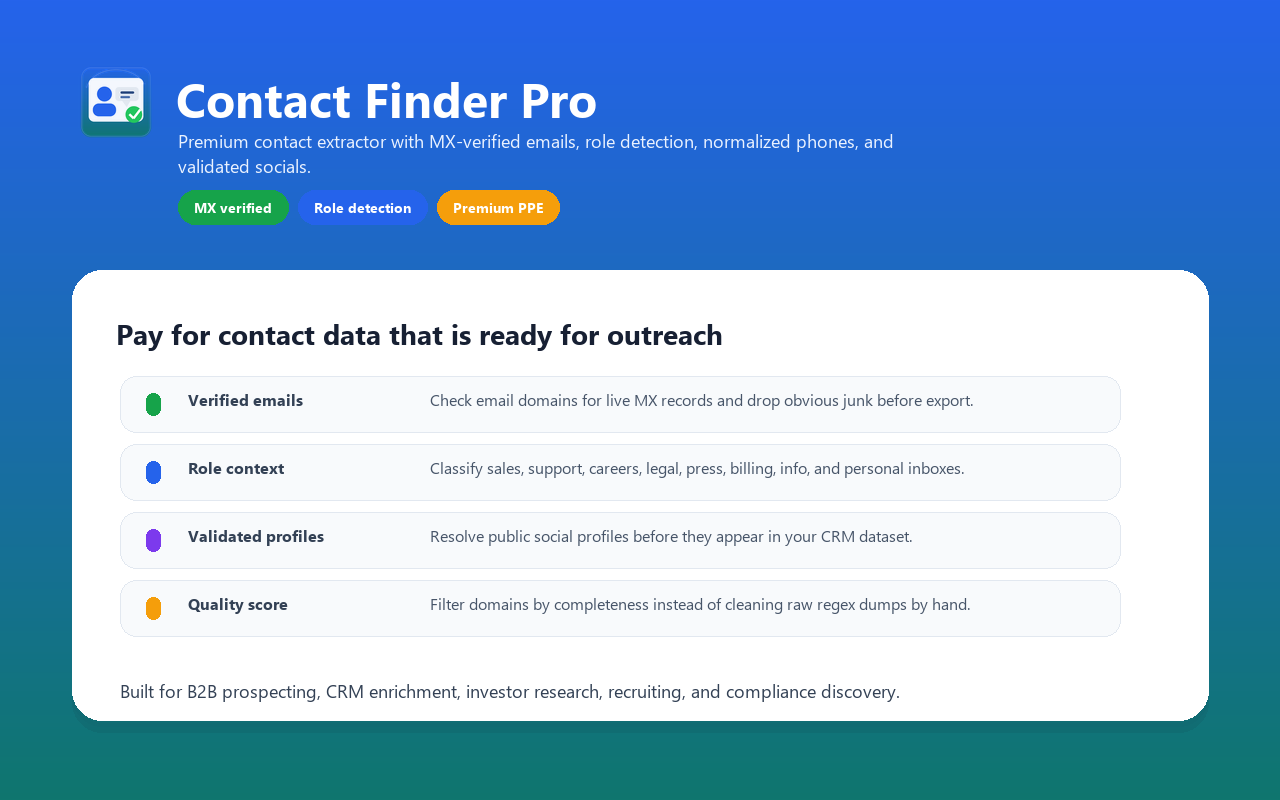
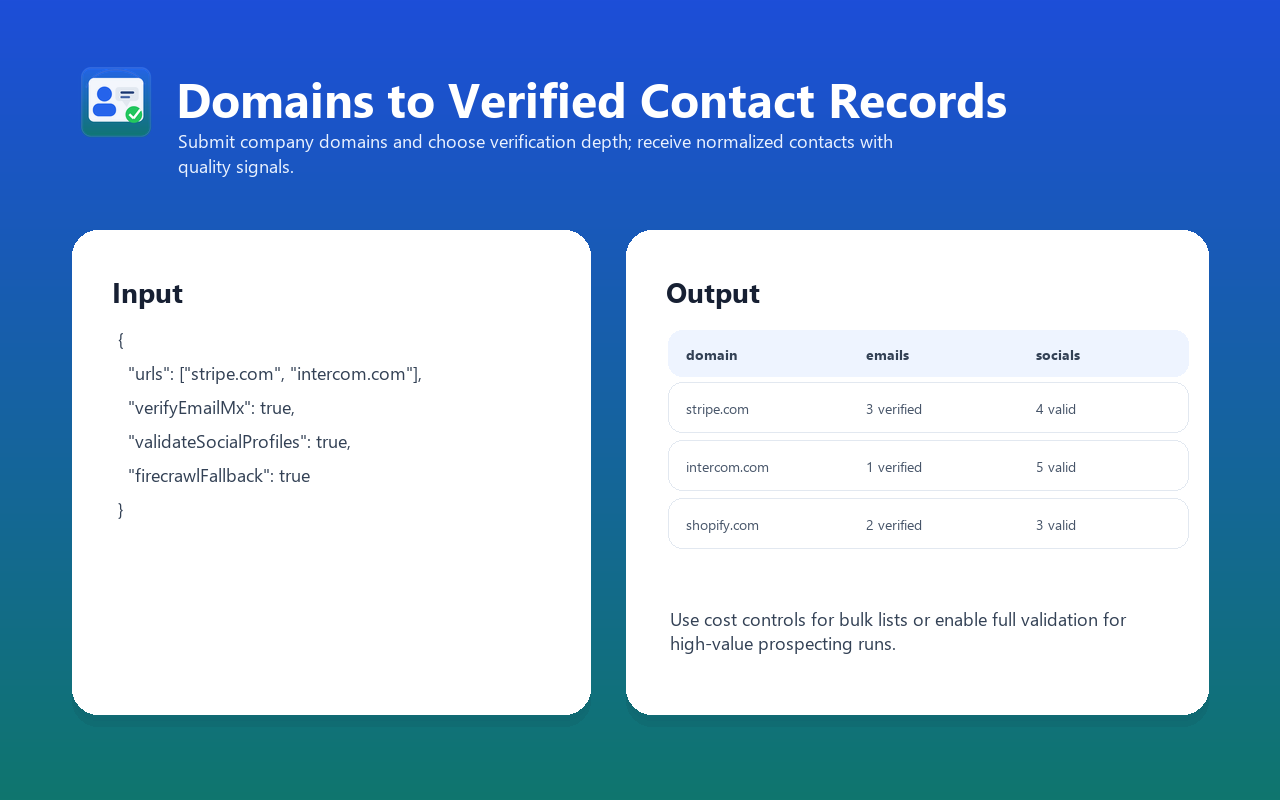
Email finder API for public company websites: submit domains and receive MX-checked email candidates, role labels, normalized phones, social links, source pages, quality signals, and an `extractedAt` timestamp for CRM enrichment and prospect research.
> **Structured contact-info extractor.** Built for B2B teams that need public contact candidates with source context, normalization, and validation signals before CRM import.
> **MX-domain checked email candidates** — each domain is checked for an MX mail route. This does not verify the individual mailbox, identity, consent, or deliverability.
> **Role classification** — `sales@`, `careers@`, `support@`, `legal@`, `press@`, `personal` automatically tagged so you can target the right inbox.
> **Phone E.164 normalization** — international format ready for dialer/CRM import.
> **Social profile discovery** — Facebook, Instagram, Twitter/X, LinkedIn, YouTube, TikTok, GitHub URLs returned in CRM-ready JSON; HEAD validation is available when needed.
> **Multi-page crawl per domain** — homepage + common contact paths; default direct mode keeps first runs fast and cheap.
> **Firecrawl anti-bot fallback** — optional full browser rendering for Cloudflare/Akamai sites when direct fetch does not find contacts.
Full production guide: [Contact Finder Pro workflows](https://konabayev.com/tools/contact-finder-pro/?utm_source=apify_readme\&utm_medium=referral\&utm_campaign=contact-finder-pro).
### Email finder comparison: why Pro
Raw contact scrapers are often the better fit when maximum extraction coverage and minimal processing matter most. [`vdrmota/contact-info-scraper`](https://apify.com/vdrmota/contact-info-scraper) is an established alternative; its current Store page is the authoritative source for its features, usage, reviews, and pricing. Contact Finder Pro is designed for a different job: adding normalization, provenance, and validation signals before downstream use.
| Layer | Contact Finder Pro | Raw extraction workflow |
| ------------------------------------- | --------------------------------------------------------------------- | ----------------------------------------------- |
| Email domain signal | Optional MX check; not mailbox verification | Depends on the selected Actor or post-processing |
| Email role classification | sales / support / careers / legal / press / billing / personal / info | Usually handled downstream |
| Phone normalization | E.164 when parsing succeeds; raw value retained otherwise | Usually as found |
| Social URL validation | Optional HEAD check | Usually handled downstream |
| Crawl scope | Homepage plus bounded common contact paths | Varies by tool |
| Protected-site recovery | Optional Firecrawl fallback | Varies by tool |
| Per-record completeness signal | `qualityScore` from 0.0 to 1.0 | Usually calculated downstream |
| Structured organization metadata | Parses JSON-LD `Organization` when present | Varies by tool |
| Best fit | CRM-ready normalization and evidence | Broad raw collection or custom pipelines |
### Contact data fields
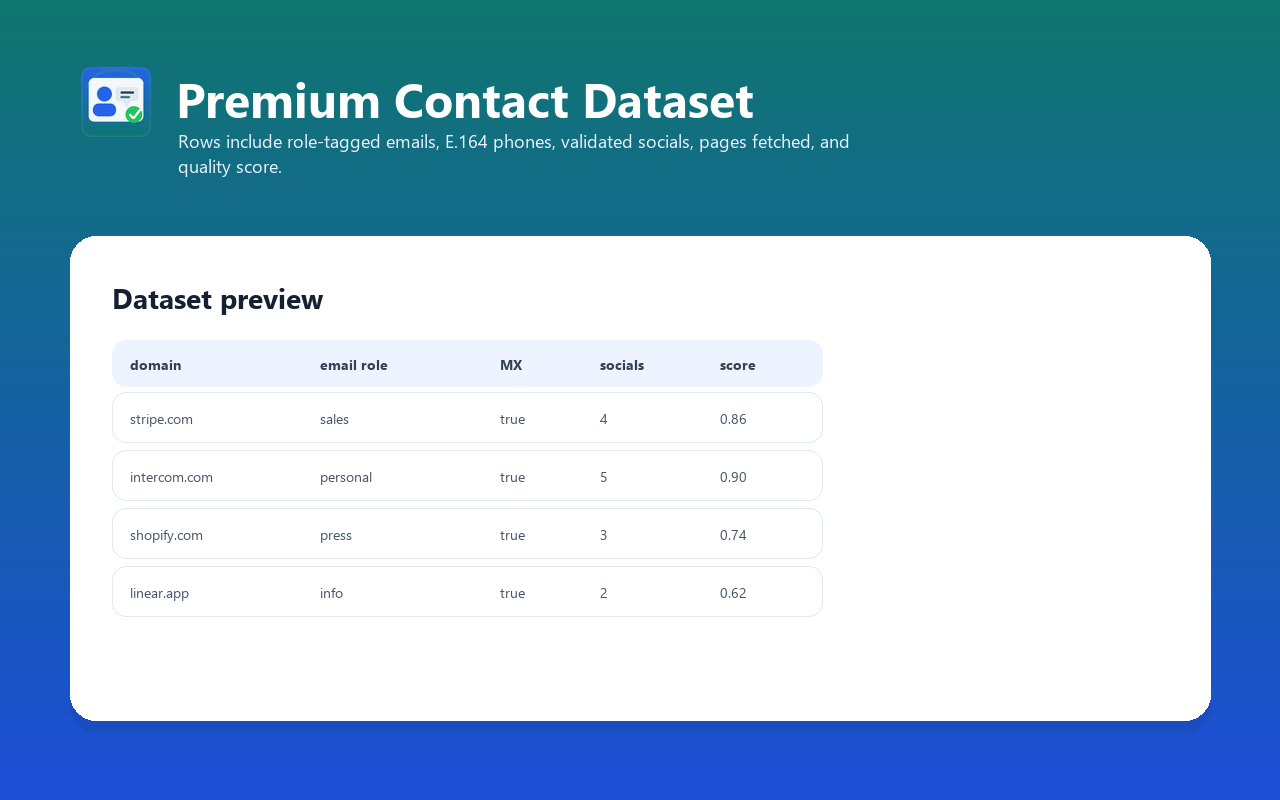
For each input URL, one structured record:
#### Core fields
- `inputUrl` — what you submitted
- `domain` — extracted domain (lowercased, no `www.`)
- `companyName` — pulled from JSON-LD Organization, og:site_name, og:title, or ``
- `pagesFetched` — how many candidate pages were actually retrieved
- `firecrawlUsed` — `true` if Firecrawl rescue was triggered
- `extractedAt` — ISO 8601 UTC timestamp
- `qualityScore` — 0.0-1.0 weighted completeness
#### Emails
The output field remains named `verified` for contract compatibility. Here,
`verified: true` means only that the email's domain had a usable MX route at
check time; it does **not** verify mailbox existence, ownership, identity,
consent, or deliverability.
```json
"emails": [
{ "email": "sales@stripe.com", "role": "sales", "verified": true },
{ "email": "press@stripe.com", "role": "press", "verified": true },
{ "email": "info@stripe.com", "role": "info", "verified": true }
]
```
Roles: `sales`, `support`, `careers`, `legal`, `press`, `billing`, `info`, `personal`.
#### Phones
```json
"phones": [
{ "raw": "+1 (415) 555-2671", "e164": "+14155552671" }
]
```
Only candidates that pass phone-number validation and E.164 normalization are emitted. SVG coordinates, scripts, styles, and invalid digit strings are excluded. `countryHint` selects the numbering plan for national numbers; explicit international numbers retain their country code. A valid format does not prove that a number is active or belongs to the company.
#### Socials
```json
"socials": [
{ "platform": "twitter", "url": "https://twitter.com/stripe", "validated": true },
{ "platform": "linkedin", "url": "https://linkedin.com/company/stripe", "validated": true },
{ "platform": "github", "url": "https://github.com/stripe", "validated": false }
]
```
Platforms detected: `facebook`, `instagram`, `twitter` (X), `linkedin`, `youtube`, `tiktok`, `github`. `validated: true` means the profile URL responded HTTP 200 to a HEAD request.
### Quality signals
`qualityScore` measures extracted-field completeness, not factual accuracy. Contact recovery depends on what each public website exposes; there is no guaranteed contact rate or minimum score. Individual contact arrays can be empty. URLs with no email, phone or social profile are omitted and incur no `url-processed` result charge; the run-start event still applies. The prefilled clinic website is a small public contact-extraction example.
The extraction pipeline validates phone candidates before output. Release QA checks a sample's required fields and phone formats before promotion. This does not establish ownership, mailbox deliverability, or full accuracy for every customer run.
### How to run Contact Finder Pro
1. Start with one public company domain and keep optional Firecrawl/social validation off.
2. Inspect source pages, MX status, role labels, phone normalization, and quality score.
3. Enable costly enrichment only when the sample justifies it, then export the bounded result set to your CRM.
### Input Examples
#### Quick test
```json
{
"urls": ["https://www.intercom.com"]
}
```
#### CRM enrichment (large list, full validation)
```json
{
"urls": ["acme.com", "globex.io", "initech.co.uk"],
"verifyEmailMx": true,
"firecrawlFallback": true,
"validateSocialProfiles": true,
"maxPagesPerDomain": 8,
"maxConcurrency": 5
}
```
#### Cost-controlled bulk run
```json
{
"urls": ["..."],
"validateSocialProfiles": false,
"firecrawlFallback": false,
"maxPagesPerDomain": 3
}
```
#### Region-specific (UK phones)
```json
{
"urls": ["https://www.john-lewis.co.uk", "https://tesco.com"],
"countryHint": "GB"
}
```
### Output Example
```json
{
"inputUrl": "https://www.intercom.com",
"domain": "intercom.com",
"companyName": "Intercom — The only helpdesk designed for AI-first customer service",
"emails": [
{ "email": "team@intercom.com", "role": "personal", "verified": true }
],
"phones": [{ "raw": "+1 (415) 660-9690", "e164": "+14156609690" }],
"socials": [
{
"platform": "twitter",
"url": "https://twitter.com/intercom",
"validated": true
},
{
"platform": "linkedin",
"url": "https://www.linkedin.com/company/intercom",
"validated": true
},
{
"platform": "facebook",
"url": "https://www.facebook.com/intercom",
"validated": true
},
{
"platform": "youtube",
"url": "https://www.youtube.com/c/intercom",
"validated": true
},
{
"platform": "github",
"url": "https://github.com/intercom",
"validated": false
}
],
"pagesFetched": 5,
"firecrawlUsed": false,
"extractedAt": "2026-05-06T22:46:57Z",
"qualityScore": 0.9
}
```
### Pricing — Pay Per Event
Current Apify pricing schedule starts at `2026-05-20T00:00:00Z`.
Charged only when delivered value matches:
| Event | Price | When charged |
| ------------------ | --------- | ------------------------------------------------------ |
| `actor-start` | **$0.05** | Once per run |
| `url-processed` | **$0.02** | Per emitted dataset record with at least one contact |
| `email-verified` | **$0.05** | Per email candidate whose domain passes the MX check |
| `social-validated` | **$0.02** | Per social profile that responded HTTP 200 |
#### Realistic run costs
| Scenario | Breakdown | Total |
| ------------------------------------------------------ | --------------------------------------------- | ---------- |
| 100 domains, 30 returned 1+ MX-passing candidate + 3 socials | $0.05 + 100 × $0.02 + 30 × $0.05 + 90 × $0.02 | **$5.35** |
| 50 domains, full enrichment, 40 hits | $0.05 + 50 × $0.02 + 40 × $0.05 + 80 × $0.02 | **$4.65** |
| 1,000 domains bulk, no enrichment | $0.05 + returned domains × $0.02 | **usage-based** |
You pay for delivered VALUE, not for infrastructure. If a domain returns nothing, no `url-processed` charge fires.
### Best Use Cases
1. **B2B sales prospecting** — feed your TAM domain list, get sales@/info@ contacts you can mail.
2. **CRM enrichment** — append role-tagged emails, normalized phones, and optional validated socials to existing accounts.
3. **Investor research** — collect public press, investor-relations, and company social channels with source pages for manual review.
4. **Recruitment** — pull careers@/jobs@ contacts from target companies for outbound recruiter outreach.
5. **Compliance / DPO discovery** — many privacy@ and dpo@ emails live on `/legal/privacy` pages — Pro's multi-path crawl finds them.
6. **PR / media outreach** — `press@` and `media@` emails pre-classified, ready for distribution lists.
7. **Competitor intel** — quickly gather public contact surface from competitor sites with quality score 0.6+.
### Programmatic Usage
#### Python
```python
from apify_client import ApifyClient
client = ApifyClient("YOUR_TOKEN")
run = client.actor("tugelbay/contact-finder-pro").call(run_input={
"urls": ["intercom.com", "stripe.com", "shopify.com"],
"verifyEmailMx": True,
"firecrawlFallback": false,
"validateSocialProfiles": false,
})
for item in client.dataset(run["defaultDatasetId"]).iterate_items():
# `verified` means the domain passed an MX check, not that the mailbox exists.
sales_emails = [e["email"] for e in item["emails"]
if e["verified"] and e["role"] == "sales"]
if sales_emails:
print(f"{item['domain']:<25} -> {sales_emails[0]}")
```
#### JavaScript / TypeScript
```typescript
import { ApifyClient } from "apify-client";
const client = new ApifyClient({ token: "YOUR_TOKEN" });
const run = await client.actor("tugelbay/contact-finder-pro").call({
urls: ["acme.com", "globex.io"],
verifyEmailMx: true,
});
const { items } = await client.dataset(run.defaultDatasetId).listItems();
// `verified` is an MX-domain signal, not mailbox or identity verification.
const mxPassing = items
.flatMap((it) => it.emails.filter((e) => e.verified))
.filter((e) => e.role === "sales");
console.log(`${mxPassing.length} MX-domain-passing sales candidates`);
```
#### LangChain tool
```python
from langchain_core.tools import tool
@tool
def find_contacts(domain: str) -> dict:
"""Get public contact candidates with MX-domain signals, phones, and socials."""
from apify_client import ApifyClient
client = ApifyClient("YOUR_TOKEN")
run = client.actor("tugelbay/contact-finder-pro").call(run_input={
"urls": [domain],
"verifyEmailMx": True,
"firecrawlFallback": True,
})
items = list(client.dataset(run["defaultDatasetId"]).iterate_items())
return items[0] if items else {}
```
#### MCP (Streamable HTTP)
```bash
npx mcpc connect mcp.apify.com
npx mcpc call tugelbay/contact-finder-pro --json '{"urls":["stripe.com"]}'
```
### FAQ
**Q: What does `verified: true` mean compared with a full SMTP probe?**
A: MX verification confirms only that the domain is configured to receive mail. It can reject domains with no mail route, but it does not prove that an individual mailbox exists, belongs to a person, or may be contacted. Use a dedicated consent-aware validator when mailbox-level evidence is required.
**Q: Why don't most modern SaaS sites return any emails?**
A: They moved to contact forms behind `/contact-sales`. There is no email on the page to extract. Pro will still return `companyName`, discovered `socials`, and any `phones`. For raw email harvesting at SaaS companies, follow up with a tool that extracts founder/employee emails from LinkedIn (separate actor).
**Q: Will Firecrawl be charged when my run uses it?**
A: Firecrawl calls happen on the actor's compute cost, not yours. The premium PPE pricing already accounts for fallback usage. You don't pay separately.
**Q: What if a domain returns nothing?**
A: No `url-processed` charge is fired (you only pay for VALUE). The actor logs `no contacts found for X` and moves on.
**Q: Does it follow redirects?**
A: Yes — `httpx` follows redirects, and the final URL's domain is what gets emitted in the `domain` field.
**Q: International support?**
A: All extraction works globally. For phone normalization, set `countryHint` to the most-common country code in your input list (`GB`, `DE`, `FR`, etc.). US is the default.
**Q: How does this differ from Hunter.io, Apollo, or ZoomInfo APIs?**
A: Those are broader commercial databases and enrichment platforms with their own coverage, validation methods, terms, and current pricing. This Actor is a bounded public-website extractor with Apify PPE events and source-page evidence. Compare current product documentation and validate a sample before choosing.
### Troubleshooting
**Empty dataset across all URLs**
- Check that `urls` is set; the actor falls back to a demo URL and warns if not.
- Some domains (LinkedIn, Twitter accounts directly) are heavily rate-limited — try variants.
- Disable `firecrawlFallback` to rule out timeouts at the fallback layer.
**Many email candidates returned but `verified: false`**
- Domain might have temporary DNS issues — retry the run.
- The MX lookup falls back to `8.8.8.8` / `1.1.1.1` automatically; if the domain has authoritative-only DNS, the domain-level check can remain inconclusive.
**Phones look like CSS color codes**
- Pro filters phones to E.164-normalized OR 10+-digit. If you still see noise, lower `maxPagesPerDomain` to 3 (skips footer/legal pages where SPA color tokens live).
**Slow runs**
- Set `validateSocialProfiles: false` to skip the per-profile HEAD checks (saves about 3s per social URL).
- Set `firecrawlFallback: false` if you don't need the anti-bot rescue.
- Drop `maxPagesPerDomain` to 3 (homepage + /contact + /about only).
### Validation evidence and standards (2026-07-14)
Validation on 2026-07-14 is tied to standards and observable output:
- [RFC 5321](https://www.rfc-editor.org/rfc/rfc5321) defines SMTP and MX delivery behavior; an MX record is a domain-level signal, not proof that a mailbox exists or accepts mail.
- [RFC 9309](https://www.rfc-editor.org/rfc/rfc9309) specifies the Robots Exclusion Protocol; users must also follow each target site's current terms and applicable privacy/marketing law.
- Results expose source pages, `pagesFetched`, validation flags, a quality score, and `extractedAt` instead of presenting every regex match as verified truth.
- Strict local Actor QA validates the schema, PPE event declarations, metadata, links, and Docker surface before release.
This evidence does not guarantee inbox delivery, identity, consent, conversion, search rankings, or AI citations.
### Support
For a reproducible issue, send the Apify run ID, a public test domain, sanitized input, expected field, and observed output. Do not send credentials, private lead lists, or personal data through support messages.
### Limitations
- **Email harvesting depends on the site exposing emails on its public pages.** Modern SaaS rarely does — Pro will return `companyName` + socials + `phones` even when emails are zero.
- **MX verification is necessary but not sufficient.** A domain with MX records can still have a non-existent mailbox. Pipe `email` through SMTP-probe service for deeper validation.
- **HEAD validation may miss profiles that block HEAD but allow GET.** Pro retries with GET on 403/405, but a few platforms (Instagram for non-public profiles) return 200 even for nonexistent users.
- **Phone normalization is best-effort.** If `phonenumbers` library cannot parse the number, the raw is still emitted (with `e164: null`) when 10+ digits.
- **Crawl is shallow by design** — only the listed contact paths, not full-site crawl. For deep crawl, use a separate Apify crawler upstream.
### Related Actors
- [Google Maps Lead Extractor](https://apify.com/tugelbay/google-maps-leads) — Find local businesses and enrich public contact fields
- [2GIS Scraper](https://apify.com/tugelbay/2gis-scraper) — Extract companies, categories, phones, and websites from 2GIS
- [JustDial Leads Extractor](https://apify.com/tugelbay/justdial-leads-extractor) — Build India business lead lists by category and city
- [Sulekha Business Scraper](https://apify.com/tugelbay/sulekha-business-scraper) — Extract public Sulekha service-provider listings
- [Website Tech Stack Detector](https://apify.com/tugelbay/website-tech-stack-detector) — Add technology and CRM-routing signals to company domains
See all actors: [apify.com/tugelbay](https://apify.com/tugelbay)
### Changelog
- **0.1 (2026-05-06)** — Initial release. Multi-path crawl, MX verification, role classification, E.164 phone normalization, social HEAD validation, Firecrawl fallback, JSON-LD parser, quality score. Premium PPE pricing scheduled for 2026-05-20.
# Actor input Schema
## `urls` (type: `array`):
Each entry can be a full URL ('https://stripe.com/contact') or a bare domain ('stripe.com'). The actor will probe homepage + common contact paths automatically.
## `verifyEmailMx` (type: `boolean`):
Premium quality gate: only emit emails whose domain has live MX records. Junk/dead domains are dropped instead of shipped.
## `firecrawlFallback` (type: `boolean`):
When direct httpx returned no email/phone for a domain, retry through Firecrawl with anti-bot bypass + JS rendering. Enable for protected sites; keep off for cheaper bulk runs.
## `validateSocialProfiles` (type: `boolean`):
For each found social URL (Facebook, Instagram, Twitter/X, LinkedIn, YouTube, TikTok, GitHub), send a HEAD request to confirm the profile exists. Enable when verified socials matter.
## `maxPagesPerDomain` (type: `integer`):
How many candidate paths per domain (homepage, /contact, /about, /team, /careers, /privacy). Higher = more contacts but slower and more expensive.
## `countryHint` (type: `string`):
Two-letter country code (US, GB, DE, FR, ...) used as the default region when a phone number is not already in international format. Leave empty for US default.
## `maxConcurrency` (type: `integer`):
Number of URLs processed in parallel. Lower = more polite, higher = faster.
## `proxyConfiguration` (type: `object`):
Direct mode is cheaper and works for most public sites. Enable Apify proxies for protected domains.
## Actor input object example
```json
{
"urls": [
"https://www.relaxandsmile.com/"
],
"verifyEmailMx": false,
"firecrawlFallback": false,
"validateSocialProfiles": false,
"maxPagesPerDomain": 1,
"countryHint": "US",
"maxConcurrency": 1,
"proxyConfiguration": {
"useApifyProxy": false
}
}
```
# Actor output Schema
## `dataset` (type: `string`):
Dataset containing domain contacts: company name, email candidates with MX-domain status and role labels, phone numbers, optionally checked social profiles, sources, and a completeness score.
# API
You can run this Actor programmatically using our API. Below are code examples in JavaScript, Python, and CLI, as well as the OpenAPI specification and MCP server setup.
## JavaScript example
```javascript
import { ApifyClient } from 'apify-client';
// Initialize the ApifyClient with your Apify API token
// Replace the '<YOUR_API_TOKEN>' with your token
const client = new ApifyClient({
token: '<YOUR_API_TOKEN>',
});
// Prepare Actor input
const input = {
"urls": [
"https://www.relaxandsmile.com/"
],
"verifyEmailMx": false,
"firecrawlFallback": false,
"validateSocialProfiles": false,
"maxPagesPerDomain": 1,
"maxConcurrency": 1
};
// Run the Actor and wait for it to finish
const run = await client.actor("tugelbay/contact-finder-pro").call(input);
// Fetch and print Actor results from the run's dataset (if any)
console.log('Results from dataset');
console.log(`💾 Check your data here: https://console.apify.com/storage/datasets/${run.defaultDatasetId}`);
const { items } = await client.dataset(run.defaultDatasetId).listItems();
items.forEach((item) => {
console.dir(item);
});
// 📚 Want to learn more 📖? Go to → https://docs.apify.com/api/client/js/docs
```
## Python example
```python
from apify_client import ApifyClient
# Initialize the ApifyClient with your Apify API token
# Replace '<YOUR_API_TOKEN>' with your token.
client = ApifyClient("<YOUR_API_TOKEN>")
# Prepare the Actor input
run_input = {
"urls": ["https://www.relaxandsmile.com/"],
"verifyEmailMx": False,
"firecrawlFallback": False,
"validateSocialProfiles": False,
"maxPagesPerDomain": 1,
"maxConcurrency": 1,
}
# Run the Actor and wait for it to finish
run = client.actor("tugelbay/contact-finder-pro").call(run_input=run_input)
# Fetch and print Actor results from the run's dataset (if there are any)
print(f"💾 Check your data here: https://console.apify.com/storage/datasets/{run.default_dataset_id}")
for item in client.dataset(run.default_dataset_id).iterate_items():
print(item)
# 📚 Want to learn more 📖? Go to → https://docs.apify.com/api/client/python/docs/quick-start
```
## CLI example
```bash
echo '{
"urls": [
"https://www.relaxandsmile.com/"
],
"verifyEmailMx": false,
"firecrawlFallback": false,
"validateSocialProfiles": false,
"maxPagesPerDomain": 1,
"maxConcurrency": 1
}' |
apify call tugelbay/contact-finder-pro --silent --output-dataset
```
## MCP server setup
```json
{
"mcpServers": {
"apify": {
"type": "http",
"url": "https://mcp.apify.com/?tools=fetch-actor-details,tugelbay/contact-finder-pro"
}
}
}
```
The hosted server signs you in with OAuth on first connect, so no API token belongs in this config. Clients without OAuth support can send an `Authorization: Bearer <APIFY_API_TOKEN>` header instead, using a token from API & Integrations in Apify Console (https://console.apify.com/settings/integrations).
## OpenAPI specification
Download the OpenAPI definition: https://api.apify.com/v2/actors/nBDrcZUxe2aRq9uNZ/builds/OwgnmuGrCo3NfbgKS/openapi.json