Member-only story
Mini Flightwall: I Built My Own Flight Display, Firmware and All

▎ Update (Oct 2026): This post describes v1. Since firmware 1.3 there’s no SD card: logos now come with each update from n8n, and the set has grown from 158 to 340+. The build log below is unchanged Mini Flightwall 2.0
The next build in the live-flight-display series, after I Built a Live “theflightwall” Display for Under $50.
Still the same avgeek, still obsessed with the same itch: an LED matrix that knows what’s flying over my house before I do. Last time I got there by flashing AWTRIX 3 onto a $30 Ulanzi TC001 pixel clock and pushing it “apps” over HTTP. It worked — but a 32×8 clock buys you one line of scrolling text and an 8×8 icon, and I wanted more: a real layout, a bigger icon, altitude, aircraft type, a proper idle screen. That meant giving up the off-the-shelf firmware and writing my own.
This is that build: a 64×64 HUB75 panel, an ESP32-S3, and roughly 400 lines of Arduino code standing in for what AWTRIX gave me for free last time.

The idea
Same pipeline as before, bigger canvas on the receiving end:
- A 64×64 LED matrix on a shelf.
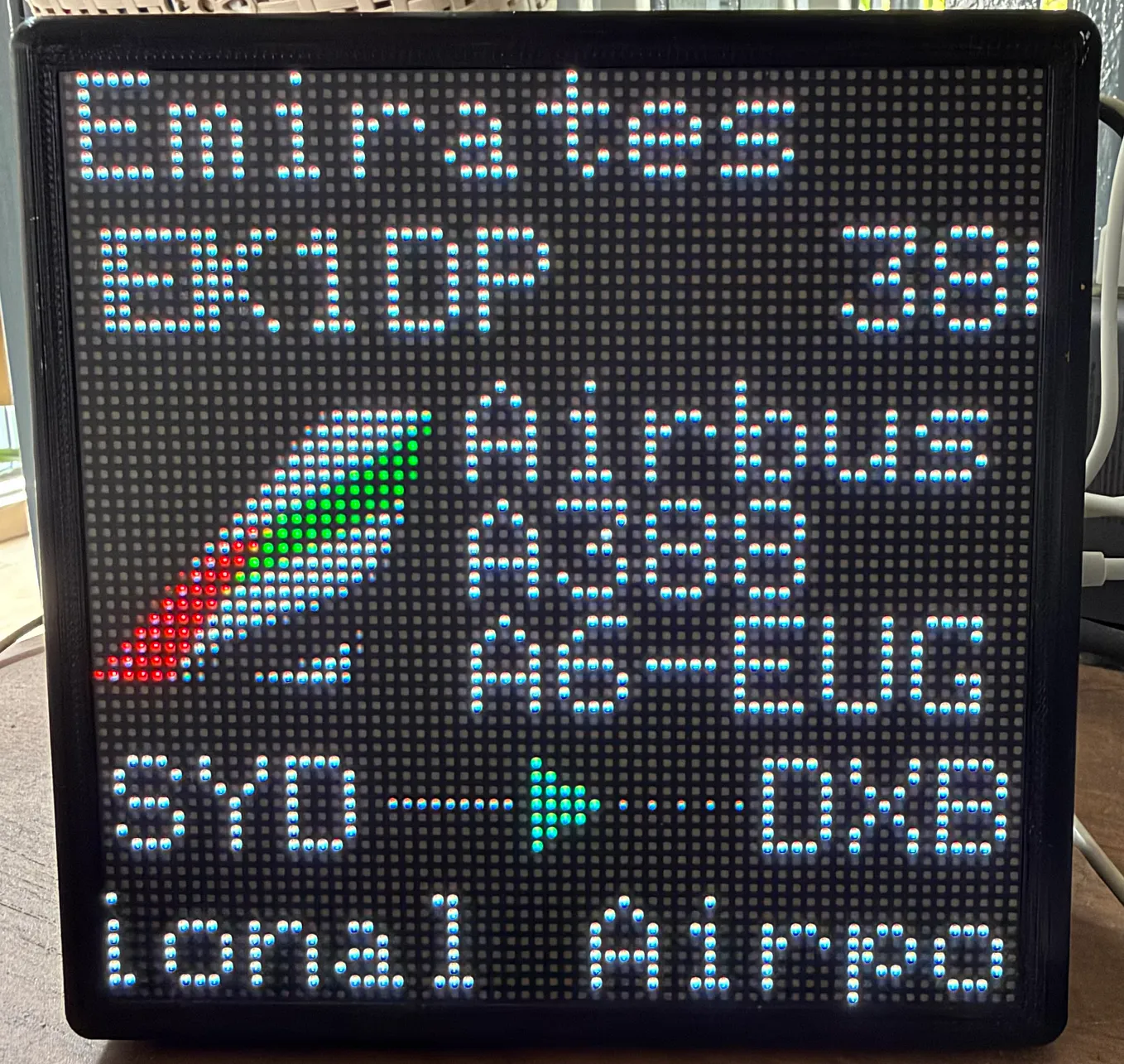
- When an aircraft is overhead: airline name, flight number + altitude, a 24×24 airline logo, aircraft make/model, route, and the full…