Is ForgeGUI Free? What You Actually Get (and What Costs Credits)
A plain-English answer for Roblox devs deciding whether to try it

Disclosure: I’m in ForgeGUI’s creator partner program and get paid for content about it. Details below are from forgegui.com and my own builds; check the site for current pricing before you buy anything.

If you’ve seen ForgeGUI videos and searched “is ForgeGUI free,” here’s the short answer:
Yes, you can start for free. There’s a free tier, and new accounts get starter credits, so you can try a real build before paying anything. Beyond that, it runs on credits.
The rest of this post explains what that means in practice.
What is ForgeGUI?
ForgeGUI is an AI tool for game developers that generates assets and gameplay from a text prompt. Its tagline is “Generate any game asset just by chatting.” For Roblox, there’s a Roblox Studio plugin that pushes what you generate straight into your place, so you’re not exporting and importing files by hand.
According to forgegui.com, it can make:
- GUIs: inventories, HUDs, health bars, skill icons, buttons
- 3D assets, thumbnails and icons, exportable as PNG, ZIP and GLB
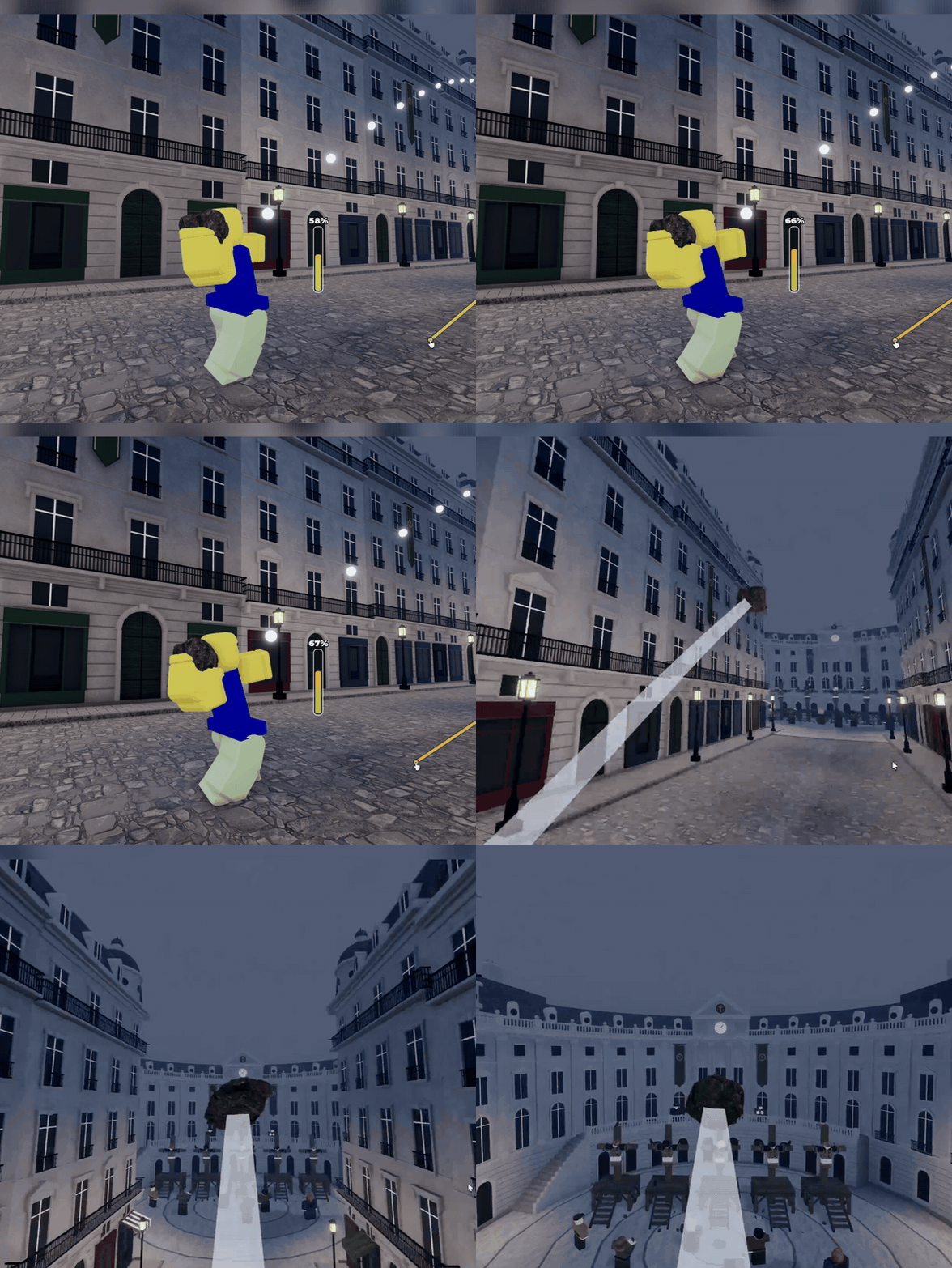
In my build it also handled gameplay: a grab-and-throw mechanic, a practice dummy, a whole old-town map, and a camera that follows the thrown rock.
It isn’t Roblox-only either. The site lists UEFN, Unity, Unreal, Minecraft and mobile.
How the free tier works
- Free to sign up, with starter credits on a new account.
- Credits are spent per generation. Different kinds of generations cost different amounts.
- More credits come from sign-up bonuses, referrals, or a subscription, which you can cancel at any time.
My advice: spend your starter credits on one complete mini-build instead of lots of one-off tests. A sequence like “place a rock” → “let me grab and throw it” → “make it 100x cooler” shows you far more about what the tool can do than ten unrelated prompts.
Two things to know before you start
1. You own what you make. ForgeGUI grants full commercial use rights, so you can use, modify, distribute or sell what you generate.
Get Ash | Roblox AI Dev 🛠️’s stories in your inbox
Join Medium for free to get updates from this writer.
2. Free-tier generations may appear in the public Asset Catalog unless you opt out. If you’re building something you want to keep private, check that setting first.
Is it worth paying for?
It depends on how you build:
- Worth trying for free if you have game ideas but get stuck on scripting, or you want to prototype fast before committing to a project.
- Worth paying for if you use the starter credits, end up with something playable, and want to keep iterating. Credits stretch furthest when you change one thing per prompt.
- Probably not for you if you already script comfortably and just need one small asset. A free model from the toolbox might be enough.
What can you build with the free credits?
Here’s a real example: a rock-throwing game made with six prompts:
- Place a rock
- Make it so that I can grab and throw the rock
- Make it 100 times cooler
- Place a dummy so I can practice
- Make me an old design map
- Make it so that when I throw the rock, it follows it
I broke that build down step by step here: How to Make a Roblox Game With AI (No Coding): 6 Prompts, Start to Finish.
FAQ
Is ForgeGUI free?
There’s a free tier with starter credits for new accounts. Ongoing use costs credits.
Does ForgeGUI work in Roblox Studio?
Yes, through its Roblox Studio plugin.
Can I sell what I make with ForgeGUI?
Yes. ForgeGUI grants full commercial use rights.
Are my free generations private?
Not by default. Free-tier generations may show in the public Asset Catalog unless you opt out.
Start at forgegui.com. I post my builds as short videos on TikTok and YouTube at @ash.robloxdev.