Flutter vs. React Native: Which Framework Wins for Cross-Platform Apps?


The 2 AM Decision That Costs Six Figures
In late 2023, a fintech startup I worked with had already burned three months and $80,000 on a React Native build before realizing their charting library couldn’t handle real-time WebSocket updates without janky redraws. They rebuilt in Flutter. The lesson wasn’t “Flutter is better,” it was that the framework decision should happen before a single sprint, not after.
This is the conversation every custom mobile application development company has with clients in the first week of discovery, because the wrong choice here compounds into every sprint that follows.
Get Edward Marshall’s stories in your inbox
Join Medium for free to get updates from this writer.
Key Takeaways:
- Flutter renders its own UI engine (Skia/Impeller); React Native bridges to native components.
- React Native has a larger existing talent pool if your team already knows JavaScript/React.
- Flutter typically wins on animation-heavy, pixel-consistent UIs; React Native wins on teams needing web-code reuse.
- Neither is “faster” universally; performance depends on app category (data-heavy vs. animation-heavy vs. native-integration-heavy).
Core Concept Breakdown
Rendering Architecture
Flutter doesn’t talk to native UI widgets at all. It paints every pixel itself using its own rendering engine, which is why a Flutter button looks identical on iOS and Android unless you deliberately theme it otherwise. React Native, by contrast, renders actual native components (UIButton on iOS, its Android equivalent) through a bridge, now largely replaced by the New Architecture’s JSI (JavaScript Interface). This single architectural difference explains almost every downstream trade-off in this article: startup time, animation smoothness, and how “native” the app feels by default.
Language and Ecosystem Maturity
Flutter uses Dart, a language most teams have to learn from scratch, usually a 1–2 week ramp for developers coming from TypeScript. React Native uses JavaScript/TypeScript, which most product teams already have in-house from their web stack. This matters less for the code itself and more for hiring: in 2024, React Native job postings outnumbered Flutter roughly 2:1 on most job boards, though that gap has been narrowing as Google continues heavy investment in Flutter.
Native Module Integration
Both frameworks let you drop into native Swift/Kotlin code when a package doesn’t cover your need: Bluetooth LE, custom camera pipelines, ARKit. Flutter’s platform channel system is arguably cleaner to reason about because it’s a strict method-channel contract. React Native’s native modules feel more familiar to teams who’ve done native iOS/Android work before, since you’re writing closer to standard platform APIs.
Technical/Practical Deep Dive
Performance Under Load
I’ve shipped apps in both frameworks that hit 60fps scrolling lists with 500+ items; this isn’t a “Flutter always wins” situation. Where Flutter pulls ahead is in complex custom animations (think Duolingo-style character animations or custom chart transitions), because it isn’t waiting on a bridge to serialize data between JS and native threads. React Native’s New Architecture (Fabric + TurboModules) closed much of this gap by removing the async bridge bottleneck, but apps built before the migration on the old bridge architecture can still show jank on heavy list re-renders. According to Google’s own Flutter performance documentation, Flutter’s Impeller renderer specifically targets shader compilation jank that plagued earlier Skia-based builds, a problem React Native doesn’t have because it doesn’t own the rendering pipeline the same way.
Build Size and App Store Considerations
Flutter apps tend to ship larger baseline binaries. A “Hello World” Flutter app runs roughly 6–7MB on release build, versus React Native’s roughly 4–5MB, though both balloon quickly once you add real dependencies. For iOS specifically, this matters at App Store review: Apple’s binary size limits and cellular download caps (200MB over cellular) become a real constraint once you’re bundling fonts, images, and multiple native SDKs. Any team offering iPhone app development services in the USA has to factor this into client conversations early, because App Store rejection for bloated builds is a real, recurring delay, not a hypothetical.
Framework Comparison at a Glance

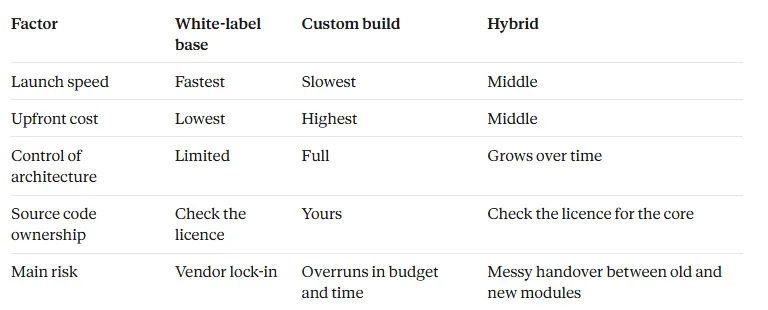
In practice, teams with an existing React web app lean React Native for code-sharing potential. Teams building a brand-new product with heavy custom UI, especially anything animation-driven, tend to land on Flutter after prototyping both.
Common Mistakes and Quick Answers
- Choosing based on hype, not app category: Teams pick Flutter because it’s “trending” without checking if their native integration needs (deep AR, complex Bluetooth) are actually better served by React Native’s closer-to-native module system.
- Ignoring team composition: A team of five React web developers will ship an MVP faster in React Native regardless of which framework is technically “better” for the use case.
- Underestimating Dart hiring difficulty: Flutter’s talent pool has grown, but senior Dart developers in competitive markets still command a premium or longer time-to-hire.
- FAQ: Can I switch frameworks mid-project? Technically yes, practically no. Treat the framework choice as a one-way door past the MVP stage; rewrites cost more than the original build in most cases I’ve seen.
Final Thoughts on Building for iOS With Either Framework
Neither framework “wins” in the abstract. The fintech client from the intro would tell you Flutter saved their launch, but I’ve had the inverse conversation with a media startup where React Native’s web-code reuse cut their timeline by six weeks. What actually matters is matching the framework to your team’s existing skills, your app’s UI complexity, and your native integration needs, which is exactly the kind of assessment worth running before scoping a build with a firm that offers iPhone app development services in USA. The specific insight worth remembering: the framework decision is really a team-and-timeline decision wearing a technology costume, and treating it as a pure technical debate is how projects like that fintech startup end up rebuilding from scratch.