week 8 — Building Automated Delivery Pipelines on AWS: My Journey with GitHub Actions, Lambda, Amplify, and CDK

Modern cloud engineering is no longer about provisioning infrastructure manually. The focus has shifted toward building repeatable, automated delivery pipelines that reduce operational overhead while improving deployment reliability.
Over the past week I spent time implementing several DevOps workflows using GitHub Actions and AWS services. The objective wasn’t simply to automate deployments — it was to better understand how CI/CD pipelines fit into production-grade cloud environments.

Why DevOps Changed Software Delivery
Before DevOps became the industry standard, development and operations teams often worked independently. Developers produced software, operations teams deployed it, and deployments frequently became bottlenecks.
Today, infrastructure is treated as code, deployments are automated, and every code change can be validated before reaching production.
This shift enables engineering teams to deliver software more frequently while reducing deployment risk.

Automating Workflows with GitHub Actions
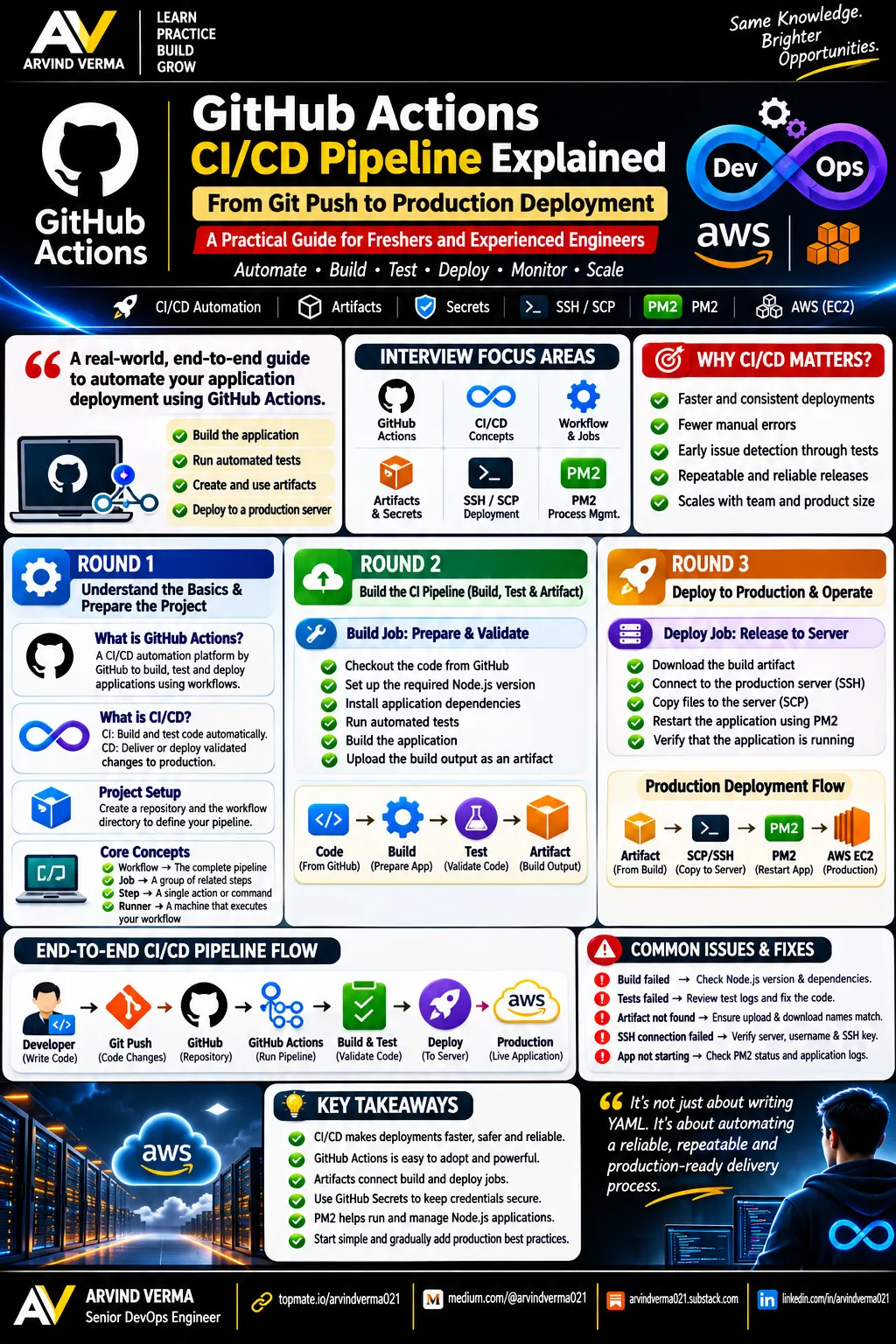
GitHub Actions provides an event-driven automation platform directly integrated into GitHub repositories.
Instead of treating Git as a version control system only, it becomes the starting point of an automated delivery pipeline.
For my initial workflow, every push to the repository triggered a sequence of automated steps running on a hosted Ubuntu runner.
Although the workflow itself was relatively simple, it demonstrated the complete execution model:
- Repository event
- Workflow trigger
- Runner provisioning
- Job execution
- Result reporting
Understanding this execution flow makes it much easier to design larger deployment pipelines later.

Small Configuration Errors Can Break Automation
One aspect that stood out during implementation was how sensitive automation pipelines are to repository structure.
GitHub only discovers workflow definitions located in:
.github/workflows/at the repository root.
A misplaced directory prevented the workflow from being registered entirely. In practice, the workflow file was nested one level too deep, inside a subfolder rather than at the repo root, so GitHub simply had nothing to find — no error, no warning, just silence in the Actions tab.

Similarly, a single YAML typo (rund-on instead of runs-on) stopped the workflow from executing, without producing any indication of what specifically was wrong.
These issues reinforced an important engineering principle:
Automation is deterministic.
Small configuration mistakes often produce complete failures, making validation and troubleshooting essential parts of CI/CD engineering. The recurring lesson was to check where a file lives and which branch it’s on before assuming a logic error — location problems outnumbered actual logic problems by a wide margin.
Deploying AWS Lambda with CI/CD
The next implementation focused on deploying an AWS Lambda function automatically from GitHub.
Rather than packaging and uploading code manually, GitHub Actions handled the deployment after every successful push.
The deployment flow became:
Developer → GitHub → GitHub Actions → AWS Lambda
From an operational perspective, this approach offers several advantages:
- Repeatable deployments
- Reduced human error
- Faster release cycles
- Consistent deployment process
This is the same delivery model commonly used in production environments where manual deployments are discouraged. It’s worth noting, though, that a working deployment pipeline and a production-ready one are different milestones — staging branches, automated tests, and manual approval gates before touching production are what separate the two, and none of them come for free just because the pipeline runs.

Secure Authentication with GitHub Secrets
One critical component of any deployment pipeline is credential management.
Instead of embedding AWS credentials directly into workflow files, authentication was handled through GitHub Secrets.
This approach keeps sensitive information outside the source repository while allowing workflows to authenticate securely during execution.
Get Fatemeh Feyzipour’s stories in your inbox
Join Medium for free to get updates from this writer.
Credential management is often overlooked by beginners, but in practice it is one of the most important security controls in any CI/CD platform. The same discipline applies well beyond GitHub Actions — when working with AWS Secrets Manager directly, for instance, the safest habit is drafting commands with placeholder values and only substituting real credentials at the point of execution, never in anything that gets logged or shared.

Validating Infrastructure Before Merge
Another workflow focused on CloudFormation validation during pull requests.
Rather than waiting until infrastructure reaches production, changes can be validated automatically whenever a pull request is opened.
This introduces several benefits:
- Infrastructure validation before merge
- Early detection of configuration errors
- Better collaboration during code reviews
- Reduced deployment failures
Automated validation is one of the practices that separates mature DevOps workflows from manual deployment processes. Getting this working also surfaced a subtler branching lesson: pushing a workflow-file change to a feature branch doesn’t make GitHub treat it as active on the repository’s default branch. The workflow has to actually be merged into main through a pull request before it applies there—until then, GitHub only recognizes it on the branch (or PRs) where that file already exists.

Designing the Frontend with AI
Before any of the deployment work began, the portfolio’s UI itself was generated with AI assistance, using Vercel’s v0 tool. The brief was intentionally simple: a modern, clean, minimalistic personal portfolio with text, a short description, and links.
This wasn’t about skipping frontend work — it was a deliberate allocation of effort. The engineering value of this project was always in the delivery pipeline: how the site gets built, tested, and deployed automatically. Letting an AI tool handle the initial UI scaffolding meant more time could go toward the CDK stack, the GitHub Actions workflows, and the CI/CD wiring that actually demonstrates cloud engineering skill. The one dependency issue that came out of the generated code — a missing lucide-react icon package—was a two-minute npm install fix, not a meaningful setback.
The broader takeaway: knowing where AI-assisted tooling accelerates a project, versus where hands-on engineering judgment is the actual point, is itself a useful skill to practice deliberately.
Deploying a Next.js Portfolio with AWS Amplify
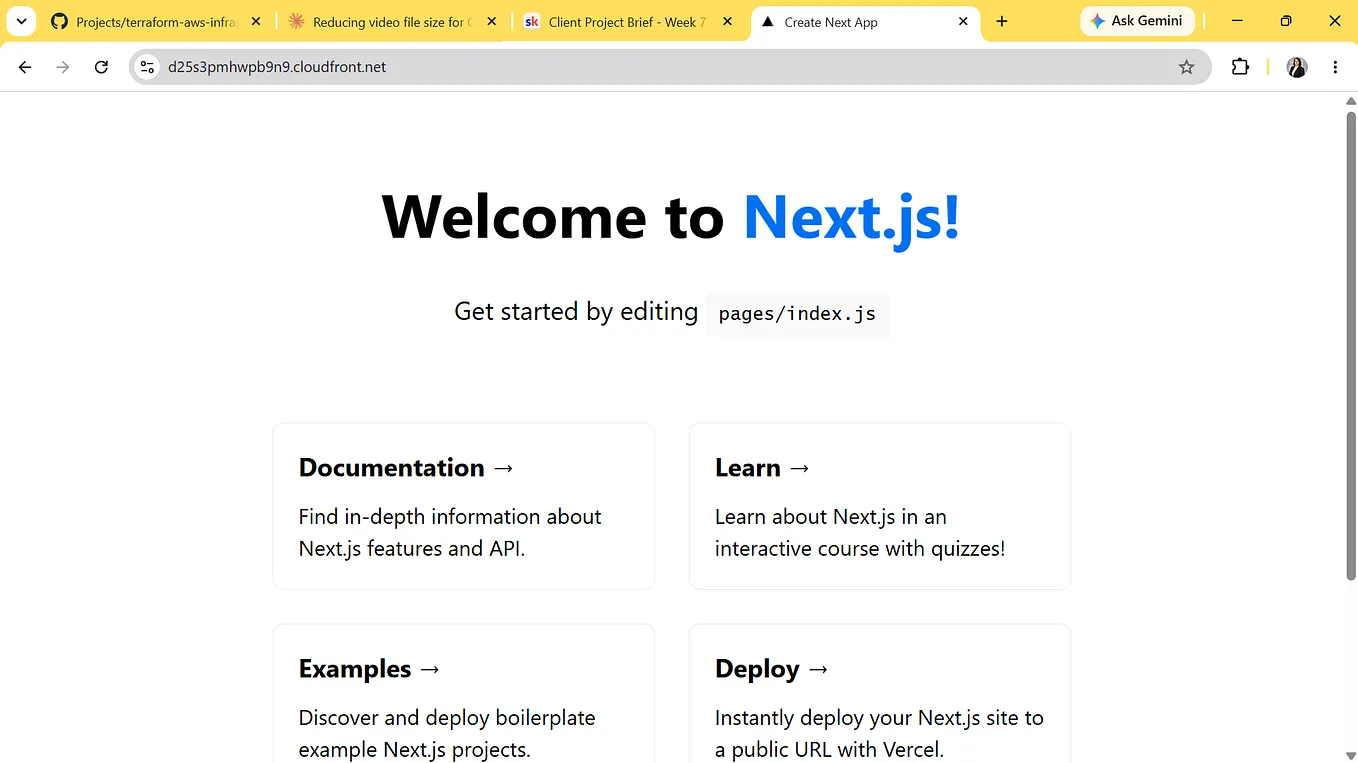
Outside of infrastructure automation, I also started building a personal portfolio using Next.js and AWS Amplify.

Instead of deploying static files manually, Amplify continuously monitors the GitHub repository.
Every push automatically initiates:
- Source retrieval
- Dependency installation
- Application build
- Deployment
- Hosting
This creates a fully managed CI/CD pipeline without requiring additional deployment servers.


For frontend applications, Amplify significantly reduces operational complexity while still supporting production deployment workflows. On cost, Amplify’s free tier covers 1,000 build minutes, 5 GB of storage, and 15 GB served per month for the first 12 months of an account — generous enough that a low-traffic personal portfolio runs at effectively no cost, with pay-as-you-go pricing (fractions of a cent per build minute or GB served) applying only after that window or beyond those limits.
Managing Infrastructure with AWS CDK
Another technology I explored was AWS Cloud Development Kit (CDK).
Coming from Terraform and CloudFormation, CDK introduces a different development experience by allowing infrastructure to be defined using TypeScript.
One design decision I particularly appreciate is separating infrastructure code from application code.
Maintaining independent repositories for infrastructure and application logic improves maintainability, enables independent release cycles, and keeps cloud resources easier to manage as projects grow.

Defining the Amplify app itself surfaced a few specific, easy-to-miss issues worth flagging for anyone doing the same:
- The high-level
AppandGitHubSourceCodeProviderconstructs don't live inaws-cdk-lib/aws-amplify—that module only exposes low-level CloudFormation constructs. The ergonomic versions live in a separate, still-experimental package,@aws-cdk/aws-amplify-alpha, which has to be version-pinned to match the installedaws-cdk-libversion exactly.


- A fine-grained GitHub personal access token, despite being the more secure, narrowly-scoped option, failed silently when Amplify tried to provision its webhook through the
oauthTokenconnection method. Switching to a classic token withrepoandadmin:repo_hookscopes resolved it immediately.


- In a monorepo where the application isn’t at the repository root, the CDK
repositoryfield only identifies the repo—not the path within it. The build spec has to explicitlycdinto the correct nested directory duringpreBuildand pointbaseDirectoryat the matching nested output folder, or the build reports success while deploying nothing.
None of these are conceptually difficult problems. They’re the kind of small, specific friction that only shows up once you move from reading about a tool to actually wiring it into a real deployment — which is exactly why they were worth documenting.
Final Thoughts
One takeaway from these implementations is that cloud engineering extends far beyond provisioning AWS resources.
The real value comes from building delivery systems that are automated, repeatable, and secure.
Whether deploying a Lambda function, validating CloudFormation templates, generating a frontend with AI assistance, or hosting a Next.js application with Amplify, the underlying objective remains the same:
Reduce manual operations while increasing deployment confidence.
As cloud environments continue to scale, automation is no longer a convenience — it’s a fundamental engineering practice.