kagent 1.x: Running Thousands of AI Agents Without Thousands of Pods

Four big changes that make running AI agents on Kubernetes cheaper and safer, explained

Think about an AI agent that helps your team debug pods. People talk to it for maybe five minutes a day. But its pod runs 24 hours a day, using CPU and memory the whole time.
Now imagine you have 20 agents like that. You are paying for a lot of waiting.
kagent 1.x changes this. It is not a small update. It is a redesign of how agents run. I tested the release candidate (1.0.0-rc3) on a local Kubernetes cluster. In this post I explain the four changes that matter most and what I saw in a real cluster.
In short
- Deployments become actors. Many agents share a few warm workers.
- Agent becomes Harness + AgentTemplate + Agent. What an agent does and how it runs are now separate.
- Suspend and resume. Idle agents sleep and use almost no compute of their own.
- Sandbox by default. Every session runs in its own isolated environment.
Quick recap: what is kagent?
kagent is an open-source framework for running AI agents on Kubernetes. You describe an agent in YAML: its instructions (the prompt), the AI model it uses, and the tools it is allowed to call. kagent runs it for you.
The big question in 1.x is not what an agent does. It is how and where the agent runs. That is what changed.
Change 1: From Deployments to actors
Before:
One agent meant one Kubernetes Deployment, so at least one pod that was always running. This is easy to understand, but it wastes resources. An agent that works five minutes a day still reserves CPU and memory all day.
Now:
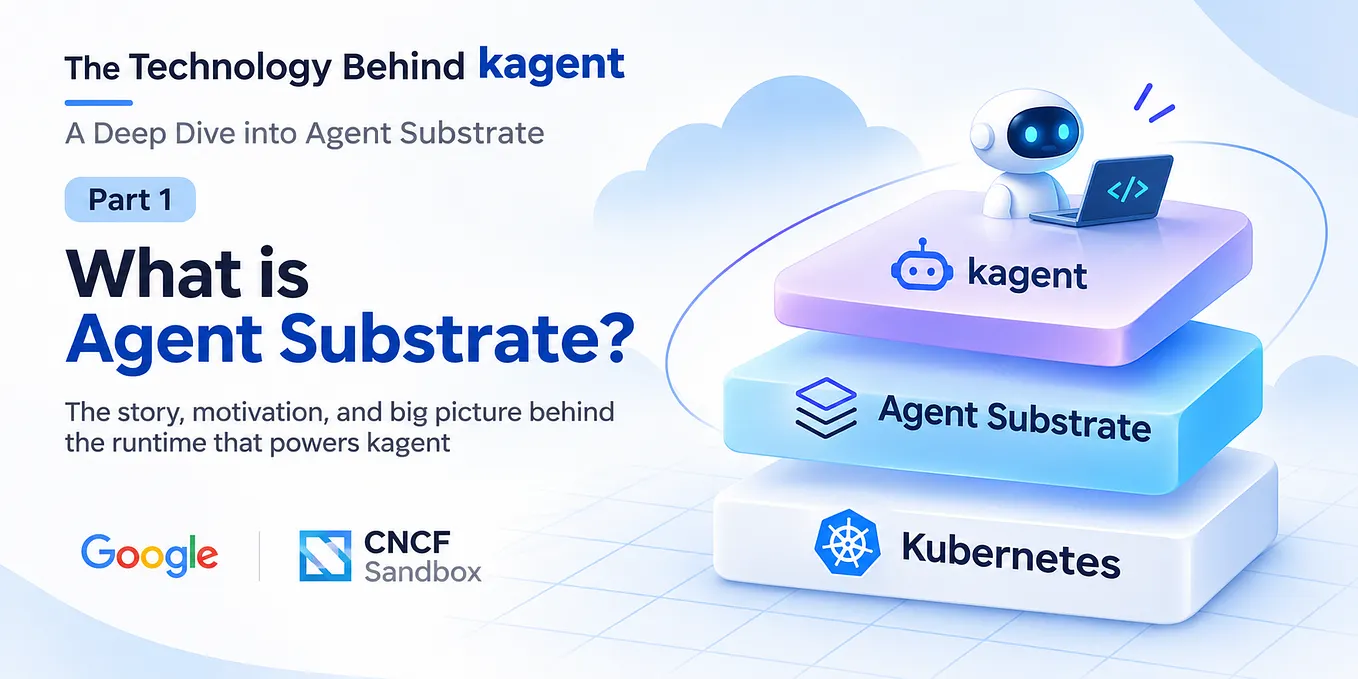
Agents run on a new execution layer called Agent Substrate.
It introduces three important concepts:
- A worker is a pod that starts early and waits for work. Each worker hosts many isolated sandboxes.
- An actor is one active agent session (one running conversation with an agent).
- A WorkerPool manages a group of workers that the Harness can schedule actors onto.
When a user starts chatting with an agent, Substrate creates an actor and places it on one of the available workers. Multiple actors from different agents can safely share the same worker while remaining isolated.
Think of a co-working office. Not everyone needs a private office. People share desks, and the office can accommodate many more workers than if everyone had their own room.

What I saw in my cluster
I ran kubectl get pods and there was no pod named after my agents. There was only a single worker pod. Its logs reported a capacity of up to 1,000 actors.
Why it matters
Your infrastructure now scales with active conversations, not with the number of agents you have defined.
Adding a tenth agent no longer means adding a tenth always-running pod.
If many users become active at once, Substrate can schedule actors across additional workers instead of creating a dedicated Deployment for every agent.
Change 2: Agent becomes Harness + AgentTemplate + Agent
Before:
A single Agent resource described both what the agent does and how it runs.
Now:
The responsibilities are split into three resources.
- AgentTemplate describes what the agent does: the prompt, model, tools, knowledge, and any sub-agents.
- Harness describes how the agent runs: the runtime (such as kagent’s built-in Go ADK runtime, Claude Code, Codex, or your own OCI container), the WorkerPool it uses, sandbox settings, and where execution snapshots are stored.
- Agent connects the two by saying, “Run this template using this harness.”
A simple way to remember it: Job description + office = employee.

Here is a trimmed version of the agent from my test. It points to a harness, and it holds its instructions inline:
kind: Agent
metadata:
  name: k8s-triage-agent
spec:
  harnessRef:
    name: kagent-poc          # how it runs
  template:
    inline:                   # what it does
      modelConfig:
        name: groq
      systemPrompt: "You are an SRE triaging a namespace..."
If you want to reuse the same behavior, you can put it in a shared AgentTemplate and point to it with template.ref.
Get Isuru Wimalasiri’s stories in your inbox
Join Medium for free to get updates from this writer.
Why it matters.
- You can reuse one template on different harnesses.
- A platform team can own the harness (the infrastructure), while app teams own the templates (the behavior).
- You can change where agents run without rewriting a single prompt.
Change 3: Suspend and resume
When an actor is idle, Substrate suspends it. It saves the actor’s state (a snapshot) to storage and frees the compute. When a new message arrives, it resumes the same session, right where it stopped.

The Substrate docs say resume takes less than 500 milliseconds.
One honest point: a small pool of warm workers still runs all the time. The saving does not come from agents costing zero. It comes from many agents sharing that pool. Idle agents no longer hold their own compute.
Sessions are also durable. The conversation history lives in PostgreSQL, so a session is not lost when its actor sleeps. kagent can even save checkpoints and fork a conversation from one.
Change 4: Sandbox by default
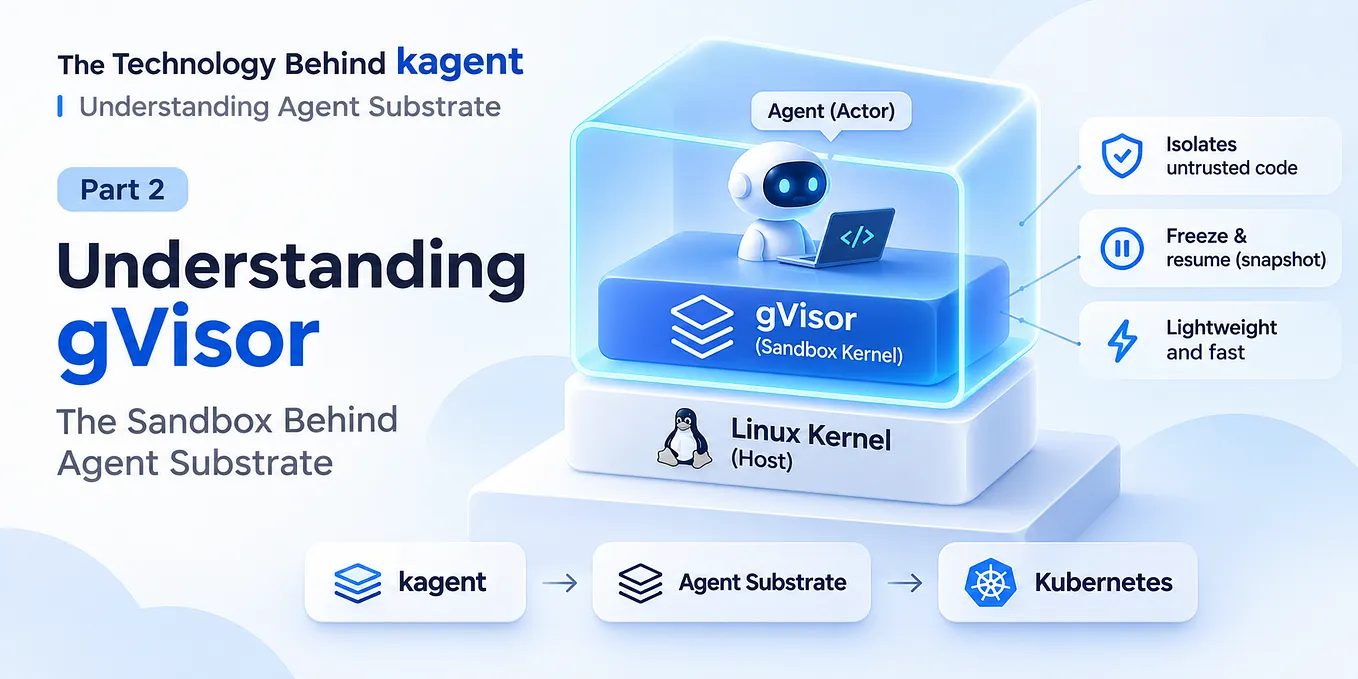
Every session runs in its own gVisor sandbox. gVisor is a strong isolation layer that sits between the agent and the host machine.
Why does this matter? An agent runs actions chosen by an AI model. A bad prompt or a buggy tool should not be able to reach other sessions or the host.

Each session runs inside its own sandbox, inside a worker pod.
The sandbox gives you:
- Isolation. One session cannot see another.
- Limits. CPU and memory are capped for each agent.
- Controlled outbound traffic. An agent can only call destinations you allow, using an EgressPolicy.
- Secrets stay outside. A gateway adds API keys to requests on the way out. The keys never sit inside the agent’s runtime.
One warning: a sandbox protects the agent’s runtime. It does not protect your cluster from a tool that is too powerful. In my test, the built-in tool server ran with cluster-admin rights. If an agent can call a tool, the tool runs with those rights. Keep each agent’s tool list short, and ask for human approval on anything that changes things.
What it costs you
This design is powerful, but it is not free. Here is what I ran into:
- More moving parts. My kind cluster had 16 running pods before I created my first agent: the controller, a database, object storage, sandbox services, and more.
- Extra storage needs. You need PostgreSQL for sessions and object storage for snapshots.
- It is a release candidate. 1.0.0-rc3 came out on 6 November 2026. APIs may still change.
Should you care?
Look at it now if:
- you plan to run many agents, and most are idle most of the time,
- your agents run actions chosen by a model, and isolation matters,
- several teams will share one platform.
Wait a little if:
- you have one simple agent,
- you need a stable, production-proven setup today.
The four changes in one place
- One Deployment per agent → actors on shared workers (Agent Substrate)
- One Agent resource for everything → Harness + AgentTemplate + Agent
- Always running → suspend when idle, resume on demand
- Isolation is up to you → every session in a sandbox by default
Final thoughts
The biggest change in kagent 1.x isn’t a new model or another prompt feature. It’s a new execution model.
By separating agent behaviour from runtime, suspending idle sessions, and isolating every conversation inside its own sandbox, kagent starts treating AI agents less like long-running applications and more like lightweight workloads that Kubernetes can schedule efficiently.
For teams planning to run dozens or hundreds of AI agents, that architectural shift could matter far more than any single new feature.
Have you started experimenting with sandboxed AI agents or shared execution runtimes? I’d love to hear what you’ve learned in the comments.