Pre-Launch Testing Checklist for Startup Apps


If you’re a startup founder gearing up to launch an app, you probably have a million things on your mind — features, marketing, investors, and deadlines. But here’s the truth: skipping pre-launch testing is like jumping out of a plane without checking your parachute. Before your app goes live, you need to make sure it works flawlessly, delights users, and supports your business metrics. In this guide, we’ll cover the ultimate pre-launch testing checklist for startup apps, complete with actionable metrics, benchmarks, and best practices.
Why Pre-Launch Testing is Crucial for Startup Apps
Pre-launch testing isn’t just a technical step — it’s a strategic move. It ensures your app is functional, fast, secure, and ready to delight users from day one.
The Cost of Skipping Testing
Skipping testing can be expensive. Consider this: a single crash or poor onboarding experience can lead to negative reviews, low retention, and wasted marketing spend. For startups with limited budgets, a failed launch can be catastrophic. Testing upfront saves money, protects your brand, and builds user trust.
Understanding Different Types of Testing
To build a robust app, you need a mix of testing approaches. Each type ensures a different layer of quality and performance.
Functional Testing: Ensuring Your App Works
Functional testing ensures every feature behaves as expected. From sign-ups to in-app purchases, every click, tap, and swipe must deliver the intended result. Edge cases and error handling are just as important as standard flows.
Performance Testing: Speed and Stability Matter
Performance is critical for retaining users. Slow apps frustrate users and drive them straight to competitors. Measure metrics like time to initial display (TTID) — how fast your app shows the first frame on a cold start. Your goal should be a seamless, responsive experience, even under load.
Security Testing: Protecting User Data
In the age of data breaches, users expect their information to be safe. Security testing helps identify vulnerabilities like weak authentication, data leaks, or SQL injections. Every startup app should pass a robust security audit before launch.
Usability Testing: Real Users, Real Feedback
Even the most technically perfect app can fail if users can’t navigate it intuitively. Usability testing involves observing users interact with the app, gathering feedback, and refining workflows. Aim for early users to understand your app’s time to value — ideally, 50% of users should grasp the app’s value in under 5 minutes.
Compatibility Testing: Devices, Browsers, and Platforms
Your users aren’t all on the latest iPhone or Android model. Compatibility testing ensures your app works across devices, screen sizes, OS versions, and even different network conditions. Overlooking this can alienate a segment of your audience.
Step-by-Step Pre-Launch Testing Checklist
Here’s a detailed checklist to ensure your app is launch-ready and aligned with key startup metrics.
1. Define Testing Goals and Scope
Start by asking:
- Which features are critical for launch?
- Which workflows affect key metrics like retention, adoption, and revenue?
Defining goals helps your team focus on what really matters and sets benchmarks for success.
2. Prepare Test Environments
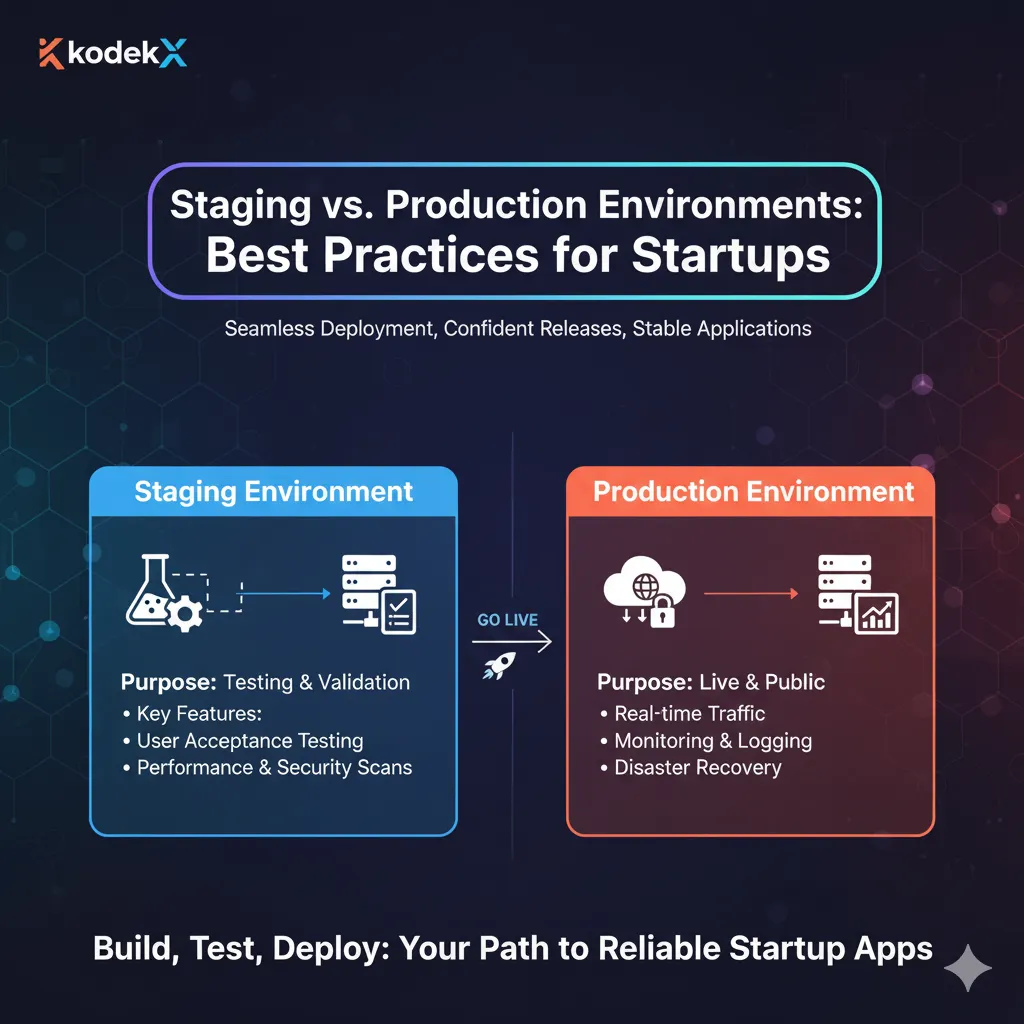
Testing in production is risky. Set up staging environments that mirror real-world conditions, including:
- Different devices and OS versions
- Variable network conditions
- Mock data for realistic scenarios
This helps identify issues before they impact real users.
3. Conduct Functional Testing
Ensure every feature works as intended. Key steps include:
- Verify onboarding flows
- Test user authentication and permissions
- Validate forms, buttons, and interactive elements
- Check error handling for edge cases
Remember, functional testing directly impacts adoption rates, retention, and user satisfaction metrics like NPS. Your goal: >80% monthly retention for early adopter cohorts.
4. Perform Performance and Load Testing
Performance metrics can make or break your launch. Measure:
- Time to Initial Display (TTID) for fast first impressions
- App responsiveness under different network conditions
- Server load handling under peak traffic
Set targets like weekly active users increasing by 10% monthly and ensure your servers can handle these growth patterns.
5. Run Security Audits
Security isn’t optional. Conduct audits to check for:
- Data encryption and storage vulnerabilities
- Authentication loopholes
- Potential for malicious attacks
A strong security posture helps protect your users and supports regulatory compliance.
6. Test Usability with Real Users
Invite a small group of target users to try your app. Collect insights on:
- Navigation clarity
- Ease of completing core tasks
- Pain points that affect engagement
Aim to improve problem resolution, like boosting productivity or cost savings by 25%+ for early users.
7. Check Device and Platform Compatibility
Run tests across:
- iOS and Android versions
- Multiple screen sizes and resolutions
- Different network conditions
Get KodekX’s stories in your inbox
Join Medium for free to get updates from this writer.
Even a small bug on one platform can impact your adoption rates and early reviews.
8. Beta Testing and Feedback Collection
Beta testing helps simulate real-world conditions and gather early feedback. Track metrics like:
- Beta retention rates
- NPS or user satisfaction scores (aim 40+)
- Feature usage and engagement
Categorize feedback: are most comments positive? Are there recurring complaints?
9. Bug Tracking and Fixes
Use tools like Jira, Trello, or GitHub to track every bug and monitor fixes. Key goals:
- Ensure no critical bugs remain at launch
- Prioritize fixes based on impact on adoption and retention
- Maintain a transparent process for the team
10. Final Regression Testing
After addressing bugs, run a final round of testing to ensure fixes haven’t broken existing features. This ensures:
- Stability under real user conditions
- Consistent functionality across platforms
- High confidence for launch day
Metrics to Monitor Before Launch
To ensure your app isn’t just functional but also hits business targets, track these key metrics:
Product Engagement Metrics
- Adoption Rates: Measure signups, downloads, and first-session engagement.
- Usage Data: Track weekly active users; aim for 10% growth per month.
- Retention: Target >80% monthly retention for early adopters.
- Virality: Aim for a k-factor >1.0 to encourage organic growth.
- User Feedback: Target NPS 40+ from early users.
- Time to Value: Ensure 50% of users grasp app value in <5 minutes.
- Problem Resolution: Look for 25%+ improvement in productivity or cost savings.
Pre-Launch Financial Metrics
- Contribution Margin: Target 40%+ contribution margins.
- Breakeven Analysis: E.g., $400K monthly recurring revenue.
- Cash Flow: With $60K burn rate, $500K funding provides an 8-month runway.
- Customer Acquisition Costs: Aim for <$300 per new customer.
- Churn Rates: Target <2% MRR churn rate.
Pre-Launch Marketing Metrics
- Email Sign-ups / Waitlist Count: Growth indicates campaign success.
- Engagement Metrics: High engagement means messaging resonates; low engagement may require adjustment.
- Beta Retention & Feedback: Track retention and categorize feedback for actionable insights.
- Social Follower Growth: Monitor trends leading up to launch.
- Press & Referral Traffic: Identify high-performing sources like tech blogs or influencers.
Tools and Resources for Effective Pre-Launch Testing
Automated Testing Tools
Use tools like Selenium, Appium, and TestComplete for repetitive testing. Automation increases speed and coverage.
Manual Testing Approaches
Manual testing catches subtle UX mobile issues that automated scripts can miss. It’s essential for usability and exploratory testing.
Beta Testing Platforms
Platforms like TestFlight (iOS), Firebase App Distribution (Android), and UserTesting help reach real users and gather actionable insights.
Best Practices for a Smooth Launch
Continuous Monitoring Post-Launch
Monitoring doesn’t stop at launch. Tools like Firebase Crashlytics and Google Analytics help detect crashes, measure engagement, and track user behavior.
Iterative Updates Based on Feedback
A successful launch is just the beginning. Regular updates based on user feedback help:
- Fix bugs quickly
- Introduce new features strategically
- Maintain high retention and engagement
Conclusion
Launching a startup app is exhilarating, but it’s also a test of preparation. Pre-launch testing ensures your app is functional, fast, secure, and user-friendly while supporting adoption, retention, and financial metrics. By following this checklist and monitoring key data points, you set your startup app up for a strong, successful launch. Remember: an app that works flawlessly isn’t luck — it’s careful planning, testing, and Product Iteration.