Keystroke journey: How your PC knows when you type something from a keyboard

Have you ever wondered how a laptop/pc know what you typed? Like we plug it and it works, you press a key and it shows up in display. It works even if your colleague stole it(maybe keyboards aren’t loyal enough ;) )
I’m a linux user, so journey follow ubuntu. Windows and Mac handles key differently. You have to look up if want to follow key through them.

In plain words
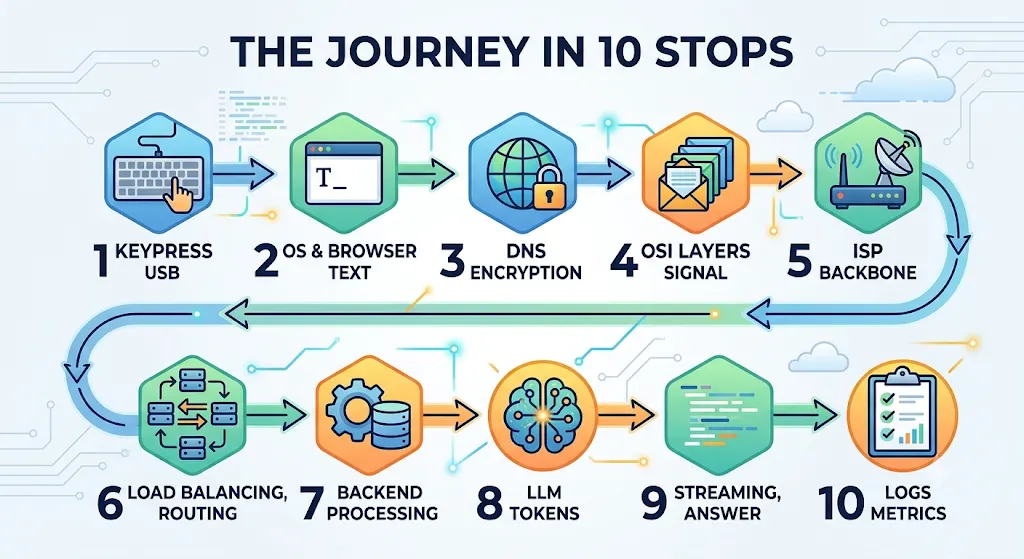
A key is just a switch. Closing it lets a tiny chip in the keyboard notice. That chip tells the computer, the computer’s kernel works out which key it was, the windowing system decides which program is in front, and that program (your browser) finally sees the letter.
Get Nikhil Verma’s stories in your inbox
Join Medium for free to get updates from this writer.
Under the hood
- Switch to interface code: the keyboard controller scans a grid of rows and columns, debounces, and records the pressed key.
- USB: the host controller polls the keyboard periodically (an interrupt endpoint, typically every 1 to 8 ms), and the keyboard answers with an 8-byte HID report.
- Into memory: the USB host controller (it sits on the motherboard’s PCIe/chipset side) writes the report into RAM by DMA, then raises an interrupt.
- Into the CPU: the CPU stops what it is doing, jumps to the kernel’s interrupt handler, and only then loads the bytes from RAM into registers while the driver code runs.
- Kernel: the HID driver converts the report to a key event and publishes it through the Linux Input Subsystem(
/dev/input/eventX). This is kernal space handing data up. - Display server: Xorg or the Wayland compositor reads the event via libinput, applies your keyboard layout, and sends it to the focused window.
- Software (Browser): the software process forwards it to the right renderer and do it’s thing, and in browser case its Broswer Event Loop that fires
keydownin your page.
Try it
sudo apt install evtest
sudo evtest            # pick your keyboard, press a key
Conclusion
We press a key and it show up on display instantly but there is a lot of engineering work goes behind it and now you know it’s not a magic but your keyboard still not loyal to you ;) so does mouse and other input devices.