SQL Aggregate Functions
When working with databases, we often don’t just want raw data we want insights.
Questions like:
- How many users are there?
- What is the total revenue?
- What’s the average salary?
- Which product is the most expensive?
This is where SQL Aggregate Functions come into play.
In this blog, we’ll understand what SQL aggregate functions are, how they work, and how to use them with real examples.
What Are SQL Aggregate Functions?
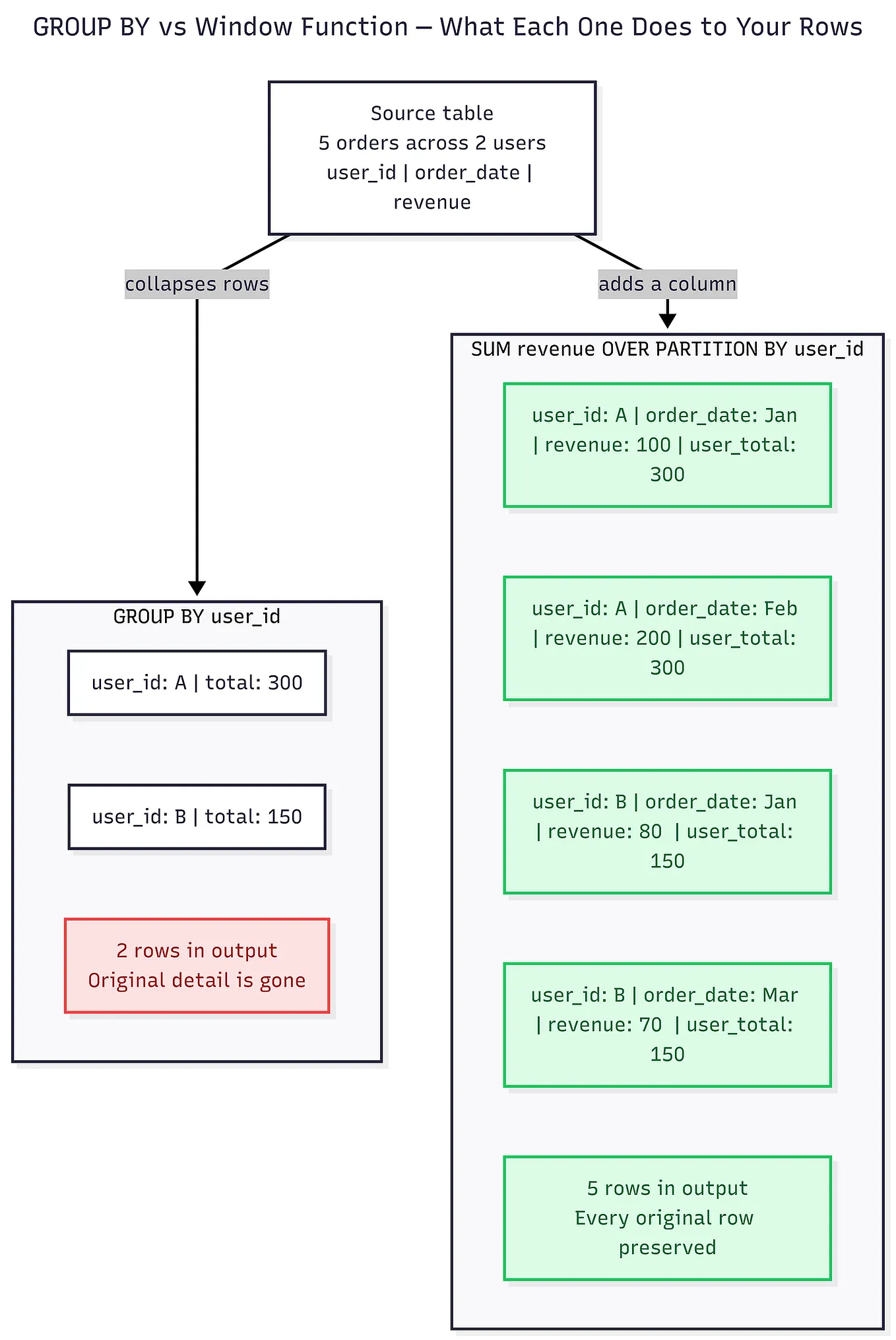
SQL Aggregate Functions perform a calculation on multiple rows and return a single summarized value.
They are commonly used with:
SELECTstatementsGROUP BYclauseHAVINGclause
In simple words:
Aggregate functions help you summarize large data into meaningful results.
Get Quipoin’s stories in your inbox
Join Medium for free to get updates from this writer.
Let’s understand each one with examples.
1. COUNT() — Count Number of Rows
The COUNT() function returns the number of rows that match a condition.
Example: Count total employees
SELECT COUNT(*) AS total_employees
FROM employees;
✔ Counts all rows, including duplicates and NULLs.
Count non-NULL values
SELECT COUNT(salary)
FROM employees;
✔ Counts only rows where salary is not NULL.
2. SUM() — Calculate Total
The SUM() function adds up numeric values of a column.
Example: Total salary paid
SELECT SUM(salary) AS total_salary
FROM employees;
✔ Useful for calculating totals like revenue, marks, or sales.
3. AVG() — Calculate Average
The AVG() function calculates the average of numeric values.
Example: Average employee salary
SELECT AVG(salary) AS avg_salary
FROM employees;
✔ Automatically ignores NULL values.
4. MIN() — Find Minimum Value
The MIN() function returns the smallest value in a column.
Example: Lowest salary
SELECT MIN(salary) AS lowest_salary
FROM employees;
✔ Works with numbers, dates, and strings.
5. MAX() — Find Maximum Value
The MAX() function returns the largest value.
Example: Highest salary
SELECT MAX(salary) AS highest_salary
FROM employees;
✔ Commonly used to find top scores, latest dates, or highest prices.
Using Aggregate Functions with GROUP BY
GROUP BY is used to apply aggregate functions per group.
Example: Average salary per department
SELECT department, AVG(salary) AS avg_salary
FROM employees
GROUP BY department;
✔ Groups employees by department and calculates average salary for each.
Using Aggregate Functions with HAVING
The HAVING clause filters groups, not individual rows.
Example: Departments with average salary > 50,000
SELECT department, AVG(salary) AS avg_salary
FROM employees
GROUP BY department
HAVING AVG(salary) > 50000;
WHERE filters rowsHAVING filters groups
Key Points to Remember
- Aggregate functions return one value per group
- NULL values are usually ignored (except
COUNT(*)) - Use
GROUP BYto summarize data category-wise - Use
HAVINGto filter aggregated results - Very common in interviews and real projects
Real-World Use Cases
- Total sales per month
- Number of users per country
- Average marks per subject
- Highest and lowest transaction amount
- Dashboard and reports data
Practice Makes You Stronger
To truly master SQL aggregate functions:
- Try writing queries on real tables
- Combine them with
WHERE,GROUP BY, andHAVING - Solve interview-style problems regularly
Practice Exercises — Try writing queries on employee & sales tables
MCQ Practice — Test your understanding
Interview Questions — Common SQL aggregation questions
Tutorials — Learn SQL step by step from basics to advanced