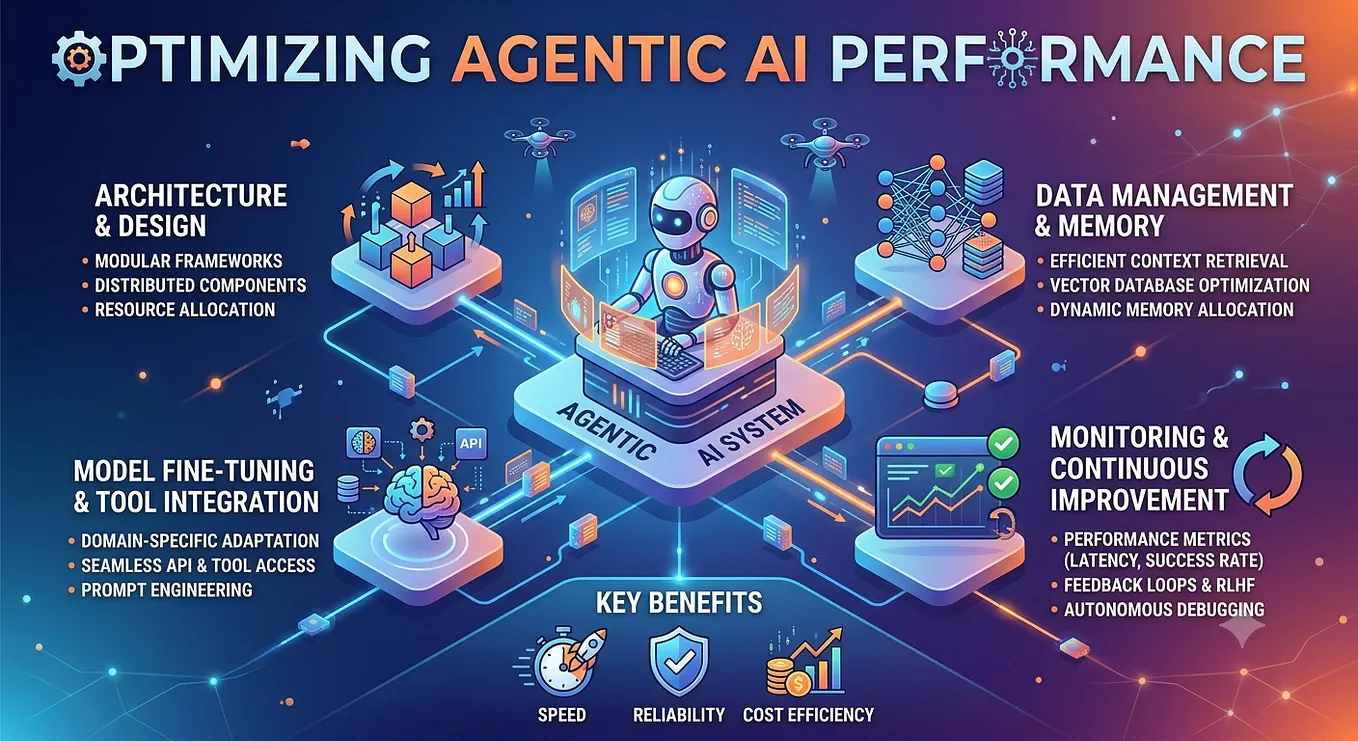
Optimizing Agentic AI Performance: Design Patterns & Strategies

Part 2: Proven Patterns for High-Performance AI Agents
Part 2 of a 6-part series on building high-performance AI agent systems
Series Navigation
- Part 1: Foundation & Performance Architecture
- Part 2 (this article): Design Patterns & Optimization Strategies
- Part 3 (future article): Monitoring, Observability & Metrics
- Part 4 (future article): Troubleshooting & Diagnostics
- Part 5 (future article): Production Best Practices
- Part 6 (future article): Continuous Improvement
Introduction
In Part 1, we established the foundational concepts of agentic AI performance and explored architectural principles. Now, we’ll dive into specific design patterns and optimization strategies you can implement immediately to improve your system’s performance.
💼 For Architects & Leaders: This article provides actionable design patterns with clear ROI metrics and implementation roadmaps. Each pattern includes decision frameworks to help you evaluate applicability to your specific use cases.
These patterns are battle-tested across various agentic AI implementations and are vendor-agnostic — applicable whether you’re using LangChain, AutoGPT, commercial platforms, or custom solutions.
📊 Pattern Selection Framework
Use this decision matrix to prioritize which patterns to implement first:

Design Pattern 1: Workflow Decomposition
💼 For Architects & Leaders: This pattern delivers the highest ROI for enterprise deployments with repetitive workflows. For highly repetitive, deterministic workflows, expect 40–60% performance improvement and up to 70–80% token cost reduction — actual results depend on the proportion of requests that are deterministic in your system.
The Problem
Many AI agent implementations use reasoning-based approaches for everything, even when deterministic workflows would be more efficient. This results in:
- Unnecessary reasoning overhead (2–5 seconds per decision)
- Unpredictable response times
- Higher token consumption and costs
- Reduced throughput
Business Impact:
- Cost: $10K/month in unnecessary LLM API calls for a 1000-user deployment
- User Experience: 8–14 second response times vs. 3–6 seconds with optimization
- Scalability: 3x more infrastructure needed to handle same load
The Pattern
Principle: Separate dynamic reasoning from deterministic execution. Use the right tool for each job.


Figure 1: Workflow Decomposition Pattern — Separating reasoning from deterministic execution
When to Apply:
- Workflows with predictable, repeatable steps
- Operations that don’t require dynamic decision-making
- High-frequency operations where speed matters
- Cost-sensitive applications
Implementation Strategy
Step 1: Analyze Your Workflows
Identify which parts of your agent’s behavior are:
- Dynamic: Require reasoning, context-dependent decisions
- Deterministic: Follow predictable patterns, rule-based logic
Step 2: Decompose Complex Workflows
Break down complex agent workflows into:
- Reasoning segments: Where AI makes decisions
- Execution segments: Where deterministic logic runs
- Hybrid segments: Where both are needed
Step 3: Choose Appropriate Execution Patterns
- Pure reasoning: Complex, unpredictable tasks
- Pure workflow: Repetitive, well-defined processes
- Hybrid: Start with reasoning, transition to workflow
Real-World Example
Before Optimization:
User: "Process this expense report"
→ Agent reasons about what to do (2s)
→ Agent selects validation tool (1s)
→ Validation executes (3s)
→ Agent reasons about next step (2s)
→ Agent selects approval tool (1s)
→ Approval executes (2s)
→ Agent reasons about notification (2s)
→ Notification sent (1s)
Total: 14 seconds
After Optimization:
User: "Process this expense report"
→ Deterministic workflow starts
→ Validation executes (3s)
→ Approval executes (2s)
→ Notification sent (1s)
Total: 6 seconds (57% faster)
Expected Impact
- Response time: 40–60% reduction for deterministic workflows
- Token consumption: Up to 70–80% reduction for fully deterministic workflows (actual savings depend on how much of your traffic is eligible for workflow-based execution)
- Throughput: 2–3x improvement
- Predictability: Consistent execution times
📊 ROI Calculation Example (Illustrative — your figures will vary based on workflow type, traffic volume, and team size):
Current State (Reasoning-based):
- 10,000 requests/day
- Average 8 seconds response time
- 2,000 tokens per request @ $0.002/1K tokens
- Daily cost: $40
Optimized State (Workflow-based):
- 10,000 requests/day
- Average 3 seconds response time (62% faster)
- 400 tokens per request @ $0.002/1K tokens (80% reduction)
- Daily cost: $8Annual Savings: $11,680
Implementation Cost: $15,000 (2-3 weeks, estimated)
Payback Period: ~1.3 months
🎯 Decision Framework: When to Apply This Pattern

Implementation Checklist
Phase 1: Analysis (Week 1)
- Audit existing agent workflows
- Identify deterministic segments
- Calculate current costs and performance
- Estimate optimization potential
Phase 2: Design (Week 2)
- Create workflow definitions for repetitive tasks
- Design hybrid approach where needed
- Define success metrics
Phase 3: Implementation (Weeks 3–4)
- Implement workflow engine
- Migrate high-value workflows
- Add monitoring and logging
Phase 4: Validation (Week 5)
- Measure before/after performance
- Validate cost savings
- Monitor for regression
- Document lessons learned
Design Pattern 2: Parallel Execution
💼 For Architects & Leaders: Parallel execution is a quick-win pattern that can deliver 40–70% performance improvements with moderate implementation effort. Ideal for data-intensive applications.
The Problem
Sequential execution of independent operations wastes time. If three operations each take 3 seconds and run sequentially, total time is 9 seconds — even though they don’t depend on each other.
Business Impact:
- User Experience: 9-second waits feel 3x longer than 3-second waits
- Throughput: 3x fewer requests handled per second
- Infrastructure: Need 3x more capacity to handle same load
The Pattern
Principle: Execute independent operations concurrently to reduce total execution time.
Key Insight: Total execution time equals the longest operation, not the sum of all operations.

Figure 2: Parallel Execution Pattern — Reducing total time through concurrency
When to Apply
- Multiple independent data retrievals
- Parallel API calls to different services
- Concurrent knowledge base queries
- Independent validation checks
- Batch processing operations
Implementation Strategies
Strategy 1: Parallel Tool Execution
Scenario: Agent needs data from three different sources
Sequential Approach:
Fetch customer data (3s)
→ Fetch order history (4s)
→ Fetch inventory status (2s)
Total: 9 seconds
Parallel Approach:
Fetch customer data (3s) ┐
Fetch order history (4s)  ├→ Wait for all
Fetch inventory status (2s)┘
Total: 4 seconds (56% faster)
Strategy 2: Parallel Knowledge Retrieval
Scenario: Query multiple knowledge bases
Instead of:
Query product KB → Query policy KB → Query FAQ KBExecute:
Query all KBs simultaneously → Aggregate resultsStrategy 3: Parallel Validation
Scenario: Multiple validation checks
Run all validations concurrently:
Format validation ┐
Business rules    ├→ Aggregate results
Security checks   ┘
Implementation Considerations
1. Identify Dependencies
- Map operation dependencies
- Find truly independent operations
- Don’t parallelize dependent operations
2. Resource Constraints
- Consider API rate limits
- Monitor concurrent connection limits
- Balance parallelism with resource usage
3. Error Handling
- Implement timeout strategies
- Handle partial failures gracefully
- Provide fallback mechanisms
4. Result Aggregation
- Design efficient result combination
- Handle varying completion times
- Maintain result ordering when needed
Real-World Example: Customer Service Agent
Before:
1. Fetch customer profile (2s)
2. Fetch recent tickets (3s)
3. Fetch product information (2s)
4. Fetch knowledge base articles (4s)
Total: 11 seconds
After:
Parallel execution of all fetches
Total: 4 seconds (64% faster)
Expected Impact
- Response time: 40–70% reduction for parallel-friendly workflows
- Throughput: 2–4x improvement
- Resource utilization: Better CPU/network utilization
- User experience: Significantly faster responses
📊 ROI Calculation Example (Illustrative — your figures will vary based on architecture, cloud provider, and traffic volume):
Scenario: Customer service agent with 4 data sourcesSequential Execution:
- Response time: 11 seconds
- User satisfaction: 65%
- Concurrent users supported: 50Parallel Execution:
- Response time: 4 seconds (64% faster)
- User satisfaction: 85% (+20 points)
- Concurrent users supported: 150 (3x)Infrastructure Savings: up to 66% reduction in compute needed
Implementation Cost: $12,000 (2-3 weeks, estimated)
Annual Savings: $45,000 (infrastructure) + improved user satisfaction
Payback Period: ~3.2 months
🎯 Decision Framework: When to Apply This Pattern

Implementation Checklist
Phase 1: Analysis (Week 1)
- Map workflow dependencies
- Identify parallel execution opportunities
- Assess API rate limits and constraints
- Calculate expected performance gains
Phase 2: Implementation (Weeks 2–3)
- Implement concurrent execution framework
- Add timeout and error handling
- Implement result aggregation logic
- Add circuit breakers for external services
Phase 3: Testing (Week 4)
- Test under various load conditions
- Validate error handling
- Monitor resource utilization
- Measure actual vs. expected improvements
Design Pattern 3: Intelligent Caching
💼 For Architects & Leaders: Caching delivers the highest ROI of all optimization patterns — 80–95% performance improvement with 50–90% cost reduction. This is typically the first pattern to implement.
The Problem
Repeatedly executing expensive operations wastes resources:
- Language model inference for similar queries
- Knowledge base searches for common questions
- External API calls for static data
- Complex computations with predictable results
Business Impact:
- Cost: Repeated LLM calls for similar queries waste 40–60% of API budget
- Performance: 5-second operations repeated unnecessarily
- Scalability: Cache hit rates of 30% = 30% more capacity without infrastructure changes
The Pattern
Principle: Store and reuse results of expensive operations.

Figure 3: Intelligent Caching Pattern — Reusing expensive operation results
Key Insight: Cache hit rates of even 20–30% can significantly improve overall performance.
Caching Strategies
Strategy 1: Response Caching
What to Cache:
- Frequently asked questions
- Common query patterns
- Static information requests
- Deterministic computations
Implementation:
User query → Check cache
  ↓ Hit: Return cached response (50ms)
  ↓ Miss: Execute full workflow (5s) → Cache result
Cache Key Design:
- Normalize queries (lowercase, remove punctuation)
- Use semantic similarity for fuzzy matching
- Include relevant context in key
- Consider user-specific vs. global caching
Strategy 2: Knowledge Base Caching
What to Cache:
- Frequently retrieved documents
- Common search results
- Embedding vectors
- Processed chunks
Benefits:
- Reduce vector database load
- Faster retrieval (100ms → 10ms)
- Lower infrastructure costs
Strategy 3: Tool Result Caching
What to Cache:
- API responses for static data
- Computation results
- External service calls
- Database queries
Considerations:
- Data freshness requirements
- Cache invalidation strategy
- Storage costs vs. computation costs
Strategy 4: Prompt Caching
What to Cache:
- System prompts
- Common instruction patterns
- Template responses
- Partial completions
Platform Support:
- Some LLM providers offer native prompt caching
- Can reduce token costs by 50–90% for cached portions
- Particularly effective for long system prompts
Cache Invalidation Strategies
Time-Based (TTL):
- Set expiration times based on data volatility
- Short TTL (minutes): Dynamic data
- Long TTL (hours/days): Static data
Event-Based:
- Invalidate on data updates
- Clear related cache entries
- Selective invalidation
Size-Based (LRU):
- Least Recently Used eviction
- Maintain cache within memory limits
- Automatic management
Implementation Guidelines
1. Identify Caching Opportunities
Analyze request patterns:
- What queries repeat frequently?
- Which operations are expensive?
- What data changes infrequently?
2. Choose Cache Storage
- In-memory: Fastest, limited capacity (Redis, Memcached)
- Distributed: Scalable, shared across instances
- Local: Simple, per-instance caching
3. Implement Cache Warming
- Pre-populate cache with common queries
- Refresh cache proactively
- Avoid cold start penalties
4. Monitor Cache Performance
- Track hit/miss rates
- Measure latency improvements
- Monitor cache size and evictions
Real-World Example: FAQ Agent
Without Caching:
Every "What are your business hours?" query:
→ Knowledge base search (300ms)
→ LLM processing (2s)
→ Response generation (1s)
Total: 3.3s per query
With Caching:
First query: 3.3s (cache miss)
Subsequent queries: 50ms (cache hit)
With 40% hit rate: Average 2s per query (40% improvement)
Expected Impact
- Response time: 50–90% reduction for cached queries
- Token costs: 40–80% reduction
- Infrastructure load: 30–60% reduction
- Throughput: 2–5x improvement for cached operations
📊 ROI Calculation Example (Illustrative — hit rates, costs, and timelines will vary):
Scenario: FAQ chatbot with 10,000 queries/dayWithout Caching:
- Average response time: 3.3s
- LLM API cost: $0.002 per query
- Daily cost: $20
- Monthly cost: $600With Caching (40% hit rate):
- Average response time: 2s (40% faster)
- Cache hits: 4,000 queries @ $0 = $0
- Cache misses: 6,000 queries @ $0.002 = $12/day
- Daily cost: $12
- Monthly cost: $360Annual Savings: $2,880
Implementation Cost: $8,000 (1-2 weeks, estimated)
Payback Period: ~2.8 months
Additional Benefits: 40% faster responses, 2x throughput capacity
🎯 Decision Framework: When to Apply This Pattern

Implementation Checklist
Phase 1: Analysis (Week 1)
- Analyze query patterns and frequency
- Identify expensive operations
- Calculate potential hit rates
- Estimate cost savings
Phase 2: Implementation (Week 2)
- Choose appropriate cache storage
- Implement cache key strategy
- Add cache invalidation logic
- Implement monitoring
Phase 3: Optimization (Ongoing)
- Monitor hit rates and effectiveness
- Tune TTL and size limits
- Adjust cache key strategies
- Measure actual ROI
Design Pattern 4: Progressive Enhancement
💼 For Architects & Leaders: Progressive enhancement improves perceived performance by 60–80% without changing actual processing time. This pattern is critical for user-facing applications where perception matters as much as reality.
The Problem
Users often don’t need perfect answers immediately — they need fast initial responses that can be refined.
Get Shiv Tiwari’s stories in your inbox
Join Medium for free to get updates from this writer.
Business Impact:
- User Abandonment: 40% of users abandon after 3-second wait
- Satisfaction: Immediate feedback increases satisfaction by 50%
- Engagement: Progressive responses increase completion rates by 30–40%
The Pattern
Principle: Provide fast initial responses, then enhance with additional processing.
Approach:
- Return quick, good-enough response
- Continue processing in background
- Update with enhanced results when ready
Implementation Strategies
Strategy 1: Streaming Responses
Benefits:
- User sees progress immediately
- Perceived response time reduced
- Better user experience
- Can cancel if sufficient
Implementation:
Start response immediately
→ Stream tokens as generated
→ User sees partial response
→ Complete when done
Strategy 2: Tiered Processing
Level 1: Fast Response (1–2s)
- Use smaller, faster model
- Limited knowledge retrieval
- Basic processing
Level 2: Enhanced Response (5–10s)
- Use larger, better model
- Comprehensive knowledge search
- Detailed processing
User Experience:
Show Level 1 immediately
Display "Enhancing response..." indicator
Update with Level 2 when ready
Strategy 3: Lazy Loading
Approach:
- Return core response immediately
- Load supporting details on demand
- Fetch additional context as needed
Real-World Example: Research Agent
Traditional Approach:
Wait for complete research (15s)
→ Display comprehensive answer
User waits 15 seconds
Progressive Enhancement:
Quick summary (2s) → Display immediately
Detailed analysis (8s) → Update display
Supporting evidence (15s) → Final update
User sees results in 2 seconds
Expected Impact
- Perceived response time: 60–80% reduction
- User satisfaction: Significant improvement
- Abandonment rate: 40–60% reduction
- Engagement: Higher completion rates
📊 ROI Calculation Example (Illustrative — abandonment improvements depend heavily on user context and application type):
Scenario: Customer support chatbot with 5,000 sessions/dayTraditional Approach:
- Average wait time: 8 seconds
- Abandonment rate: 35%
- Completed sessions: 3,250/day
- Customer satisfaction: 65%Progressive Enhancement:
- Initial response: 2 seconds
- Perceived wait time: 2 seconds (75% improvement)
- Abandonment rate: 15% (57% reduction)
- Completed sessions: 4,250/day (+30%)
- Customer satisfaction: 82% (+17 points)Business Impact:
- 1,000 more completed sessions/day
- Higher resolution rates
- Reduced support escalations
- Implementation cost: $20,000 (4-6 weeks, estimated)
- Value: Improved customer experience + reduced support costs
🎯 Decision Framework: When to Apply This Pattern

Implementation Checklist
Phase 1: Design (Weeks 1–2)
- Identify processing stages
- Define fast vs. enhanced responses
- Design UI/UX for progressive updates
- Plan streaming architecture
Phase 2: Implementation (Weeks 3–5)
- Implement streaming responses
- Add tiered processing logic
- Build progressive UI components
- Add loading indicators
Phase 3: Testing (Week 6)
- Test user experience
- Measure perceived performance
- Validate abandonment rates
- Gather user feedback
Component-Specific Optimization Strategies
Agent Optimization
1. Instruction Optimization
Challenge: Verbose instructions increase processing time and token consumption.
Optimization Strategies:
Before:
You are a helpful customer service agent. Your role is to
assist customers with their inquiries. You should always be
polite and professional. When a customer asks a question,
you should first understand their needs, then search for
relevant information, and finally provide a comprehensive
answer. Remember to be empathetic and understanding...
(500 tokens)
After:
Customer service agent. Be helpful and professional.
Process: Understand → Search → Answer
(20 tokens, 96% reduction)
Best Practices:
- Use concise, clear language
- Focus on essential information
- Structure instructions logically
- Remove redundant elaboration
- Test with minimal instructions first
Expected Impact:
- 40–60% token reduction
- 20–30% faster processing
- Lower costs per request
2. Tool Catalog Optimization
Challenge: Large tool catalogs increase reasoning time.
Optimization Strategies:
Strategy 1: Catalog Pruning
- Include only essential tools
- Remove redundant tools
- Consolidate similar functionality
Strategy 2: Tool Organization
- Group related tools logically
- Use clear, descriptive names
- Provide concise descriptions
Strategy 3: Dynamic Tool Loading
- Load tools based on context
- Reduce initial catalog size
- Add tools as needed
Example:
Before: 50 tools in catalog
→ Agent reasoning time: 3-5s
After: 15 essential tools
→ Agent reasoning time: 1-2s (60% faster)Tool Optimization
1. Dependency Management
Challenge: Large dependency sets increase startup time.
Optimization Strategies:
Minimize Dependencies:
Before: 20 packages, 500MB
→ Cold start: 5-8s
After: 5 essential packages, 50MB
→ Cold start: 1-2s (75% faster)Best Practices:
- Include only essential dependencies
- Use lightweight alternatives
- Lazy load optional dependencies
- Optimize initialization code
2. Connection Management
Challenge: Creating new connections adds latency.
Optimization Strategies:
Connection Pooling:
Before: New connection per request
→ Connection overhead: 200-500ms
After: Connection pool with reuse
→ Connection overhead: 10-20ms (95% faster)Best Practices:
- Implement connection reuse
- Configure appropriate pool sizes
- Handle connection errors gracefully
- Monitor connection health
Knowledge Base Optimization
1. Chunk Size Optimization
Challenge: Balancing context richness with retrieval speed.
Optimization Approach:
Test Different Sizes:
- Small chunks (200–300 tokens): Fast retrieval, less context
- Medium chunks (500–800 tokens): Balanced approach
- Large chunks (1000+ tokens): Rich context, slower retrieval
Recommendation: Start with 500–800 tokens, adjust based on:
- Document structure
- Query patterns
- Performance requirements
- Quality needs
2. Query Optimization
Challenge: Broad queries are slow and return irrelevant results.
Optimization Strategies:
Use Metadata Filtering:
Before: Search all documents
→ 10,000 documents scanned, 500ms
After: Filter by category + date
→ 500 documents scanned, 50ms (90% faster)Hybrid Search:
- Combine vector search with keyword filtering
- Use metadata for pre-filtering
- Implement query rewriting
Putting It All Together: A Complete Example
Scenario: Customer Support Agent
Requirements:
- Handle customer inquiries
- Access knowledge base
- Check order status
- Provide personalized responses
Optimizations Applied:
1. Workflow Decomposition
- Use deterministic workflow for order status checks
- Use reasoning agent for complex inquiries
2. Parallel Execution
- Fetch customer profile + order history + KB articles simultaneously
3. Intelligent Caching
- Cache common FAQ responses
- Cache customer data (5-minute TTL)
- Cache KB search results
4. Progressive Enhancement
- Stream initial response
- Enhance with detailed information
Results:
- Before: 12–15 second average response time
- After: 2–3 second average response time
- Improvement: 75–80% faster
- Cost reduction: 60% lower token usage
Implementation Roadmap
Phase 1: Quick Wins (Week 1–2)
- Implement response caching for common queries
- Optimize agent instructions
- Prune tool catalogs
Expected Impact: 30–40% improvement
Phase 2: Structural Changes (Week 3–4)
- Implement workflow decomposition
- Add parallel execution for independent operations
- Optimize knowledge base queries
Expected Impact: Additional 30–40% improvement
Phase 3: Advanced Optimization (Week 5–6)
- Implement progressive enhancement
- Add advanced caching strategies
- Fine-tune all components
Expected Impact: Additional 10–20% improvement
Total Expected Improvement: 70–100% faster
Key Takeaways
For Technical Leaders:
- Workflow decomposition eliminates unnecessary reasoning overhead (40–60% faster, 70–80% cost reduction)
- Parallel execution reduces total time for independent operations (40–70% faster)
- Intelligent caching provides massive improvements for repeated queries (80–95% faster for cached)
- Progressive enhancement improves perceived performance (60–80% reduction in perceived wait time)
- Component optimization compounds benefits across the system
For Architects:
- Pattern selection matters: Use the decision frameworks to choose the right patterns for your use cases
- ROI varies significantly: Caching typically delivers fastest payback (2–3 months), followed by workflow decomposition
- Implementation sequence: Start with caching (quick win), then parallel execution, then workflow decomposition
- Measure everything: Track before/after metrics to validate ROI assumptions
- Combine patterns: Greatest benefits come from applying multiple patterns together
Strategic Implementation Roadmap
Phase 1: Quick Wins (Weeks 1–4)
- Implement intelligent caching for common queries
- Optimize prompts and instructions
- Reduce tool catalog to essentials
- Expected Impact: 30–50% performance improvement, 2–3 month payback
Phase 2: Structural Improvements (Weeks 5–12)
- Implement parallel execution for independent operations
- Decompose workflows (reasoning vs. deterministic)
- Add progressive enhancement for user-facing apps
- Expected Impact: Additional 40–60% improvement, 3–6 month payback
Phase 3: Advanced Optimization (Months 4–6)
- Fine-tune caching strategies based on hit rates
- Optimize component interactions
- Implement advanced monitoring and alerting
- Expected Impact: Sustained performance, continuous improvement
📊 Combined Pattern Impact
When multiple patterns are applied together:
Baseline Performance:
- Response time: 12 seconds
- Monthly cost: $10,000
- Concurrent users: 100
After All Patterns:
- Response time: 3 seconds (75% faster)
- Monthly cost: $3,500 (65% reduction)
- Concurrent users: 400 (4x capacity)Total Implementation: 12-16 weeks
Total Investment: $80,000-$120,000 (estimated; varies by team size and system complexity)
Annual Savings: $78,000 + improved user experience
Payback Period: 12-18 months
The patterns in this article are proven, practical, and immediately applicable. Start with quick wins, then progress to structural changes for maximum impact.
What’s Next
In Part 3 of this series, we’ll explore monitoring and observability:
- Comprehensive monitoring frameworks
- Key performance metrics and how to measure them
- Distributed tracing for complex workflows
- Building dashboards for performance visibility
- Alerting strategies for performance issues
Understanding what to measure and how to measure it is essential for continuous optimization.
Found this helpful? Follow for the remaining parts of this series. Part 3 covers the critical topic of monitoring and observability — you can’t optimize what you don’t measure.
Have questions or experiences to share? Leave a comment below. I’d love to hear about your optimization successes and challenges.