On-page SEO factors are elements on your website that help it rank higher in search results. In other words, these are the factors that you can control.
I am learning SEO, and I document what I’ve learned along the way.
Get Tehreem Khursheed’s stories in your inbox
Join Medium for free to get updates from this writer.
So, let’s begin!
Press enter or click to view image in full size
Created by Author
Following is the extensive list of on-page factors and tips to optimize them.
1. Title Tags:
Created with Napkin AI
Include Primary Keywords — Place the main keyword near the beginning of the title.
Keep It Short and Clear — Stick to 50–60 characters to avoid getting cut off in search results.
Make It Engaging — Use action words or phrases that grab attention and match search intent.
Avoid Keyword Stuffing — Use keywords naturally without overloading.
2. Meta Descriptions:
Created with Napkin AI
Keep It Concise — Aim for 150–160 characters to avoid getting cut off in search results.
Make It Engaging — Write compelling, clear, and benefit-driven text to attract clicks.
Use Action Words — Start with verbs like “Discover,” “Learn,” or “Get” to encourage action. Include a strong CTA.
Match Search Intent — Ensure the description reflects what users are searching for.
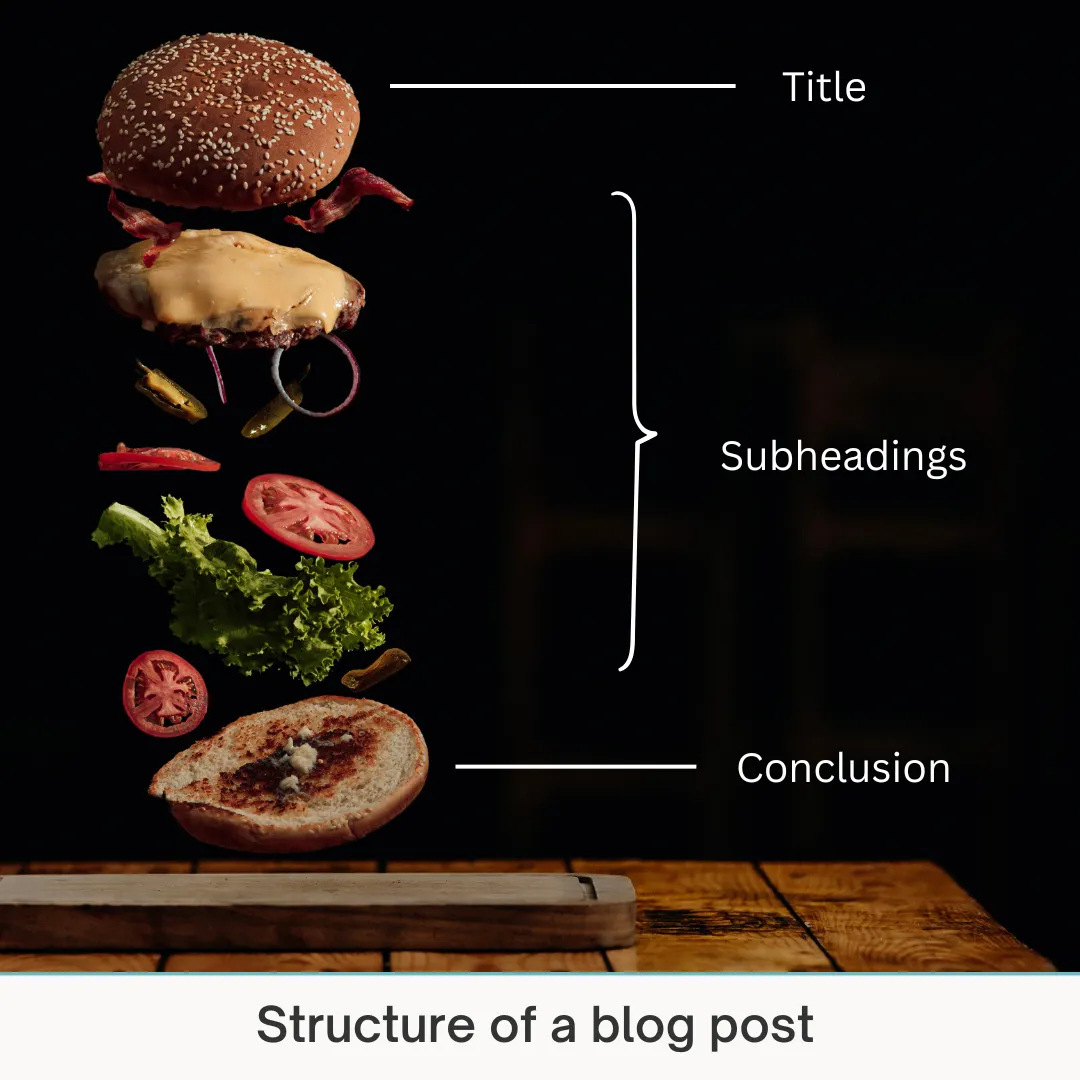
3. Headings (H1, H2, H3)
Press enter or click to view image in full size
Created with Napkin AI
Use One H1 Per Page — Make it clear, keyword-rich, and relevant to the main topic.
Structure Content with H2s and H3s — Break sections into clear subheadings, including related keywords naturally.
Be Descriptive — Headings should summarize the content below and grab attention.
Avoid Keyword Stuffing — Use keywords naturally without overloading.
Use a Logical Order — Keep a clear, easy-to-follow hierarchy (H1 > H2 > H3) to improve readability and SEO.
4. URL Structure:
Created with Napkin AI
Keep it Short and Simple — Use clear and concise URLs.
Use Keywords — Include your target keyword naturally in the URL.
Avoid Special Characters — Stick to hyphens (-) to separate words, not underscores or symbols.
Remove Stop Words — Skip unnecessary words like “and,” “the,” and “of.”
Use Lowercase Letters — URLs are case-sensitive, so always use lowercase to avoid duplicate issues.
5. Content Relevancy:
Press enter or click to view image in full size
Created with Napkin AI
Focus on Search Intent — Write content that answers what users are looking for. Get to the point early.
Cover the Topic In-Depth — Address all related subtopics and questions users might have.
Update Content Regularly — Keep information fresh and accurate to stay relevant.
6. Keyword Optimization:
Place Keywords Naturally — Use your main keyword in the title, first 100 words, headings, and throughout the content without overstuffing.
Focus on Synonyms and LSI Keywords — Use related terms and variations to cover the topic thoroughly.
7. Internal Linking and External Linking:
Press enter or click to view image in full size
Created with Napkin AI
Link to relevant pages within your site naturally in your content.
Use descriptive anchor text with keywords.
Link to high-traffic or important pages.
Regularly audit and update broken or outdated links.
Link to authoritative and trusted sources that add value.
Use high-authority external links to back up data, stats, or claims.
Open external links in a new tab to keep users on your site.
Avoid linking to competitors for key topics.
8. Image Optimization:
Use Descriptive File Names — Rename images with relevant keywords.
Add Alt Text — Write short, keyword-rich alt text describing the image.
Compress Images — Reduce file size without losing quality using tools like TinyPNG or ImageOptim.
Choose the Right Format — Use WebP or JPEG for photos and PNG for graphics with transparency.
9. Mobile-Friendliness:
Use a Responsive Design — Ensure your website adjusts to different screen sizes automatically.
Simplify Navigation — Make menus clear and accessible with touch-friendly elements.
Test on Multiple Devices — Regularly check how your site looks and functions on various mobile devices to catch any issues.
Did you learn something helpful from this piece? Clap and hit follow. ✌️
I am a professional SEO content writer who posts about writing tips, SEO, researching techniques, and productivity on Medium.