Your Design System Isn’t AI-Ready Yet

Architecture or Folklore? A practical roadmap for making enterprise design systems machine-readable
AI can generate user interfaces remarkably fast.
That doesn’t mean it understands your product.
A design system that works perfectly for humans can fail surprisingly fast when consumed by AI. Not because the components are wrong. Not because the tooling is incomplete.
Because much of the knowledge behind the system was never written down.
Designers know which patterns are preferred.
Developers know which production components should be reused.
Product teams know why a legacy workflow behaves differently from a newer application.
Accessibility specialists know which exceptions were earned through years of testing.
AI knows none of that unless the system makes it explicit.
The question is no longer whether AI can generate UI.
It can.
The question is whether your design system contains enough structured knowledge to guide that generation.
And most enterprise design systems are not there yet.
Until recently, that was mostly a documentation problem. AI turns it into an operational problem.
Where the system is silent, the agent will infer
This is the most important idea in the entire discussion:
Where the system is silent, the agent will infer.
Humans are remarkably good at filling gaps.
We remember undocumented rules. We ask teammates. We recognize deprecated components. We know why one workflow intentionally behaves differently from another. We compensate for inconsistencies without even realizing it.
AI does not share that institutional memory.
When an agent encounters ambiguity, it still has to produce an answer.
If the system provides guidance, the agent can follow it. If the system provides context, the agent can retrieve it. If the system provides exceptions, the agent can respect them.
But when the system is silent, the agent still has to decide.
That decision may be visually correct, technically valid, and completely wrong for the product.
The challenge of AI-ready design systems is not teaching AI how to generate.
The challenge is teaching our systems how to communicate.

A typical enterprise reality
Imagine an organization with hundreds of Figma components, multiple product teams, Angular and React applications, production component libraries, Storybook documentation, design tokens, and years of legacy workflows.
On paper, this looks AI-ready.
Then the first AI-assisted implementation arrives.
The generated interface looks good.
Nothing appears obviously broken.
Yet the agent reintroduces a deprecated pattern. It bypasses an existing production component. It recreates a workflow that already exists elsewhere. It introduces a new variation of an established interaction.
No single decision seems catastrophic.
Collectively, they represent governance drift.
The problem was not generation.
The problem was context.
The design system contained knowledge.
It simply was not available in a form the agent could reliably retrieve and apply.
A quick AI-readiness test
Can an AI agent answer these questions without asking a human?
Which production component maps to this design component? Which variants are approved for new work? Which patterns are deprecated? Which product-specific exceptions apply? Which accessibility requirements govern this workflow? Which framework implementation is authoritative? How can compliance be verified?
If the answer is “no” to most of those questions, your system may be perfectly human-readable without being AI-ready.
AI readiness is a maturity problem
It is tempting to define AI readiness by connectivity:
Connect Figma. Expose Storybook. Add MCP. Connect Claude. Connect Copilot. Connect whatever comes next.
Those capabilities matter.
But they describe access, not maturity.
A more useful progression looks like this:
Human Readable → Structured → Machine Readable → Context Aware → Self Verifying
A human-readable system works because designers and developers understand it.
A structured system expresses names, tokens, states, patterns, and usage rules consistently.
A machine-readable system makes relationships across design, documentation, and implementation retrievable.
A context-aware system understands that an enterprise rule, a product-specific constraint, and a legacy exception are not interchangeable.
A self-verifying system can test whether generated output actually followed those rules.
Most mature organizations already have some version of the first stage.
The difficult work is moving knowledge out of people’s heads and into explicit structures, relationships, context, and verification.
Machine-readable does not mean intelligent
Making a design system machine-readable does not mean training a model on your component library.
It does not mean AI suddenly understands your business.
It means expressing design-system knowledge in forms machines can retrieve and reason about.
Instead of encountering:
#247A80the machine can receive:
color.action.primaryInstead of seeing a blue rectangle and inferring that it is probably a button, the system can provide:
Buttonvariant:
- primary
- secondary
- destructivesize:
- small
- medium
- large
Instead of reconstructing hierarchy from screenshots, it can retrieve:
Use one primary action within an action group.The machine has not become smarter.
The system has become clearer.
MCP is the connection, not the knowledge
Discussions about AI-ready design systems often become discussions about MCP.
That is understandable.
The Model Context Protocol provides a standardized way for AI applications to interact with external data sources and tools.
But MCP is not the design system.
Think of it as:
DESIGN-SYSTEM KNOWLEDGE
          ↓
STRUCTURED INFORMATION
          ↓
         MCP
          ↓
      AI AGENT
If the underlying system contains duplicate components, inconsistent naming, undocumented behavior, weak documentation, and ambiguous exceptions, MCP simply gives an agent faster access to those problems.
Figma makes this distinction explicitly: its MCP server provides structured design context, while the agent still depends on the design-system conventions expressed through components, variables, Code Connect, rules, and other supplied context.
So before asking:
How do we connect our design system to Claude?
Ask:
What exactly will Claude find when it gets there?

A machine-readable design system has four layers
I find it more useful to think about machine readability as four connected layers rather than one giant documentation exercise.
1. Define
What exists, and what does it mean?
This includes tokens, components, states, variants, patterns, and usage rules.
Machines cannot reliably reason about concepts the system itself cannot clearly define.
2. Map
How are the sources related?
Figma needs to map to production code. Design concepts need to map to framework APIs. Tokens need to map to implementation values. Components need to map to their Storybook documentation and examples.
Without those relationships, an agent can reproduce appearance accurately while bypassing the design system entirely.
3. Contextualize
Which rules apply here?
This is where enterprise guidance, product-specific behavior, framework constraints, legacy exceptions, and agent instructions belong.
Without context, consistency becomes sameness.
Those are not the same thing.
4. Verify
Did the result actually follow the system?
This is where accessibility tests, interaction testing, visual regression, linting, and CI enter the architecture.
Instructions do not create compliance.
Verification does.
A machine-readable design system is not a single tool.
It is the relationship between Define, Map, Contextualize, and Verify.
Start with inventory, not AI
For a large organization, the first step should not be connecting an agent.
The first step should be understanding what actually exists.
Does a component exist in Figma and production? Are the names consistent? Is it documented? Which framework implements it? Is it current or deprecated? Does another component solve the same problem? Are product-specific exceptions documented? Do Figma variants match production states?
An audit often exposes design-system debt teams have been unconsciously navigating for years.
You may discover components that exist only in Figma.
Others exist only in code.
The same concept may have different names across tools.
A component may expose twelve variants while only six are approved for new work.
A deprecated pattern may still be required by a legacy product.
AI did not create those problems.
It makes them operational.
Before making a system machine-readable, an organization first needs to decide which information deserves to become authoritative machine-readable knowledge.
Figma needs semantic structure, not cosmetic cleanup
A beautifully organized Figma library is not necessarily a machine-readable one.
Many design files are optimized for visual understanding.
Agents need semantic understanding.
Consider:
Frame 1268
 ├── Group 5
 ├── Rectangle
 ├── Text
 └── Icon
A designer can understand what this represents by looking at the canvas.
A machine learns very little from the structure.
Compare it with:
CertificateCard
 ├── CertificateStatus
 ├── CertificateName
 ├── ExpirationDate
 └── ActionMenu
The interface may look identical.
The information available to the machine is radically different.
Names matter because names communicate intent.
Figma’s current guidance for agent-assisted implementation reflects this: use real components, meaningful layer and component names, variables, Auto Layout, annotations, and explicit design-to-code connections.
Components should represent concepts
Repeated patterns should become identifiable system concepts instead of anonymous collections of layers.
Properties should communicate meaningful states.
NotificationCardSeverity
- info
- warning
- critical
- successDensity
- compact
- standardDismissible
- true
- false
Now the agent has vocabulary.
And vocabulary is the foundation of governance.
Variables should express meaning
The same principle applies to tokens.
This:
padding = 12
radius = 6
color = #25282B
may render correctly.
But this:
spacing.300
radius.component.medium
text.primary
contains semantics.
The raw value is rarely the important decision.
The meaning of the value is.
At enterprise scale, those semantics also need to travel between tools and implementation environments.
The Design Tokens Community Group published its first stable specification in 2025, providing a vendor-neutral format for exchanging design-token information across tools and platforms.
That makes it possible to communicate relationships such as:
color.action.primary
        ↓
color.brand.600
rather than only:
blue-600The first is a design decision.
The second is a color.
Layout structure communicates behavior
Auto Layout is not merely file hygiene.
It communicates spacing relationships, alignment, direction, content-driven sizing, wrapping behavior, and responsive intent.
Annotations matter for the same reason.
Pixels alone cannot answer questions such as:
What happens when text overflows?
Does Delete require confirmation?
Should filters survive refresh?
Is this warning informational or blocking?
Why does this workflow intentionally behave differently?
If behavior matters and cannot reliably be reconstructed from the artifact, it should exist somewhere the agent can retrieve.

Connect design concepts to real code
Once the design layer becomes structured, another challenge emerges.
How does the agent know which implementation corresponds to a design concept?
Without an explicit relationship, AI may recreate an existing component instead of reusing it.
This is where Code Connect becomes important.
FIGMAButton
Variant = Primary
Size = Medium ↓CODE CONNECT ↓ANGULAR<ds-button
variant="primary"
size="medium">
</ds-button>
The relationship is no longer inferred.
It is declared.
Figma currently describes Code Connect as the most effective way to help an agent reuse real production components. Without the mapping, the agent has to infer which code component corresponds to the design.
Get Shadi Abd’s stories in your inbox
Join Medium for free to get updates from this writer.
The relationship becomes even more important when one design-system concept supports multiple implementation frameworks:
Button
                  │
       ┌──────────┼──────────┐
       │          │          │
    Angular     React     Flutter
       │          │          │
   ds-button    Button    AppButton
The concept stays stable.
The implementations vary.
The objective is not forcing every product into the same implementation.
It is making the relationships explicit enough that the agent knows which implementation applies.
Storybook needs to explain why, not just what
The engineering side has the same problem.
Many Storybook implementations document existence rather than intent.
For example:
Button
- Primary
- Secondary
- Destructive
This tells an agent what exists.
It does not explain when to use it.
Compare that with:
Primary ActionUse for the dominant action within a task.Avoid multiple primary actions
within the same action group.Do not use for destructive confirmation.
Now the system communicates reasoning.
A useful principle is:
Components should document both capability and intent.
Developers typically document capability: APIs, props, states, default values, and tests.
Design-system teams also need to document intent: when to use a component, when not to use it, its hierarchy, interaction expectations, accessibility requirements, edge cases, and product-specific constraints.
When an AI agent retrieves an example, that intent may matter more than appearance.
Storybook’s current AI guidance explicitly recommends documenting the why behind stories, not only what they render.
Its emerging component manifests push this further by transforming component names, descriptions, props, APIs, and usage examples into structured JSON that agents can consume.
That turns Storybook into something more than a visual showroom.
It becomes a machine-readable source of implementation knowledge.
There is an enterprise caveat.
Storybook currently labels these manifest capabilities as preview, and framework support is still evolving. Current documentation includes @storybook/angular-vite among the frameworks generating manifests.
That is exactly why I would not redesign a mature enterprise architecture around one preview feature.
The durable investment sits underneath it:
typed APIs, meaningful stories, explicit documentation, and tests.
The access layer will evolve.
Good system information remains useful.
Enterprise context cannot live in one global rulebook
This becomes particularly important in organizations maintaining different generations of products.
Imagine one enterprise design system supporting three products:
ENTERPRISE DESIGN SYSTEM
                   │
            Shared Semantics
                   │
     ┌─────────────┼─────────────┐
     │             │             │
  Product A     Product B     Product C
   Modern         Legacy        Hybrid
All three may legitimately belong to the same design system.
They should not necessarily receive the same instructions.
A modern platform may adopt the newest components and interaction patterns.
A legacy administration workflow may intentionally preserve long-established behavior because training, downstream workflows, integrations, or customer expectations depend on it.
A hybrid product may use the current visual language while retaining portions of an older interaction model.
The important question is not:
Which pattern is newer?
It is:
Is this difference technical debt, or is it policy?
An agent cannot reliably answer that from appearance alone.
This leads to one of the most dangerous simplifications in enterprise design systems:
Consistency is often treated as sameness.
Mature systems understand the difference.

Agent instructions need the same hierarchy
The value of project-level agent instructions is not the filename.
The value is contextual scoping.
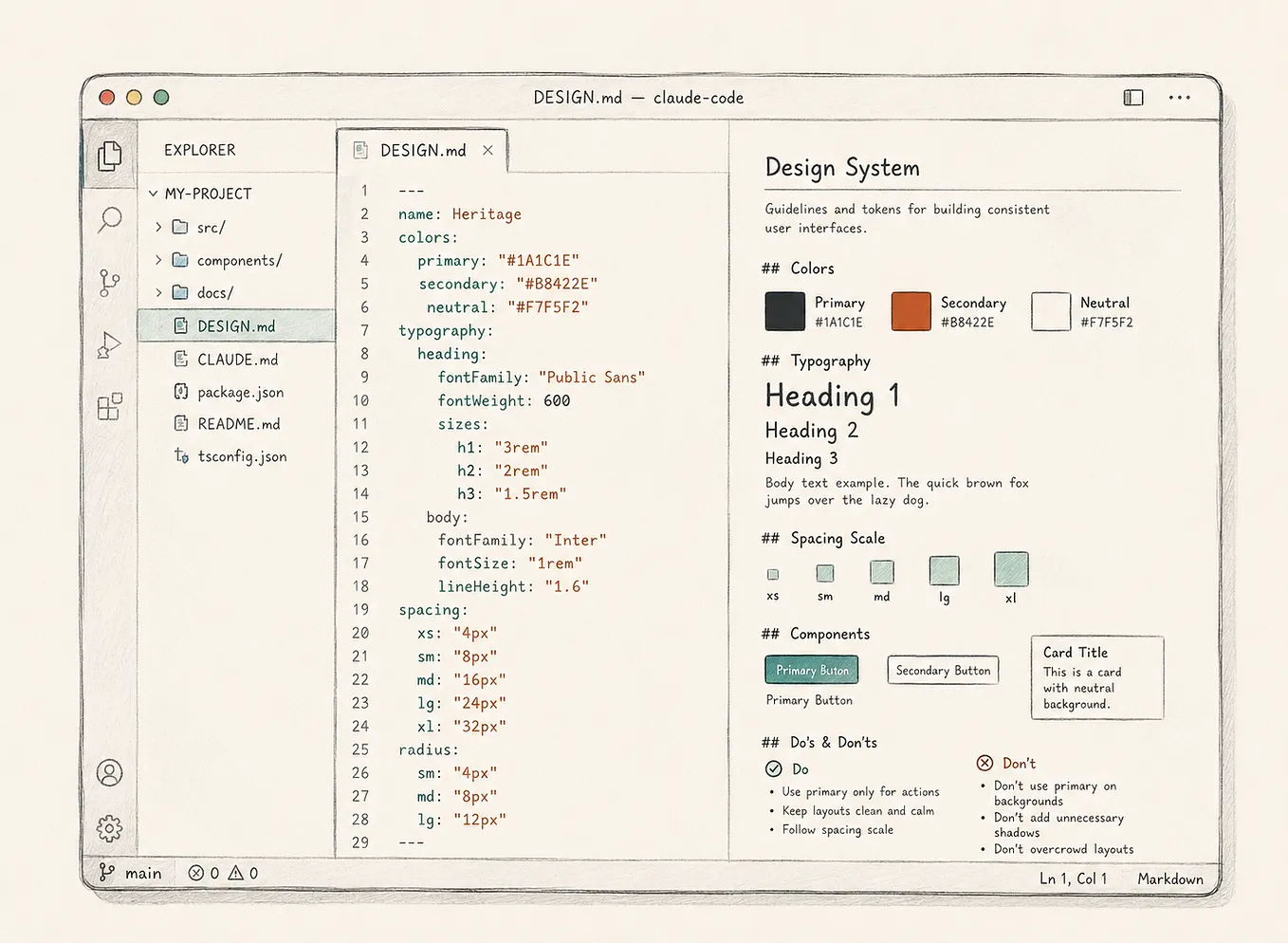
AGENTS.md provides an open convention for giving coding agents project-specific guidance. Claude Code uses CLAUDE.md to provide persistent project context, alongside other mechanisms for more targeted rules and workflows.
For an enterprise environment, the useful model is hierarchical:
ENTERPRISE RULES
       ↓
DESIGN-SYSTEM RULES
       ↓
PRODUCT RULES
       ↓
FEATURE / TASK CONTEXT
At the product level, context may branch into:
MODERN
LEGACY
HYBRID
The closer an agent gets to a task, the more specific its context should become.
An agent working on a current Angular application does not need every exception ever created for a ten-year-old legacy product.
But when it enters that legacy product, those rules may become critical.
High-level guidance should remain concise.
Detailed knowledge should be retrieved when relevant.
Product-specific constraints should remain close to the products they govern.

Teach the agent what it is not allowed to invent
Most organizations focus on documenting approved patterns.
Equally important is documenting what happens when no approved pattern exists.
Consider destructive actions.
A design system may document exactly how a destructive button looks without answering:
When does Delete require confirmation? When is Undo sufficient? Can a destructive action be primary? What happens when deletion affects related objects? Does a legacy product intentionally behave differently?
The organization may know the answers.
But if those answers are not retrievable, the system is silent.
And the agent still needs an answer.
It may infer from another implementation.
It may copy a nearby example.
It may apply a general UI convention.
It may generalize from another product.
Every decision may appear reasonable.
Together, they may represent governance failure.
Bad UI gets noticed. Plausible inconsistency scales.
An obviously broken interface triggers review.
A reasonable-looking undocumented pattern may survive review, get copied, appear again in another generated workflow, and eventually become mistaken for policy.
A stronger governance model is remarkably simple:
RULE EXISTS
      ↓
FOLLOW IT
DOCUMENTED EXCEPTION EXISTS
      ↓
FOLLOW THE EXCEPTION
NEITHER EXISTS
      ↓
DO NOT INVENT A NEW SYSTEM RULE
      ↓
SURFACE THE GAP FOR REVIEW
An agent policy might say:
If no approved component or documented pattern
supports the requirement:
1. Check documented product-specific exceptions.
2. Do not automatically create a new system pattern.
3. Identify the missing capability.
4. Surface the gap for review.This does not mean AI should never be creative.
Creativity is valuable during product exploration.
But exploration and governance are different modes.
When solving an open product problem, broad exploration may be exactly what we want.
When implementing production UI inside a mature enterprise system, we often want something much more conservative:
Reuse what is known. Respect documented exceptions. Surface uncertainty rather than quietly standardizing it.
Instructions are not enforcement
Writing:
Use approved design-system tokens.does not guarantee compliant output.
Documentation explains expectations.
Context explains which expectations apply.
Neither guarantees compliance.
Strong systems separate guidance from verification.
DOCUMENTATION
Explains what good looks like
        ↓
CONTEXT
Explains what applies here
        ↓
TOOLS / MCP
Provide access
        ↓
TESTS / LINT / CI
Verify what must be true
A design-system rule might say to use approved semantic tokens. A lint check can reject unsupported hard-coded values.
A rule might require accessible components. Automated accessibility tests can verify the rendered output.
A rule might require preservation of an established interaction. Interaction and regression tests can confirm whether that behavior survived implementation.
Agent tooling increasingly reflects the same separation. Persistent project context is useful for guidance; deterministic automation and testing are what make certain constraints enforceable.
The goal is not merely to build a system AI can read.
The stronger goal is to build a system that can increasingly verify whether AI followed it.
A practical migration sequence
Trying to make an entire enterprise design system AI-ready at once is a recipe for paralysis.
A practical transition is incremental: inventory the system, identify canonical and deprecated solutions, establish semantic naming, normalize tokens, improve Figma structure and annotations, map high-value concepts to production components, strengthen Storybook documentation, introduce enterprise and product-specific context, give agents controlled access, add verification, and then expand.
Do not start with every component.
Start with the components and patterns responsible for the majority of the product interface: buttons, forms, dialogs, navigation, tables, alerts, status patterns, and recurring workflow structures.
Figma itself recommends beginning Code Connect work with the core components a team uses most rather than attempting to connect everything at once.
The goal is not:
Make 800 components AI-ready.
The goal is:
Build one reliable path from design intent to implementation to validation. Then scale it.
AI readiness will expose design-system debt
This transition tends to surface uncomfortable questions.
Which component is actually canonical?
Why are there four versions of this pattern?
Which exceptions are policy?
Which exceptions are technical debt?
Why do Figma and production use different names?
Is a component truly deprecated if three products still depend on it?
Which critical rules exist only in someone’s memory?
Humans are good at navigating ambiguity.
AI makes ambiguity operational.
That discomfort is not a downside.
It is part of the value.
Machine readability is not merely a documentation initiative.
It is a mechanism for turning tribal knowledge into architecture.
The designer’s role is not to become the prompt operator
AI will continue improving.
It will get better at identifying patterns, cleaning component libraries, generating documentation, mapping implementations, and detecting inconsistencies.
Some of today’s manual design-system work will become increasingly automated.
The harder questions remain.
Are these really the same pattern?
Should they become the same pattern?
Which differences matter?
Which differences are debt?
Which legacy rules still protect important user expectations?
Where should the system allow variation?
When does a genuinely new problem justify a new pattern?
Which rules belong at enterprise level?
Which belong at product level?
What is safe for an agent to infer?
When should it stop and ask?
Those are not tooling questions.
They are product, governance, and architecture questions.
That is where experienced designers and design-system practitioners create the most value in this transition.
Not by becoming human middleware between Figma and AI.
But by defining the semantics, patterns, boundaries, rules, and exceptions that make the system understandable in the first place.
If those decisions remain implicit, AI fills the gap through inference.
And in an enterprise system, an informed guess is still a guess.
Architecture or folklore?
The question is no longer whether AI can generate UI.
It can.
The real question is what happens when the agent encounters uncertainty.
If the system contains explicit knowledge, the agent can retrieve it.
If documented exceptions exist, the agent can respect them.
If relationships between design and implementation are declared, the agent can reuse them.
If validation exists, the system can verify outcomes.
But when the system is silent, the agent still needs an answer.
So it will infer.
And that inference may be technically reasonable, visually consistent, and completely wrong for the product.
That is why AI readiness is not fundamentally a tooling problem.
It is an information-architecture problem.
Before building an MCP integration, before exposing Storybook to agents, before connecting AI to your design system, ask a simpler question:
If an AI agent entered your design system tomorrow, would it find architecture or folklore?
Because the biggest risk is not that AI will fail to generate UI.
It will.
Fast.
The bigger risk is that it generates something convincing enough that nobody notices it quietly invented a new rule.
And in a mature enterprise system, a plausible mistake can be more dangerous than an obvious one.
The goal of an AI-ready design system is not to eliminate human judgment.
It is to decide which judgments belong to humans, document them explicitly, and prevent machines from reinventing them every time they generate an interface.
Because where the system is silent, the agent will infer.
Sources and further reading
Figma — Structure your Figma file for better code; Code Connect integration; What does the MCP server do, and what does my agent do?
Storybook — Best practices for using Storybook with AI; Manifests
Design Tokens Community Group — Design Tokens Format Module 2025.10
Model Context Protocol — official MCP documentation and specification
AGENTS.md — the open project-instruction convention for coding agents
Anthropic — Using CLAUDE.md files: Customizing Claude Code for your codebase; Steering Claude Code: when to use CLAUDE.md, skills, hooks, and subagents
The specific tools will evolve. The architectural requirement will not: if we expect AI to operate reliably inside mature products, design-system knowledge needs to become structured, contextual, and verifiable.