Introducing the Samples Gallery: Ready-to-Use Projects and Extensive Tutorials
We’re excited to introduce a new feature in Advanced Installer: the Samples Gallery. This feature is designed to provide ready-to-use sample projects and comprehensive tutorials, making it easier to implement and understand the many features Advanced Installer has to offer.
What’s the Samples Gallery?
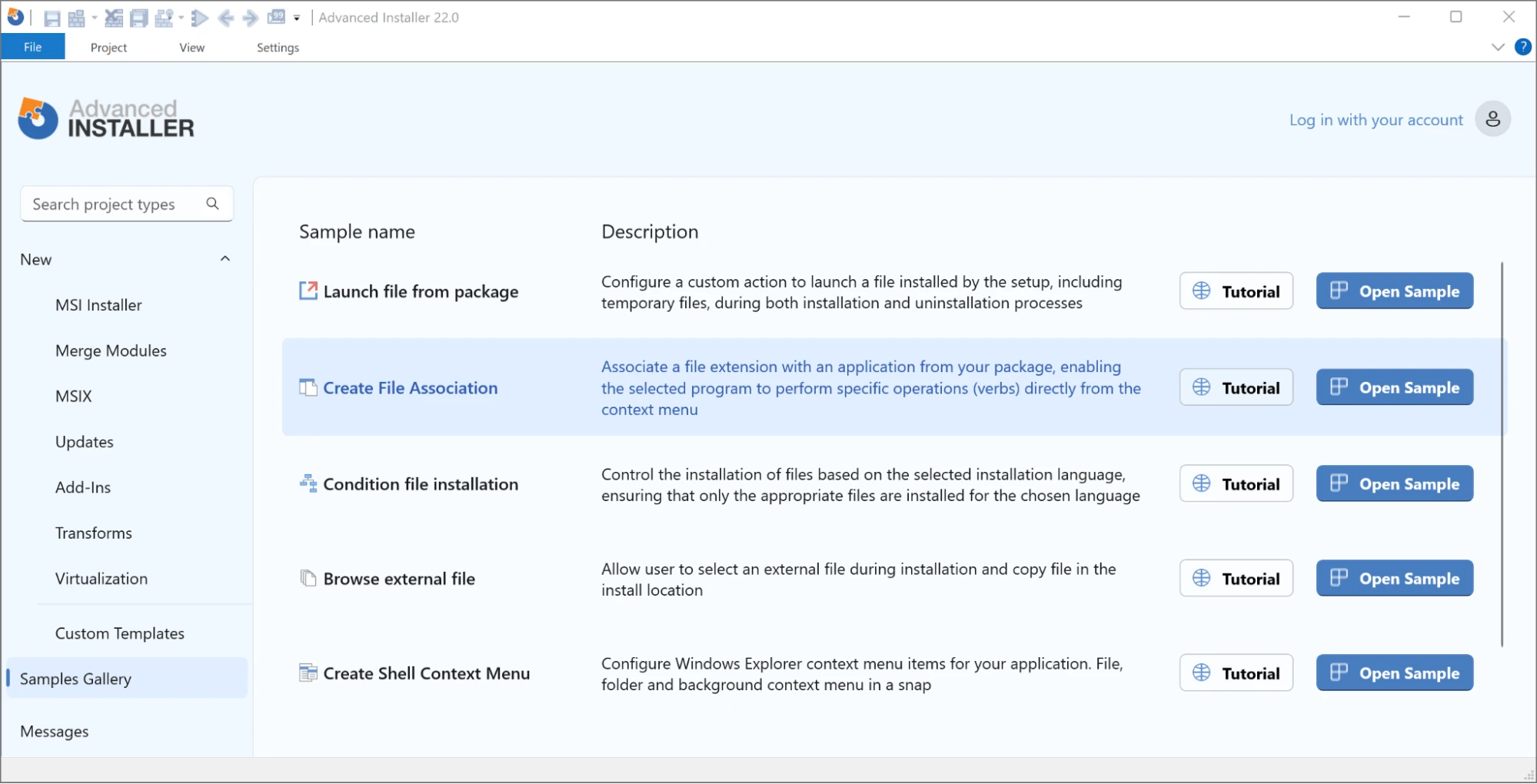
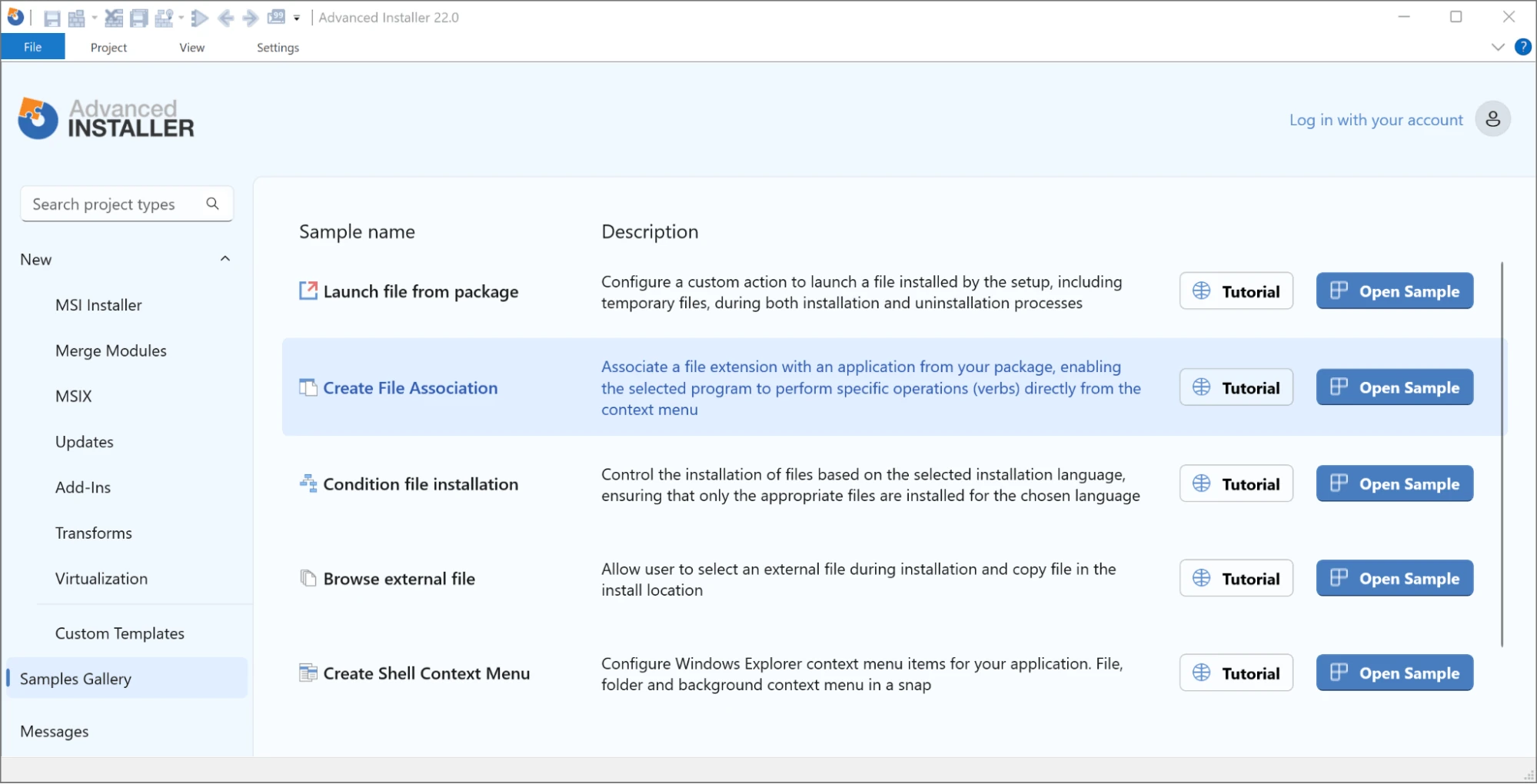
The Samples Gallery is a collection of template projects that demonstrate the features and functionalities of Advanced Installer. Each sample project comes with a detailed tutorial that walks you through setup and customization.
These step-by-step guides offer insights into configurations, enabling you to replicate and modify projects based on your specific needs.
Key Features of the Samples Gallery
- Ready-to-Use Samples The sample projects cover a wide range of common scenarios and advanced configurations. These templates are designed to help you quickly become proficient with different aspects of Advanced Installer.
- Comprehensive Tutorials Each sample project comes with a detailed tutorial available on our website. These guides provide in-depth explanations and insights, ensuring you understand how to utilize and customize each feature effectively.
- User-Friendly Accessm The Samples Gallery has a dedicated entry in the Advanced Installer Start Page, allowing for easy access to template projects and relevant tutorials directly from the application.
- Safe Experimentation You can explore settings and make changes to the sample projects without risk. The default project settings remain unchanged, ensuring you always have a working project to revert to.
How to Get Started with the Samples Gallery
To access the Samples Gallery, simply launch Advanced Installer and navigate to the Start Page.
You'll find the new "Samples Gallery" entry there, where you can browse the sample projects, and follow the tutorials to guide your setup and customization process.
Why You’ll Love the Samples Gallery
- Reduced Learning Curve The Samples Gallery provides practical examples, reducing the time needed to become proficient with Advanced Installer.
- Follow Best Practices The sample projects are built on best practices, so you can easily apply these methods to your own work.
- Get More from Advanced Installer Dive deeper into the tool’s features and maximize its potential.
Wrap-Up
The new Samples Gallery is a great addition to Advanced Installer, built to make things easier and more efficient for you.
Whether you're just starting out with Advanced Installer or looking to level up your skills, the Samples Gallery has the tools you need to succeed. We’re constantly adding more samples and tutorials to keep the gallery growing.
Keep an eye out for more updates, and feel free to share your feedback—we’re here to make things better for you.
Ready to get started? Download the latest version of Advanced Installer and dive into the Samples Gallery today.
Happy installing!
Written by

Danut Ghiorghita
Dan has been part of the Advanced Installer's team for over seven years as a Solution Engineer. If you visit the Advanced Installer's forum , you will likely find him helping clients with product explanations and technical difficulties that they may be experiencing. In addition, he is the person to go to for demos and technical presentations to our current and prospective clients. And we are grateful for his contributions to our blog, which he does whenever he has the occasion.