Shortcut path problem - Advanced Installer Community

We’re moving our forums to a new platform.

You can still browse and search existing topics, but you can no longer create new topics or post replies.

For questions, technical issues, or feature requests, please don’t hesitate to contact our support team at support@advancedinstaller.com.

Thank you for your understanding!

Jimmie
Posts: 8
Joined: Fri Apr 25, 2008 3:02 pm

Shortcut path problem

I’m having trouble creating a shortcut to an external 64 bit application on Windows 7. I search the registry to retrieve the path to the application and then use that property to define the path in the shortcut. When the msi is executed and the shortcut is created the path in the shortcut is not correct. Since the external application is a 64 bit application is 64 bit it is installed in the c:\program files directory and that is what is stored in the registry but the shortcut is created pointing to the c:\program files (x86) directory. Somehow (x86) is getting inserted.

Any thoughts on what would cause this?

I have attached an image of the registry search, an image of the shortcut properties, and the aip for reference. Any assistance would be greatly appreciated.
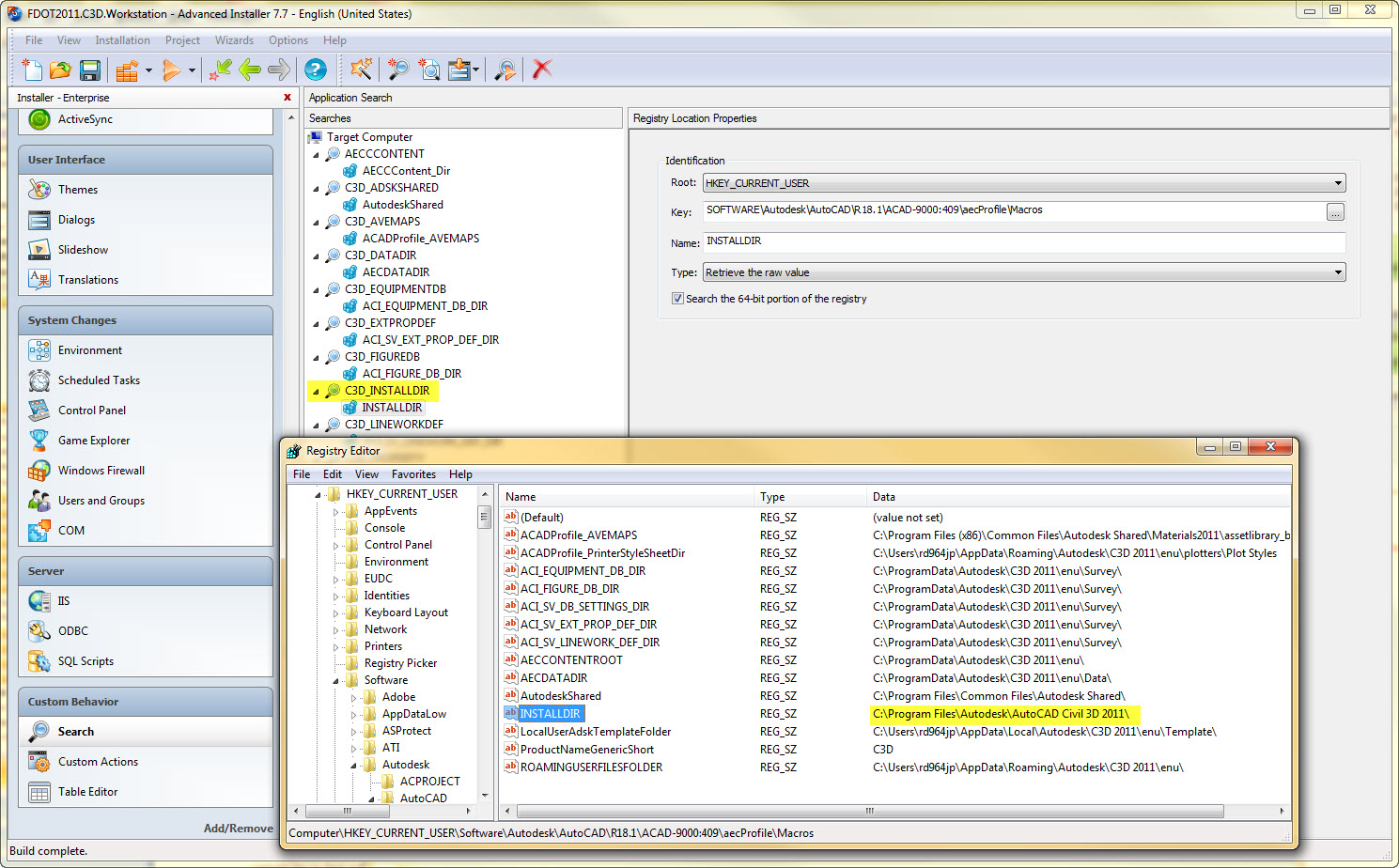
Registry search
Registry search
search.jpg (483.29 KiB) Viewed 1796 times
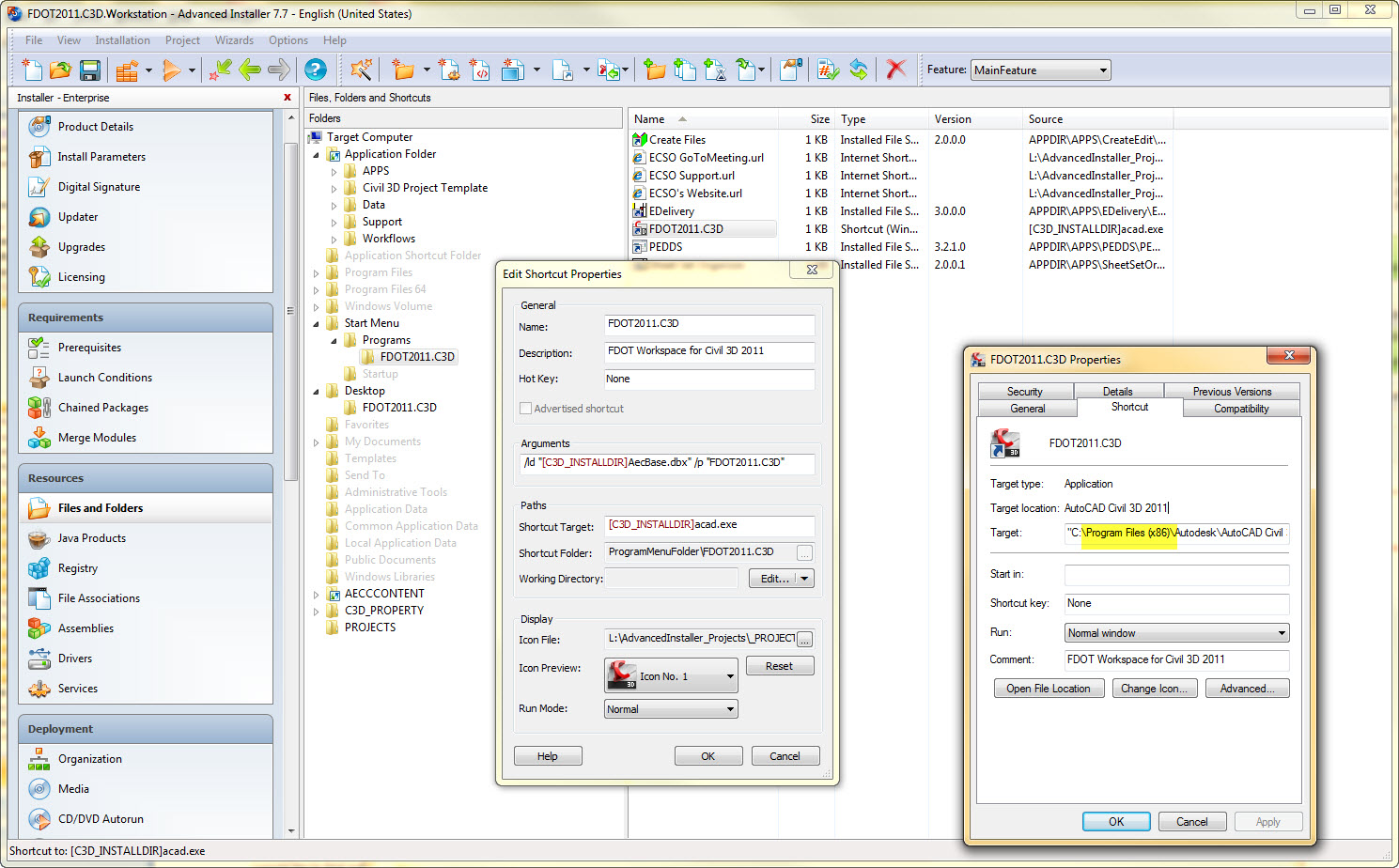
Shortcut properties
Shortcut properties
shortcut.jpg (429.34 KiB) Viewed 1796 times
Attachments
FDOT2011.C3D.Workstation.aip
(622.35 KiB) Downloaded 278 times
Cosmin
Posts: 5797
Joined: Tue Jul 10, 2007 6:39 pm
Contact: Website

Re: Shortcut path problem

Hi,

This is the normal Windows Installer behavior. Shortcut information is stored in Shortcut table and the shortcuts are installed by "CreateShortcuts" standard action. Since your package type is 32-bit, Windows Installer will create shortcuts only to 32-bit locations.

If you want to create a shortcut to a 64-bit location, you need a 64-bit installer.

Regards,
Cosmin
Cosmin Pirvu - Advanced Installer Team
Follow us: Twitter - Facebook - YouTube

Return to “Common Problems”