Hello and welcome to our forums,
First of all, please note that, in order to install a setup silently, the process must start elevated. With that being said, the PowerShell prompt should be run using the
"Run as administrator" option.
Now, regarding your issue:
1. in order to generate the most out of the log file, a verbose log should be created (e.g.
/L*V option). WIth that being said, I would suggest using that instead of the
"X" parameter. Additionally, the
"+" parameter will try to append the information to an already existing log file, therefore the
"C:\path\testing.txt" file should already exist.
Now, there are two different scenarios here:
2. if your setup file is an executable file (
"Builds" page -->
"Single EXE"), then the used cmdlet is indeed correct:
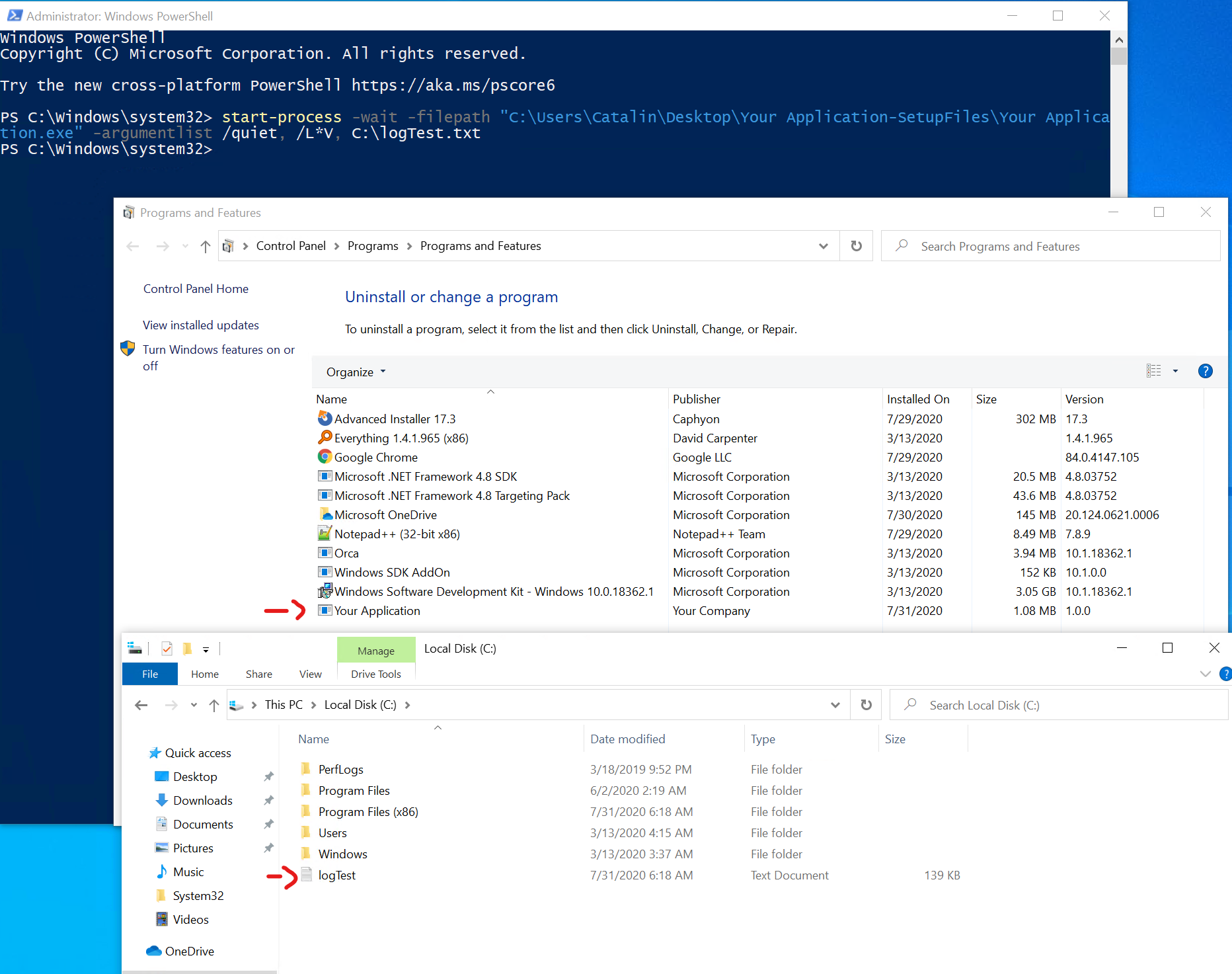
- execmdlet.png (296.78 KiB) Viewed 1628 times
3. however, if the setup file is an MSI file, then the cmdlet is not correct, as the
start-process cmdlet should be pointing out to the
msiexec.exe executable. In order to install an MSI from command line (e.g.
cmd.exe), a command line as it follows should be used:
Code: Select all
msiexec /i <path_to_msi> <other_parameters_here>
therefore the command should look similar to this:
Code: Select all
start-process msiexec.exe -argumentlist '/i "C:\Users\Catalin\Desktop\Your Application-SetupFiles\Your Application.msi" /qn /L*V C:\logTestMSI.txt'
Hope this helps.
Best regards,
Catalin


FOLLOW US
Get the latest news in Application Packaging