


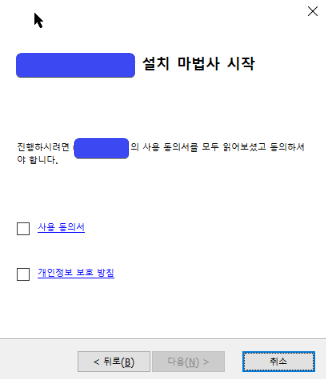
Those are the text that are enclosed in anchor <a></a> tags. The other text outside the tags got clipped.
The issue also seems to happen in the Dialog designer itself, as you can see in the screenshots below.
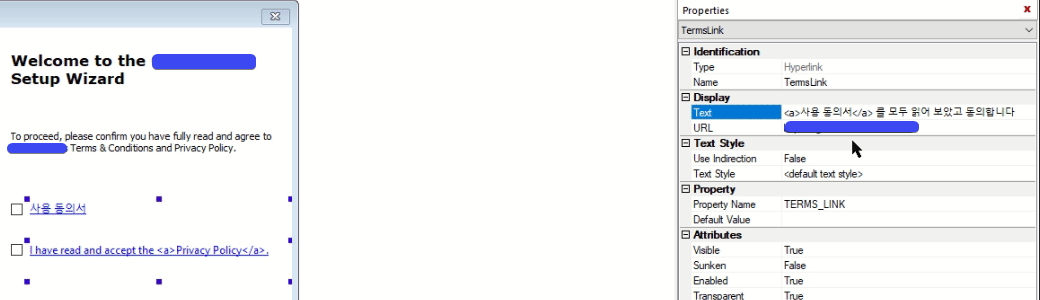
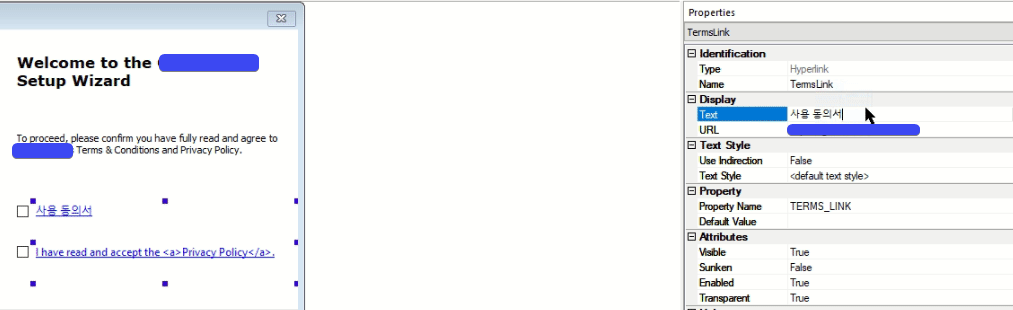
If I remove the anchor tags, the entire text get completely clipped.
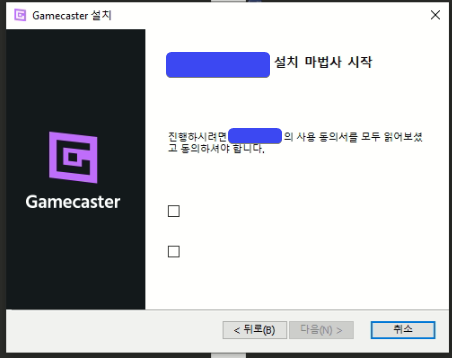
So the workaround for now is to enclose the whole text in anchor tags for the Korean & Japanese translations.
I'm not sure if this is already fixed in the latest AI version, but I'm using 16.9 and can't upgrade yet.


FOLLOW US
Get the latest news in Application Packaging