Specifying systemfolder for Files and Folders - Advanced Installer Community

We’re moving our forums to a new platform.

You can still browse and search existing topics, but you can no longer create new topics or post replies.

For questions, technical issues, or feature requests, please don’t hesitate to contact our support team at support@advancedinstaller.com.

Thank you for your understanding!

SteveA
Posts: 22
Joined: Fri Jan 30, 2009 2:36 am

Specifying systemfolder for Files and Folders

I've just downloaded the trial version of Advanced Installer and I'm unable to specify SystemFolder in Files and Folders. The folder options I'm given are shown in the attached figure. If I right click in the Target Computer line I can select New Folder > Property Based, which seem to be what I want but then the only options are area I can specify are User Interface and User Defined and selecting those doesn't show anything like SystemFolder.

I notice that the About screen says this is FREEWARE. Is this perhaps the free version, that doesn't support systemfolder? Figure 2 attached below shows the About screen.

Thanks for any help.

Steve
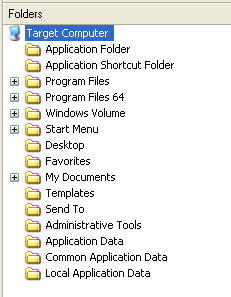
File Options
File Options
Fig 1 - File Options.jpg (25.83 KiB) Viewed 2465 times
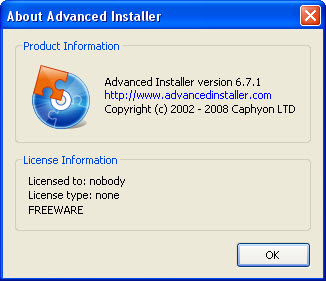
Fig 2 - About.jpg
Fig 2 - About.jpg (34.16 KiB) Viewed 2465 times
Cosmin
Posts: 5797
Joined: Tue Jul 10, 2007 6:39 pm
Contact: Website

Re: Specifying systemfolder for Files and Folders

Hi,

Thank you for your interest in Advanced Installer. Please note that you can install files in the "system32" folder by using the Windows Volume\Windows\System directory in the "Files and Folders" page.

Regards,
Cosmin
Cosmin Pirvu - Advanced Installer Team
Follow us: Twitter - Facebook - YouTube

Return to “Common Problems”