Can't Find Registry key in AI - Advanced Installer Community

We’re moving our forums to a new platform.

You can still browse and search existing topics, but you can no longer create new topics or post replies.

For questions, technical issues, or feature requests, please don’t hesitate to contact our support team at support@advancedinstaller.com.

Thank you for your understanding!

dms
Posts: 164
Joined: Tue Aug 28, 2007 7:11 am
Location: UK

Can't Find Registry key in AI

Hi

Advanced Installer 7.7 Enterprise
Windows 7 Ultimate 64 bit

Hi I'm try to find a key in the registry to perform a search on (in hklm\Software\Microsoft\Windows\CurrentVersion\App Paths). If I look in the registry via the registry editor it's there for all to see (look at the From Regisrt image).
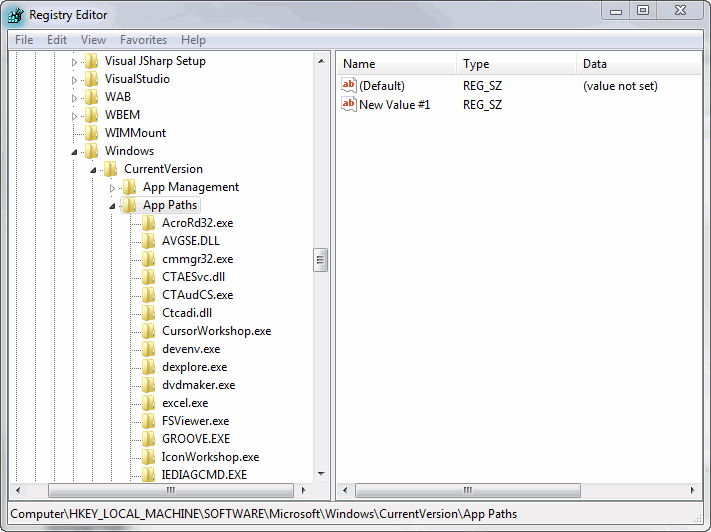
From Registry.gif
From Registry.gif (27.17 KiB) Viewed 3545 times
If on the other hand I try and find said key using the chose regisrty values dialog in AI it can't even find the sub directory (app Paths) (see the From AI image).
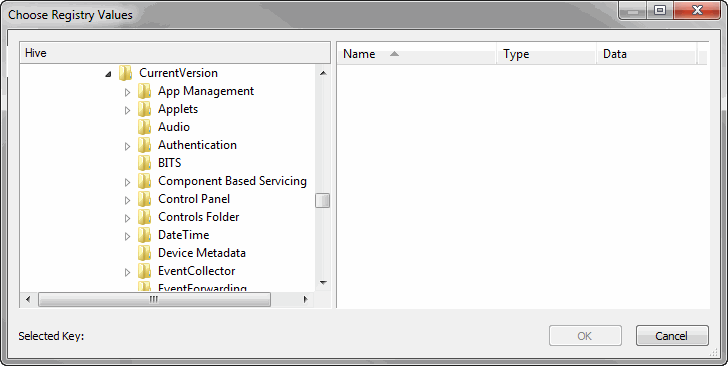
From AI.gif
From AI.gif (15.56 KiB) Viewed 3545 times
This is the first time I've tried to do this since upgrading my os to windows 7 from xp so is the fact that the dialog can't see what I would expect it to in any way connected to the fact that I've now got a new os, or am I missing something.

Dom
Bogdan
Posts: 2796
Joined: Tue Jul 07, 2009 7:34 am
Contact: Website

Re: Can't Find Registry key in AI

Hi Dom,

This happens because Advanced Installer is a 32-bit application, so the registry picker is automatically redirected to "Wow6432Node" on 64 bit machines.

The solution is to right the path manually, no use the picker to select it.

Regards,
Bogdan
Bogdan Mitrache - Advanced Installer Team
Follow us: Twitter - Facebook - YouTube
dms
Posts: 164
Joined: Tue Aug 28, 2007 7:11 am
Location: UK

Re: Can't Find Registry key in AI

Thanks Bogdan

Dom

Return to “Common Problems”