ODBC Oracle driver problem - Advanced Installer Community
wasilisa
Posts: 2
Joined: Fri Aug 11, 2017 1:54 pm

ODBC Oracle driver problem

Hello,

I have the problem with ODBC Oracle driver. I configured the oracle connection.
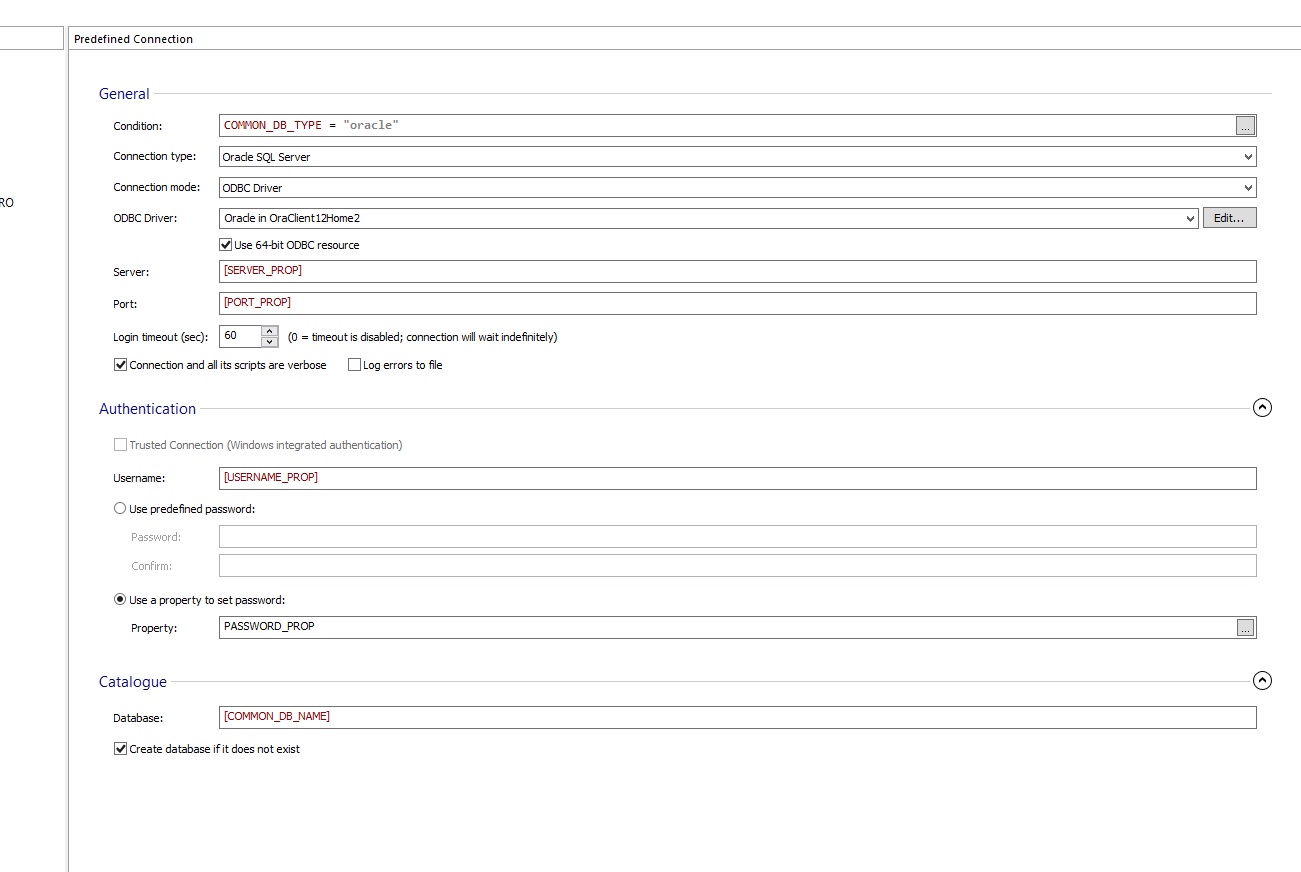
SQL connection.jpg
SQL connection.jpg (142.5 KiB) Viewed 4989 times
And the test of oracle connection is successful.
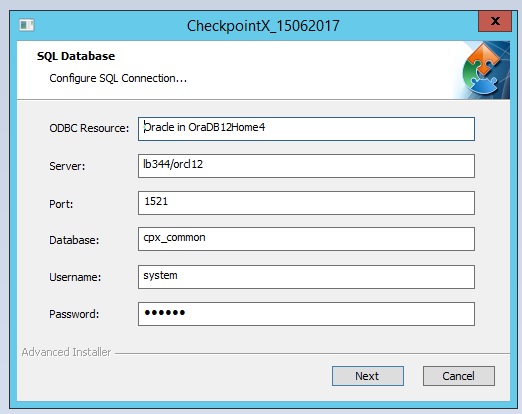
SQL Connection test.jpg
SQL Connection test.jpg (50.74 KiB) Viewed 4989 times
BUT during installation, the connection does not work.
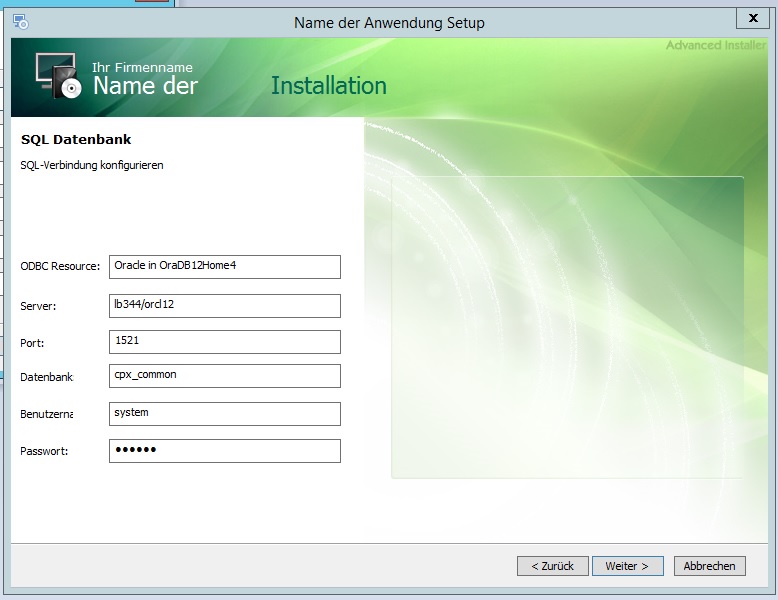
SQL connection during installation.jpg
SQL connection during installation.jpg (81.83 KiB) Viewed 4989 times
I use the custom action “TestODBCConnection” with “Driver=[\{][ODBC_RES_PROP][\}];Server=[SERVER_PROP];Uid=[USERNAME_PROP];Pwd=[PASSWORD_PROP];” (as described in http://www.advancedinstaller.com/user-g ... ction.html). The Connection not work. I get the following error message: SQL_STATE: IM002.

Why does not the connection work to Oracle?
Daniel
Posts: 8283
Joined: Mon Apr 02, 2012 1:11 pm
Contact: Website

Re: ODBC Oracle driver problem

Hello and welcome to our forums,

From what I see during the test operation for the ODBC connection parameters you are using a different ODBC driver name ("ODBC Resource" field) than the driver name you set up in the "SQL Databases" page. So, can you please fill in the "ODBC Driver" field from "SQL Databases" page the same driver name you use during installation on your SQLServerConnection dialog?

Also, in the same page please uncheck the "Use 64-bit ODBC resource" option and rebuild and test again your setup project? Our TestODBCConnection action test the parameters only against 32-bit drivers, so since the connection test was successful you should configure the SQL Connection from the "SQL Databases" page of your project to use a 32-bit ODBC driver too.

Let us know if this helped.

All the best,
Daniel
Daniel Radu - Advanced Installer Team
Follow us: Twitter - Facebook - YouTube
wasilisa
Posts: 2
Joined: Fri Aug 11, 2017 1:54 pm

Re: ODBC Oracle driver problem

Hi,

The drivers are the same, I posted wrong screenshot. Too bad that the function "TestODBCConnection" only runs with 32-bit driver. I do not use this function anymore and still have the connection to Oracle and can run scripts.

But the connection is always redirected to local Oracle database. That means no matter what a database server I enter, the scripts are run on local databak. In the log output is: DRIVER_CONNECT(Predef):
[Driver={Oracle in OraDB12Home4};Server=lb344/orcl12.world;Port=1521;Uid=system;Pwd=oracle;].

The connection in SQL Developer and ODBC management work. What could be the problem that the connection to the Oracle server doesn't work. We have the domain here. Can it be because of this?

Thanks in advance
Daniel
Posts: 8283
Joined: Mon Apr 02, 2012 1:11 pm
Contact: Website

Re: ODBC Oracle driver problem

Hello,

I apologize for my delayed reply. Last week I was out of the office.

This is strange. I never encountered this behavior. the connection to be set up under a remote database but to run under a local database.

Could you please send us the .AIP (project file) and a verbose log of the installation to support at advancedinstaller dot com so we can investigate them?

All the best,
Daniel
Daniel Radu - Advanced Installer Team
Follow us: Twitter - Facebook - YouTube

Return to “Common Problems”