

Përshkrim
Shtojca WordPress Mail SMTP
Is your WordPress site not sending emails? You’re not alone. 4+ million websites use WP Mail SMTP to send emails reliably.
Our goal is to make email deliverability easy so that your emails reach the inbox.
WP Mail SMTP e ndreq probleme shkalle dërgimi të email-eve tuaj duke riformësuar WordPress-in që të përdorë një furnizues të përshtatshëm SMTP kur dërgohen email-e.
Më e mira e të mirave, Ndihmësi ynë i kollajtë për t’u përdorur i Ujdisjeve dhe dokumentimi i hollësishëm ju udhëheqin përgjatë procesit.
WP Mail SMTP është falas dhe ka gjithçka që ju duhet për të dërguar email-et tuaj WordPress pa probleme!
WP Mail SMTP Pro adds even more powerful features like email logging, advanced email reporting and stats, backup connections, email alerts, smart conditional routing, and much more.
Ç’është SMTP-ja?
SMTP (Simple Mail Transfer Protocol) is an industry-standard for sending emails. Proper SMTP configuration helps increase email deliverability by adding authentication to the emails sent from your site.
Popular email clients like Gmail, Yahoo, Office 365, and Zoho are in a constant battle with email spammers, so they check whether emails are originating from a genuine sender. If the proper authentication isn’t there, emails either go in the SPAM folder or, worse, disappear.
This is a problem for a lot of WordPress sites. By default, WordPress uses the PHP mail function to send emails generated by WordPress or any contact form plugin like WPForms.
Por shumica e shoqërive për strehim WordPress-i s’i kanë të formësuar si duhet shërbyesit e tyre për dërgim email-esh PHP.
This is why WordPress emails aren’t delivered.
Si funksionon WP Mail SMTP?
Shtojca WP Mail SMTP i zgjidh me lehtësi problemet e shkallës së dërgimit të email-eve duke ndryshuar mënyrën sipas të cilës dërgon email-e sajti juaj WordPress. Riformësojmë funksionin wp_mail() që ose të përdorë kredenciale të sakta strehe SMTP, ose një shërbim SMTP email-esh.
With our built-in SMTP mail provider integrations (recommended), emails are sent using the provider’s direct API. This works even if your web host is blocking SMTP ports.
This helps you fix common WordPress not sending email issues.
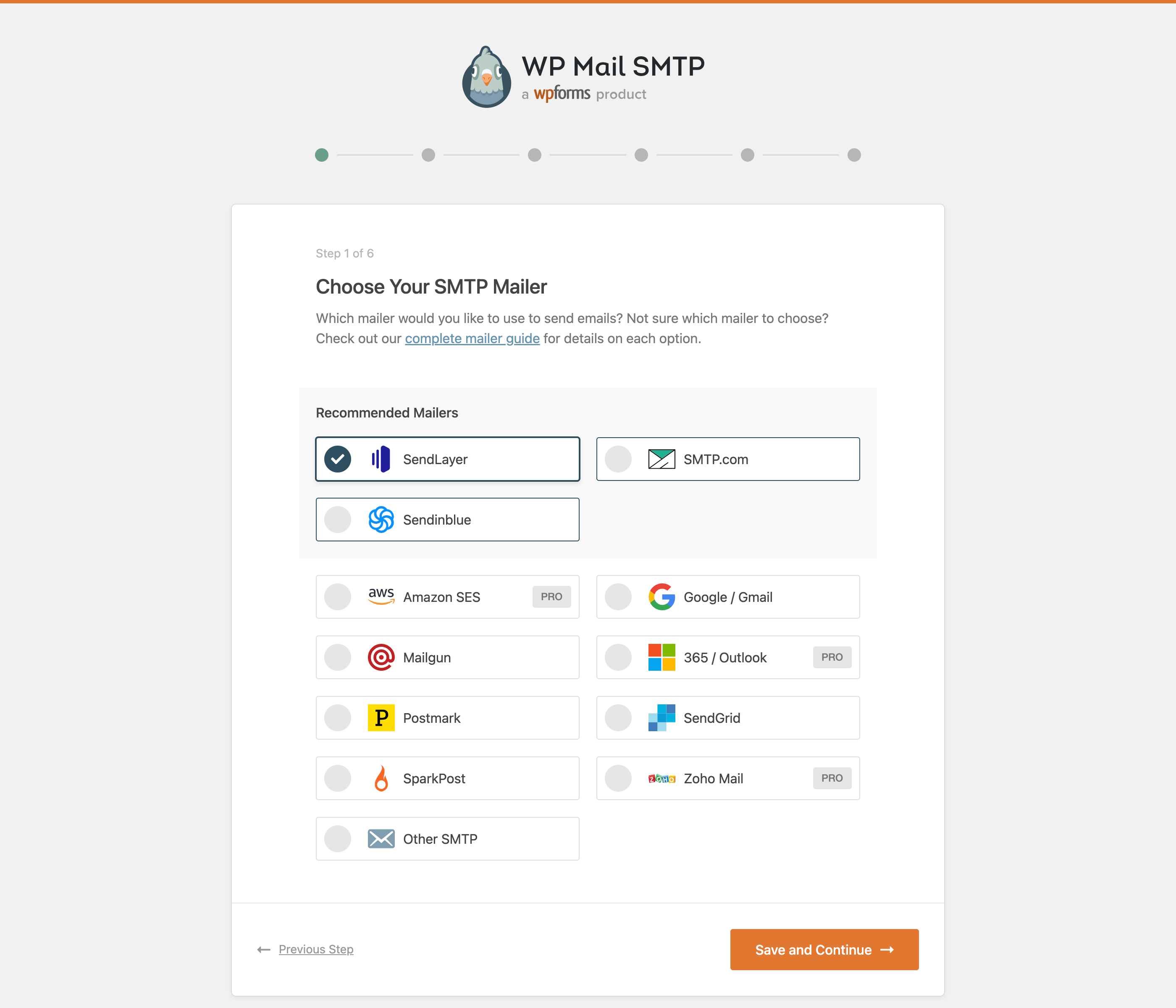
Shtojca WP Mail SMTP përfshin mjaft postues ndryshëm SMTP:
- SendLayer (Recommended)
- SMTP.com (I rekomanduar)
- Brevo (formerly Sendinblue) (Recommended)
- Gmail SMTP (Gmail, Google Workspace, G Suite)
- Elastic Email
- Mailgun
- Mailjet
- MailerSend
- Mandrill
- Postmark
- Resend
- SendGrid
- SMTP2GO
- SparkPost
- Microsoft One-Click Setup (Outlook.com and Office 365) [Pro]
- Amazon SES [Pro]
- Zoho Mail [Pro]
- SMTP Tjetër
Për krejt mundësitë, mund të përcaktoni “emër Nga” dhe “adresë email” edhe për email-et që duhen dërguar.
If you don’t know which mailer to choose, see our Complete Guide to WP Mail SMTP Mailers.
SendLayer
SendLayer is our recommended transactional email service.
Its affordable pricing and super fast setup make it a great choice for sending emails from WordPress. It also has open and click tracking and email logs.
SendLayer is reliable, fast, and easy to set up. You can send hundreds of emails for free when you sign up for a trial.
Read our SendLayer documentation for more details.
SMTP.COM
SMTP.com është një shërbim transaksionesh email-esh i rekomanduar.
With over 22 years of email delivery expertise, SMTP.com has a reputation as a reliable sender.
You can start sending emails in minutes and benefit from 50,000 free emails in your first 30 days.
Read our SMTP.com documentation for more details.
Brevo (formerly Sendinblue)
Brevo is a recommended transactional email service. It serves 80,000+ companies worldwide.
Brevo is reliable, fast, and gives you 300 free emails per day.
Read our Brevo documentation for more details.
WP Mail SMTP PRO
WP Mail SMTP Pro is a separate paid plugin. Everything in this section is only available in Pro and isn’t part of this free plugin. In addition to native Microsoft, Amazon SES, and Zoho Mail integrations, Pro includes:
Klikoni këtu që ta blini WP Mail SMTP Pro pa humbur kohë!
Email Log (Pro)
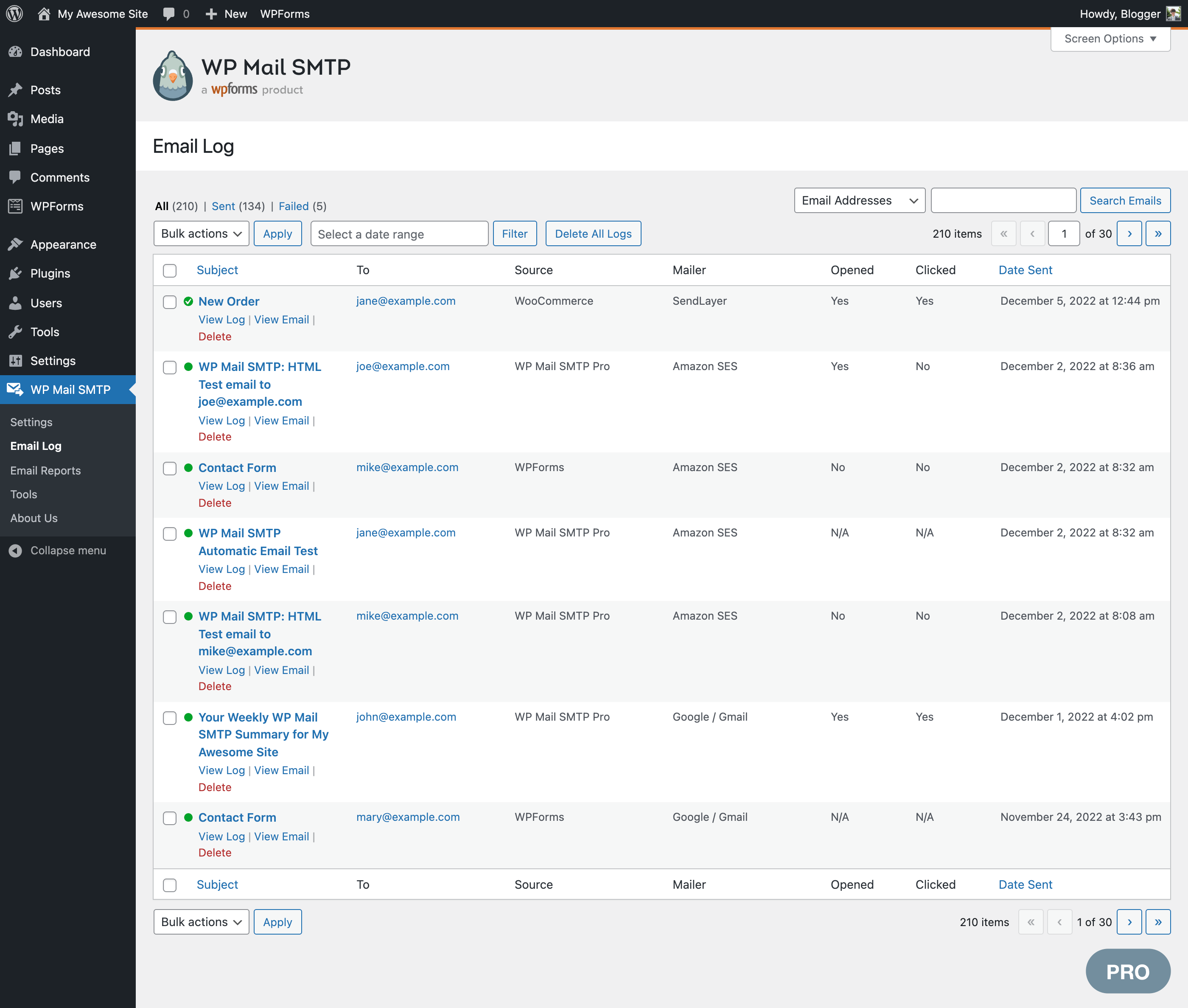
Email logging is a powerful feature that keeps a record of all sent emails in WordPress. Email logging helps you to archive, audit, resend, or test email delivery and formatting.
Our WordPress email logs also include:
Hollësi Regjistri Email-esh
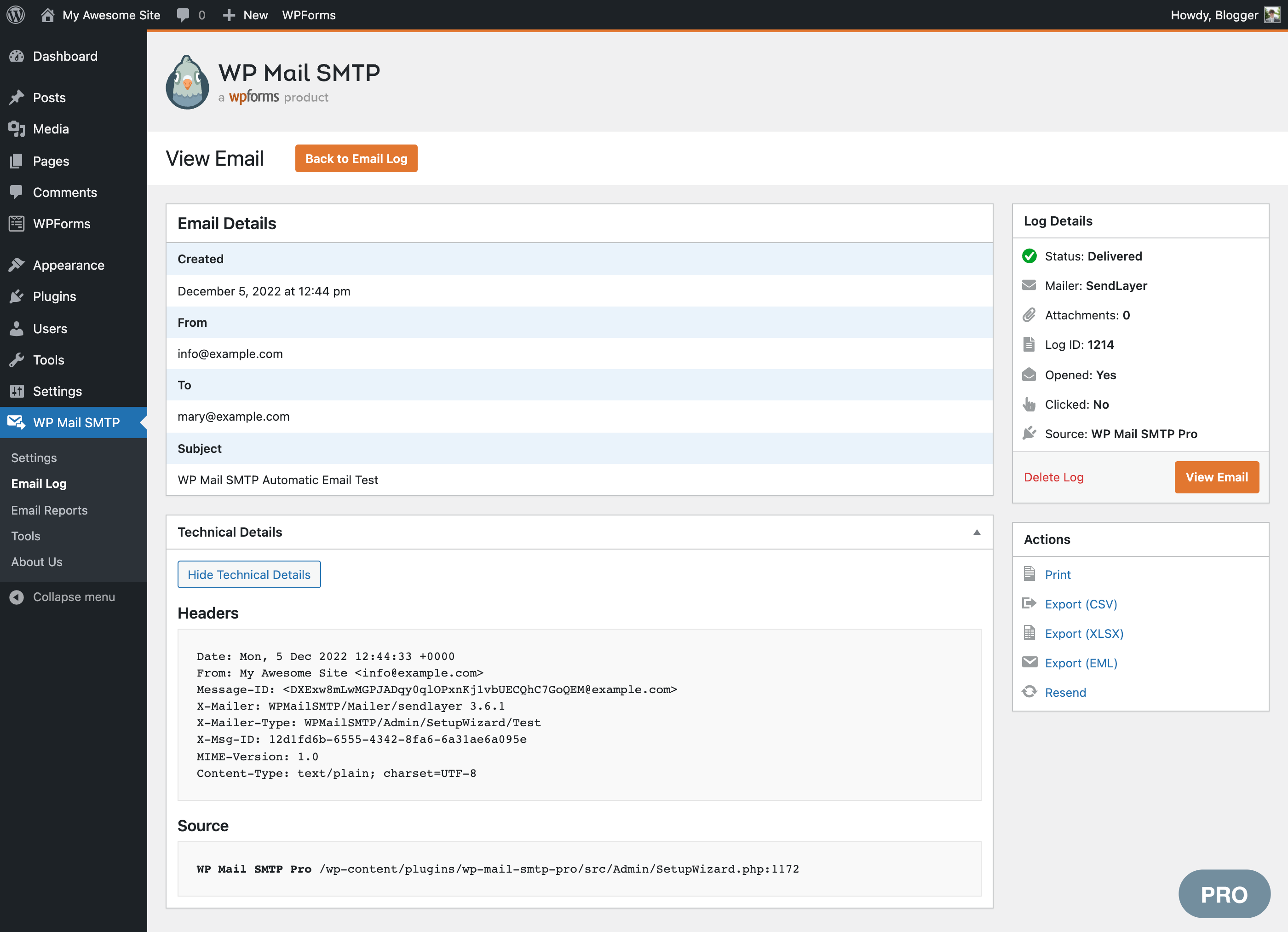
Our email logs provide a complete history of all emails sent from WordPress. View the subject, sender, recipients, content, headers, open and click rates, delivery status, source plugin, and more!
Ridërgoni Email-e
Resend emails individually or in bulk, whether they failed or were delivered successfully. You can also forward important emails to an alternative email address.
And many more Email Log Features
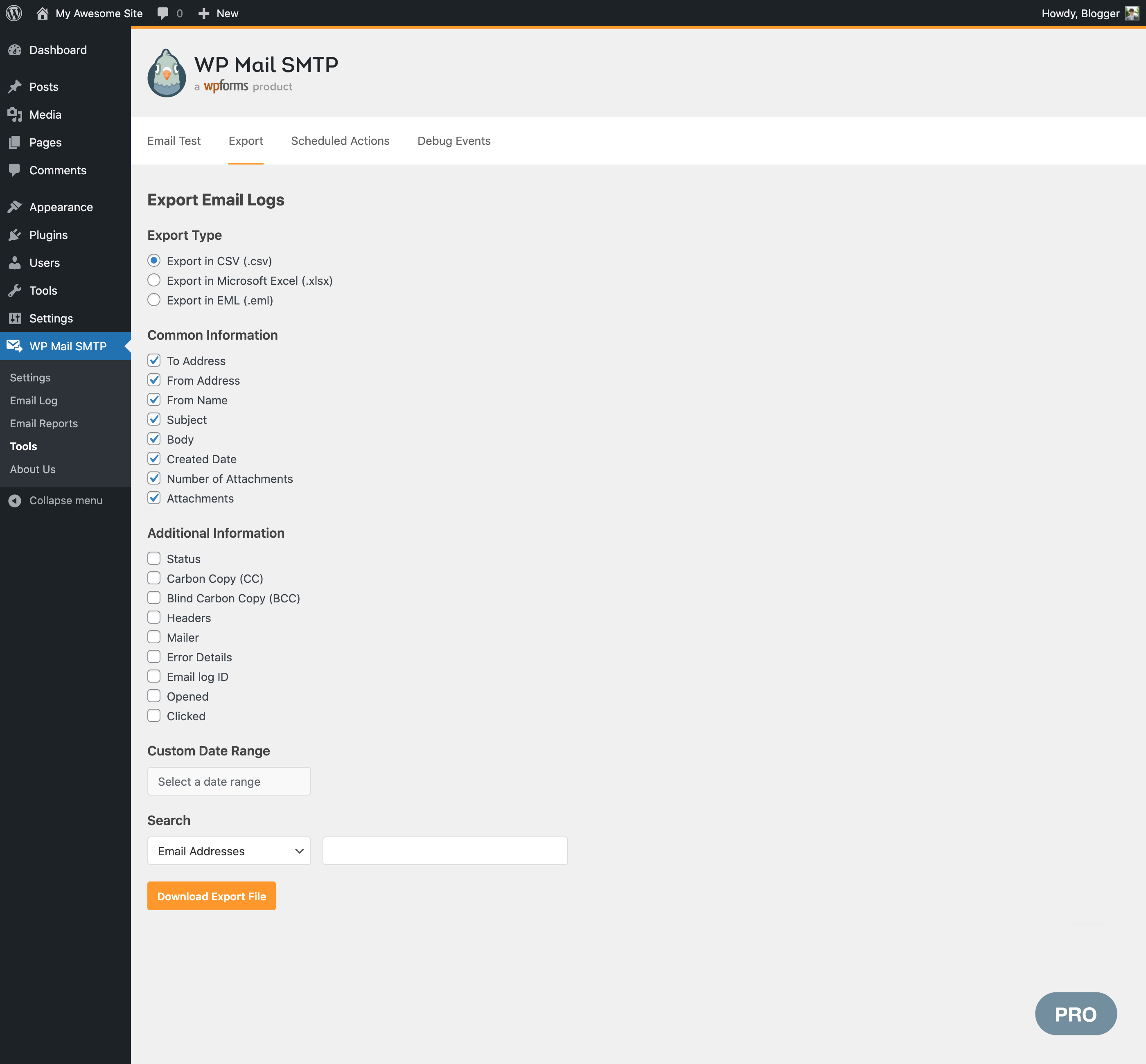
Store all email attachments, export email logs, print emails, see delivery status, and more.
Email Reports (Pro)
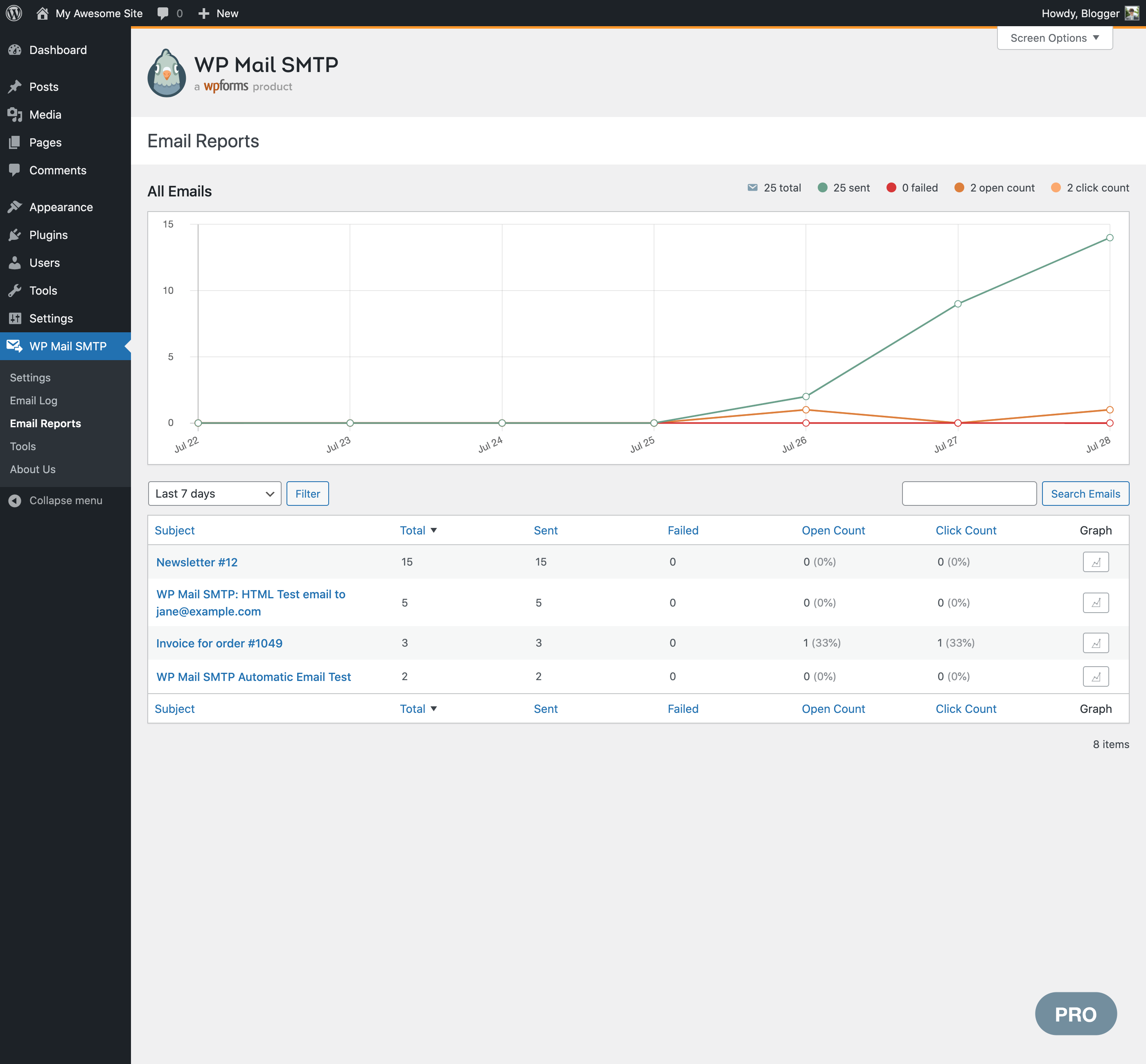
Review weekly sent and failed emails in a dashboard chart.
Email reports make it easy to track deliverability and engagement. Open rates and click-through rates are grouped by subject line, making it easy to see the performance of your campaigns or notifications.
Përmbledhje Javore Email-esh
Get statistics about WordPress emails, including how many emails are being sent and which ones are being opened and clicked. The Summary also shows you deliverability statistics without the need to log in to WordPress to check them.
Ndiqni Hapje dhe Klikime Email-esh
View open and click stats for WordPress emails, grouped by subject line in your Email Report.
Email Alerts (Pro)
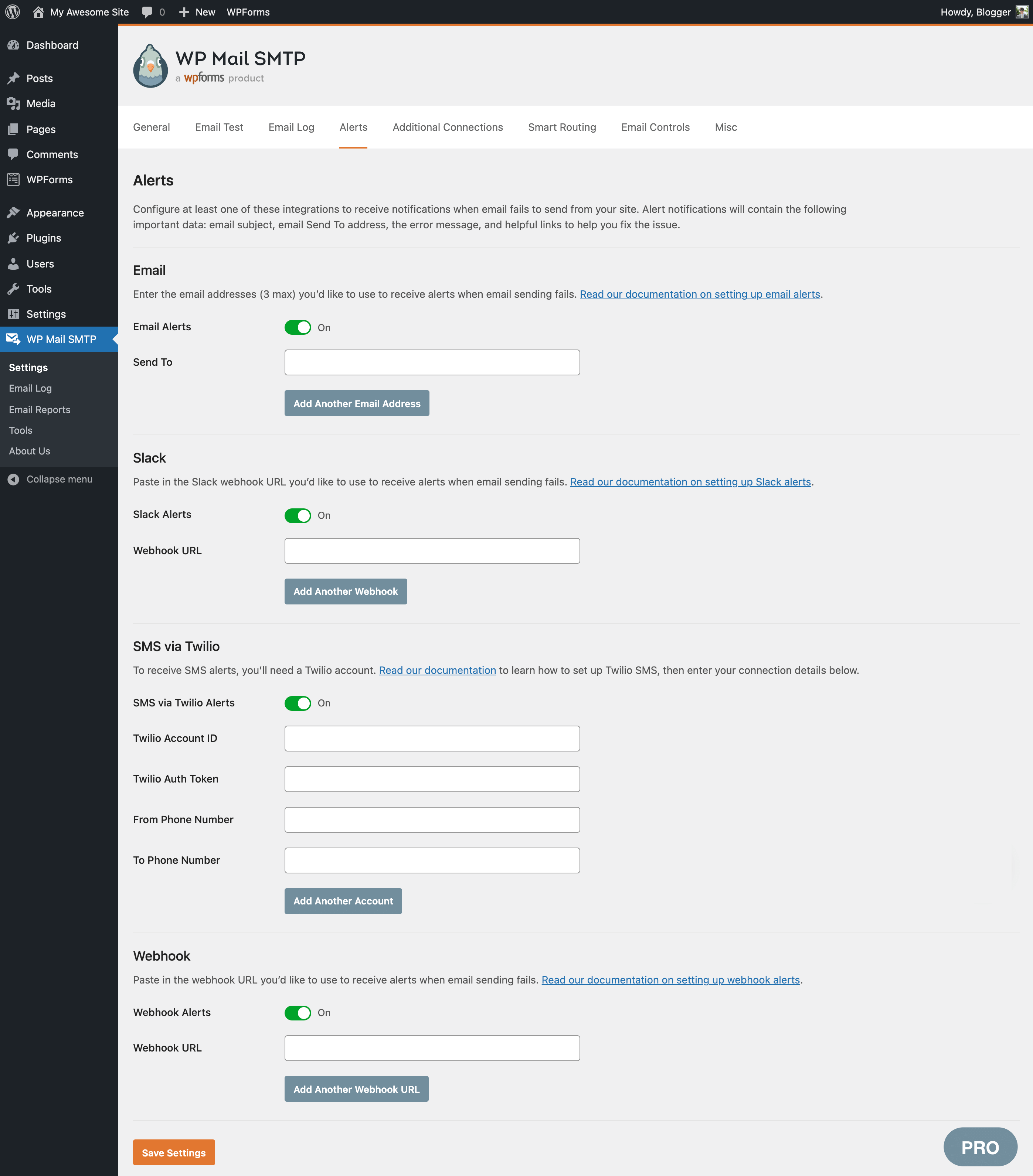
If your emails stop sending, get notified instantly via Slack, Microsoft Teams, Discord, SMS/ Twilio, webhooks, or email (via secure API).
In combination with our email logging and resending features, Email Alerts help make sure important emails don’t go missing.
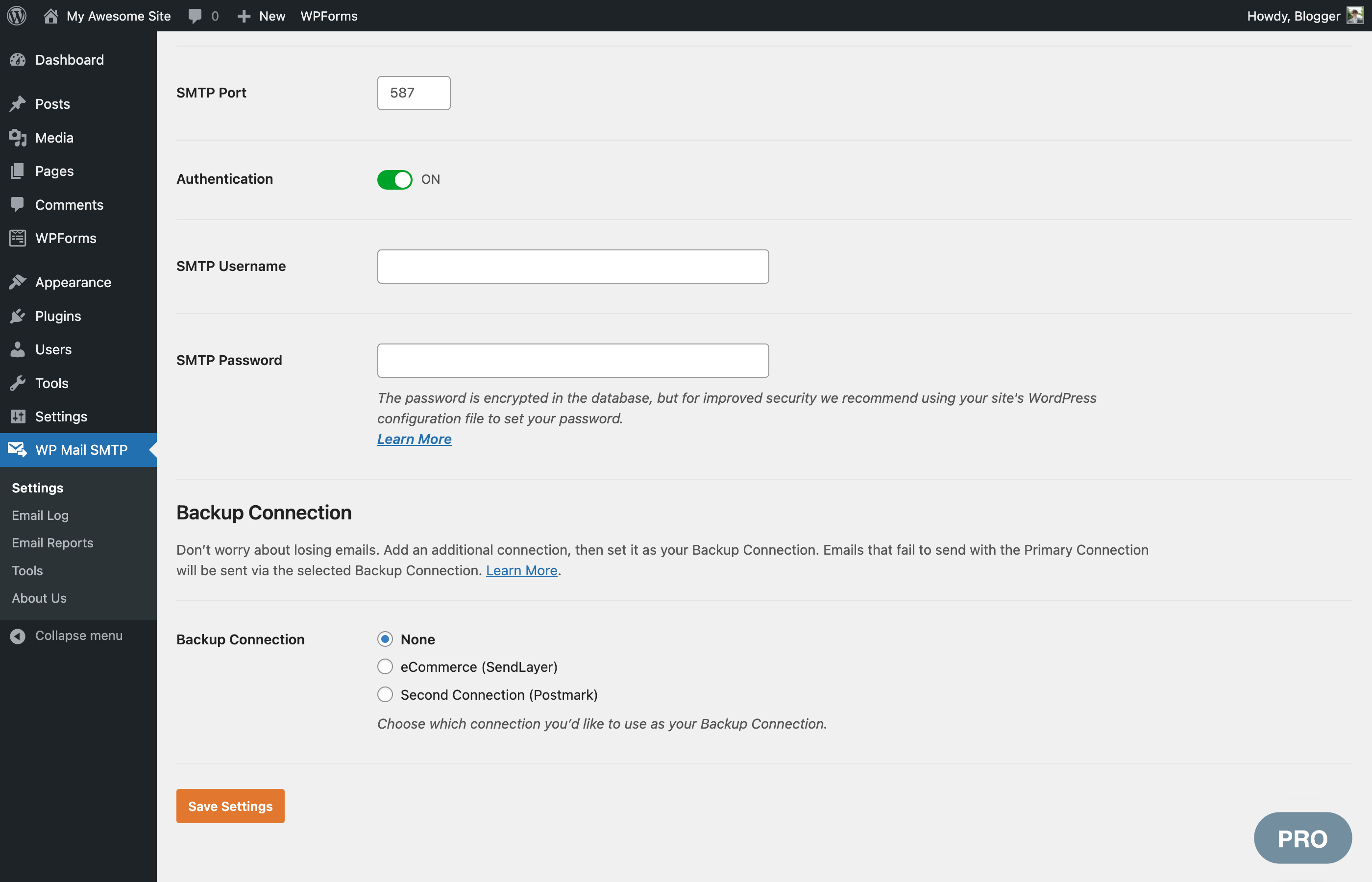
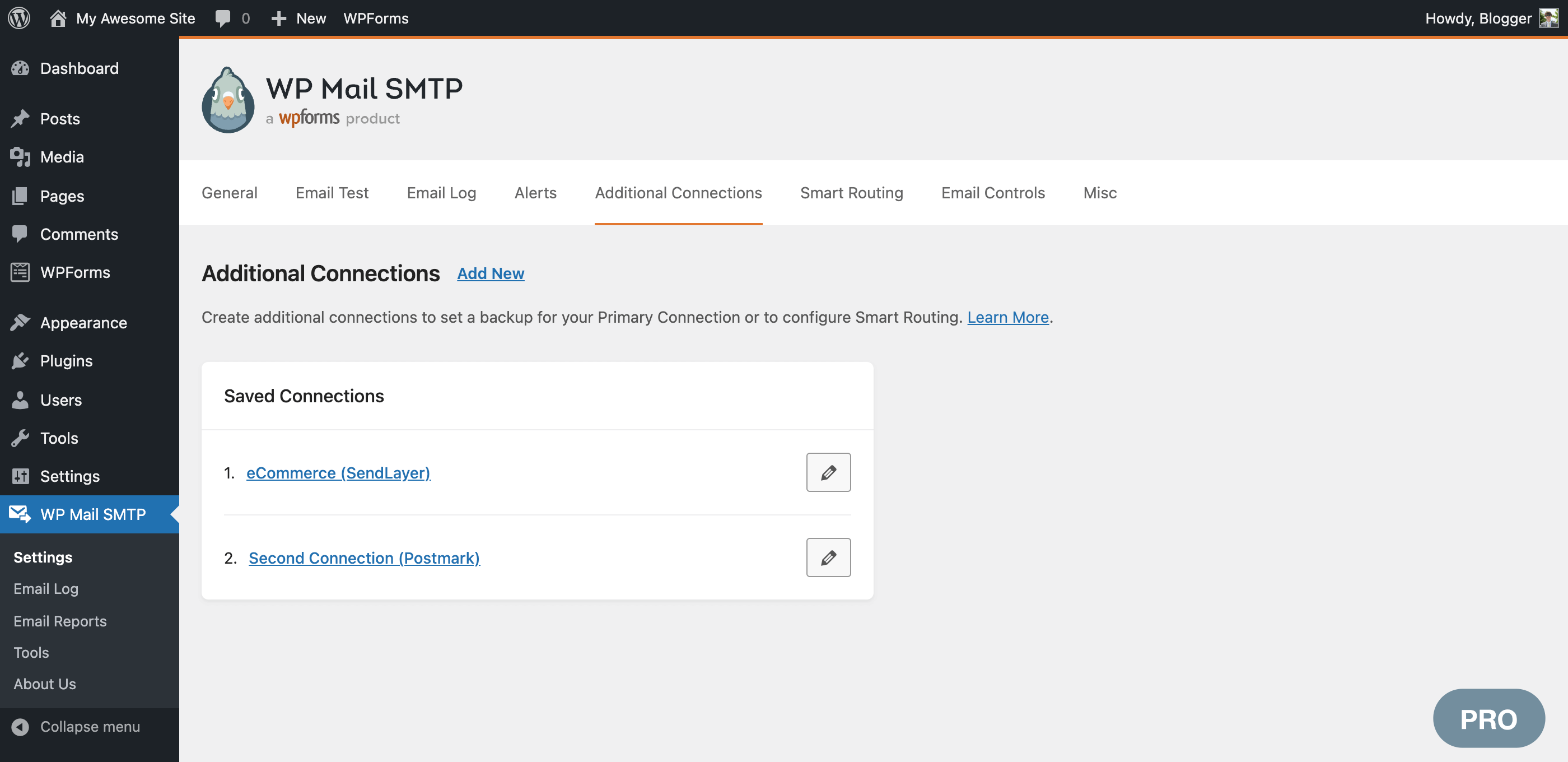
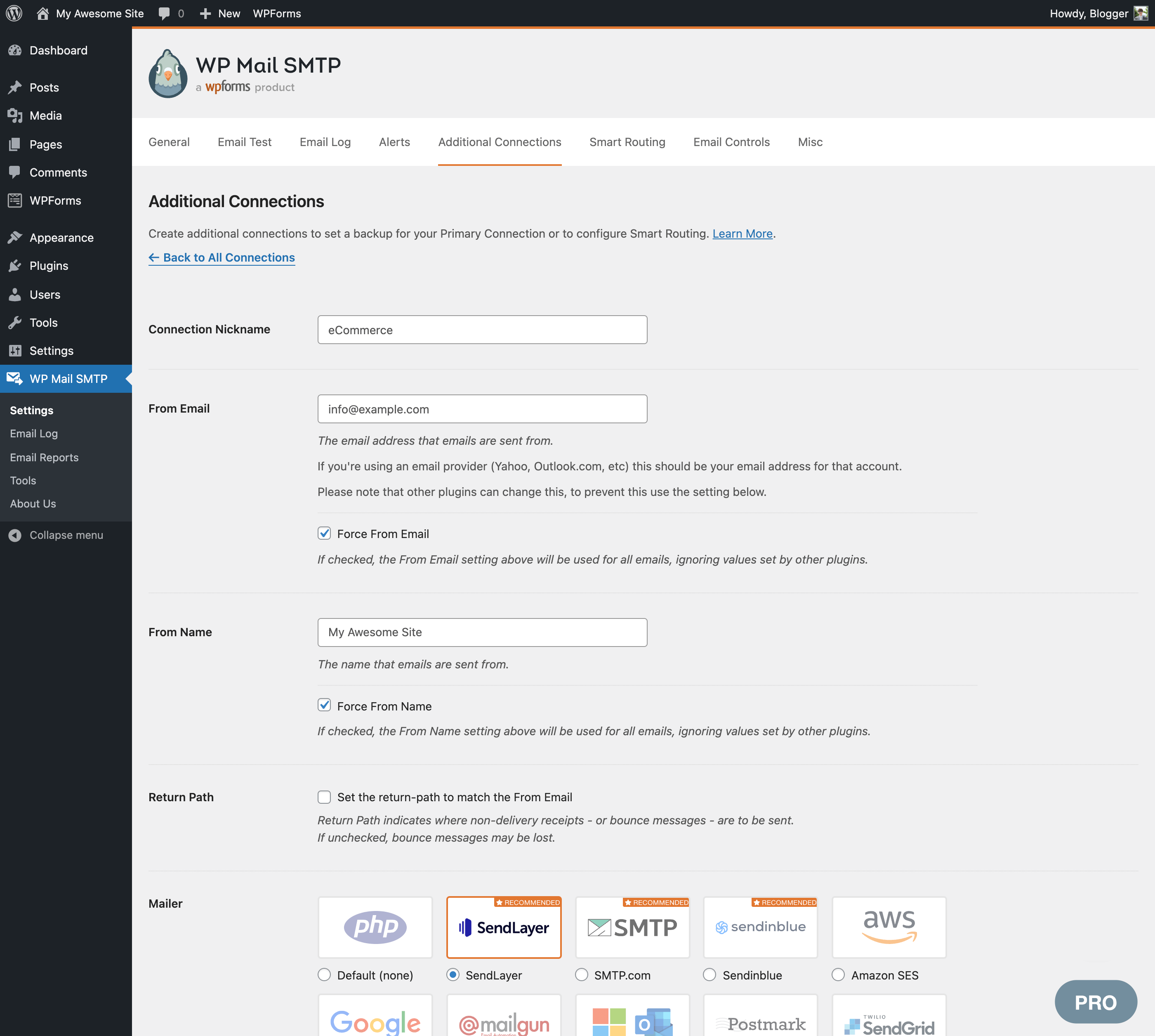
Lidhje Rezervë (Pro)
Configure an extra connection that kicks in if your primary connection fails. WP Mail SMTP automatically detects connection issues and automatically switches to the backup mailer. It will also automatically retry emails that failed.
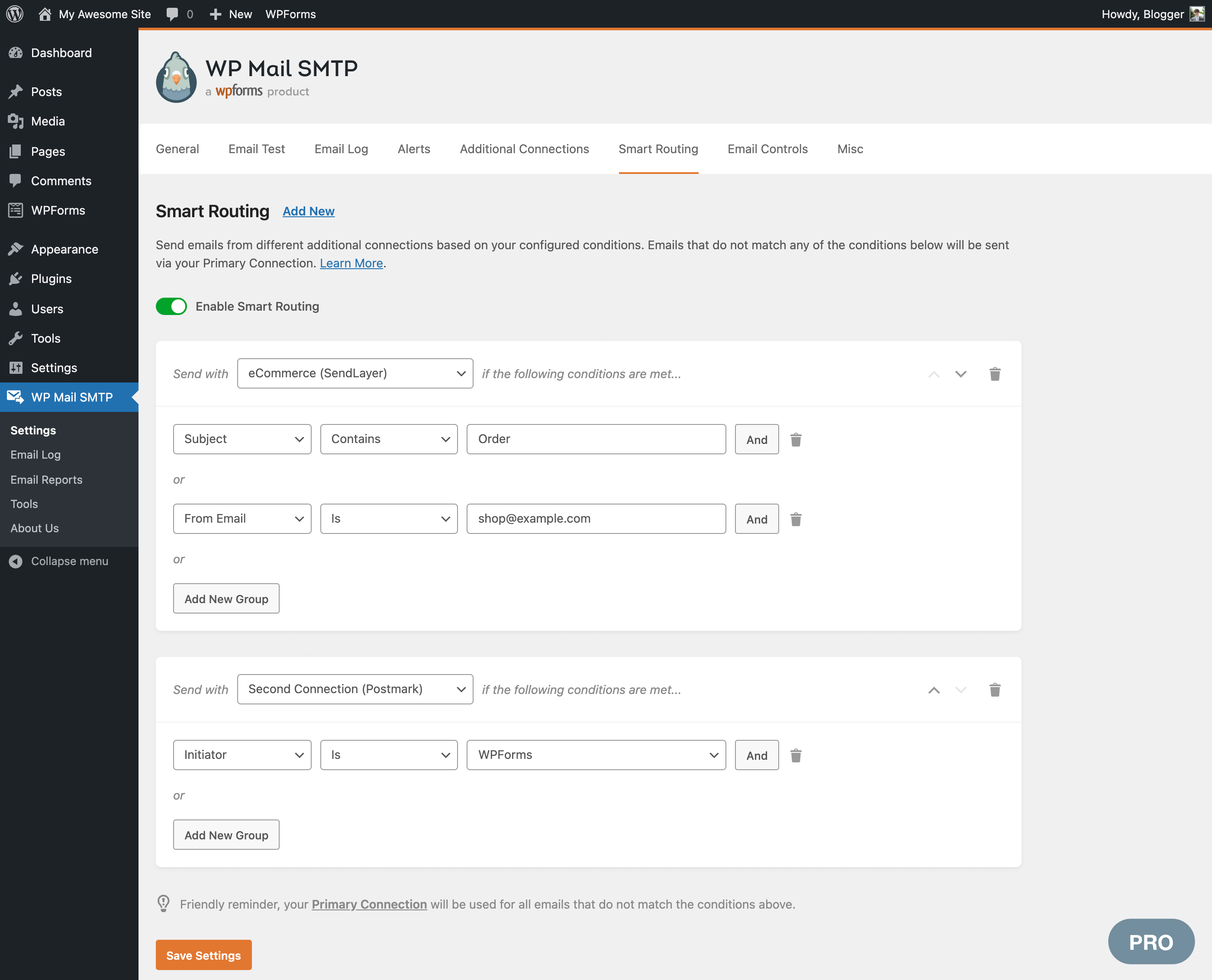
Smart Conditional Routing (Pro)
Create criteria to send different types of emails using different mailers. Filter by the contents of the email Subject or Message, From or To addresses, the plugin that generated the email, and more.
This allows you to mix transactional and marketing providers to improve deliverability.
Rate Limiting (Pro)
Control the number of emails your WordPress site sends in a specific amount of time so you stay within your SMTP provider’s rate limits.
WP Mail SMTP allows you to specify the maximum number of emails that will be sent every minute, hour, day, week, or month and automatically queues emails to stay within those limits.
Optimized Email Sending (Pro)
Are emails slowing down your site? Let WP Mail SMTP queue your emails for better performance.
With optimized sending, emails are queued in the background and sent when your server has sufficient resources, avoiding bottlenecks that can slow down your site.
Manage WordPress Emails and Notifications (Pro)
Control the default notifications WordPress sends. Use a simple switch to disable specific types of notifications if you don’t want to receive them.
WordPress Multisite (Pro)
Rregullime Rrjeti WordPress Shumësajtësh
For users running a multisite network, save time with a centralized location to easily configure your SMTP settings for all sites.
Administroni Kollaj Regjistra të Shumtë Email-esh
Network Admins can view and manage email logs for subsites with easy switching and dashboard views.
Asistencë Ekspertësh
We provide limited support on the WordPress.org forums. One-on-one email support is available to WP Mail SMTP Pro users.
White Glove Setup (paid service)
If you’re not sure how to fix your emails, sit back and relax. We’ll set up WP Mail SMTP for you!
White Glove Setup includes installation, configuration in WordPress, DNS configuration, full mailer setup, and testing. White Glove Setup is available for our recommended mailers: SendLayer, Brevo, and SMTP.com.
Falënderime
WP Mail SMTP plugin was originally created by Callum Macdonald. It is now owned and maintained by the team behind WPForms – a drag & drop form builder for WordPress.
You can try the free version of WPForms plugin to give your visitors an easy way to contact you.
External services
WP Mail SMTP connects to the external services listed below. Each entry explains what is sent and when. Unless an entry says otherwise, requests to WP Mail SMTP services identify only the plugin version (for example WPMailSMTP/4.10.0). If you turn on usage tracking, they also include your WordPress version, site URL and license type.
Email sending providers
Your emails are sent through the mailer you choose in WP Mail SMTP > Settings. When WordPress sends an email, the message (recipients, subject, content, headers and attachments) and the credentials you entered are sent to that provider. Connecting an account (for example SendLayer Quick Connect or signing in with Google) and checking your mailer settings in the Setup Wizard also contact the provider you selected. No provider is contacted until you select and configure it.
Depending on the email provider you connect, the email data is sent using their SMTP servers subject to their respective Terms of Service and Privacy Policy which you can review individually by looking at respective integration provider you choose to connect with.
WP Mail SMTP API (wpmailsmtpapi.com)
- Error documentation: when an email fails to send, and you open a WP Mail SMTP admin page, a public list of help articles for known sending errors is downloaded, so the error notice can link to the right article. The request doesn’t include your mailer, site URL or any other details about your site. Results are cached for one week.
- Announcements Feed: plugin release announcements are downloaded via our announcement feed. This request doesn’t include your site URL or any other details about your site. You can also turn it off with “Hide Announcements” in WP Mail SMTP > Settings > Misc.
- Hosted Setup Wizard: when you click “Let’s Get Started” in the Setup Wizard, your site URL details are sent, so the wizard can recommend WP Mail SMTP settings for your site.
Terms: https://wpmailsmtp.com/terms/
Privacy policy: https://wpmailsmtp.com/privacy-policy/
WP Mail SMTP Connect (connect.wpmailsmtp.com)
- Domain check: your From email address, mailer and sending domain are sent to check your domain’s DNS records. This runs when you send a test email and at the end of the Setup Wizard. Tools > Site Health shows the result of your last check.
- Google sign-in: when you connect a Gmail account, Google’s authorization response passes through this service on its way back to your site.
Terms: https://wpmailsmtp.com/terms/
Privacy policy: https://wpmailsmtp.com/privacy-policy/
WP Mail SMTP usage tracking (wpmailsmtpusage.com)
Only when you turn on “Allow Usage Tracking” in WP Mail SMTP > Settings > Misc, which is off by default. If enabled, the plugin sends us relevant product usage diagnostics to help us improve the plugin and our service.
Terms: https://wpmailsmtp.com/terms/
Privacy policy: https://wpmailsmtp.com/privacy-policy/
Email Detective by SendLayer (detective.sendlayer.com)
When you run a deliverability test on the Email Detective page, your site sends a test email through your mailer to an address the service provides, and the result of that send (success, or the error message) is reported back. To perform this test, your site URL, mailer, plugin version and license type are sent to this service. If you ask for the report by email, the email address you enter is sent too.
Terms: https://sendlayer.com/terms-of-service/
Privacy policy: https://sendlayer.com/privacy-policy/
WPCode snippet library (library.wpcode.com)
When you open the Code Snippets page and the WPCode plugin isn’t active, a list of email-related code snippets is downloaded. The request identifies only the plugin version, unless usage tracking is on. Results are cached for one day.
Terms: https://wpcode.com/terms-of-service/
Privacy policy: https://wpcode.com/privacy-policy/
Foto ekrani
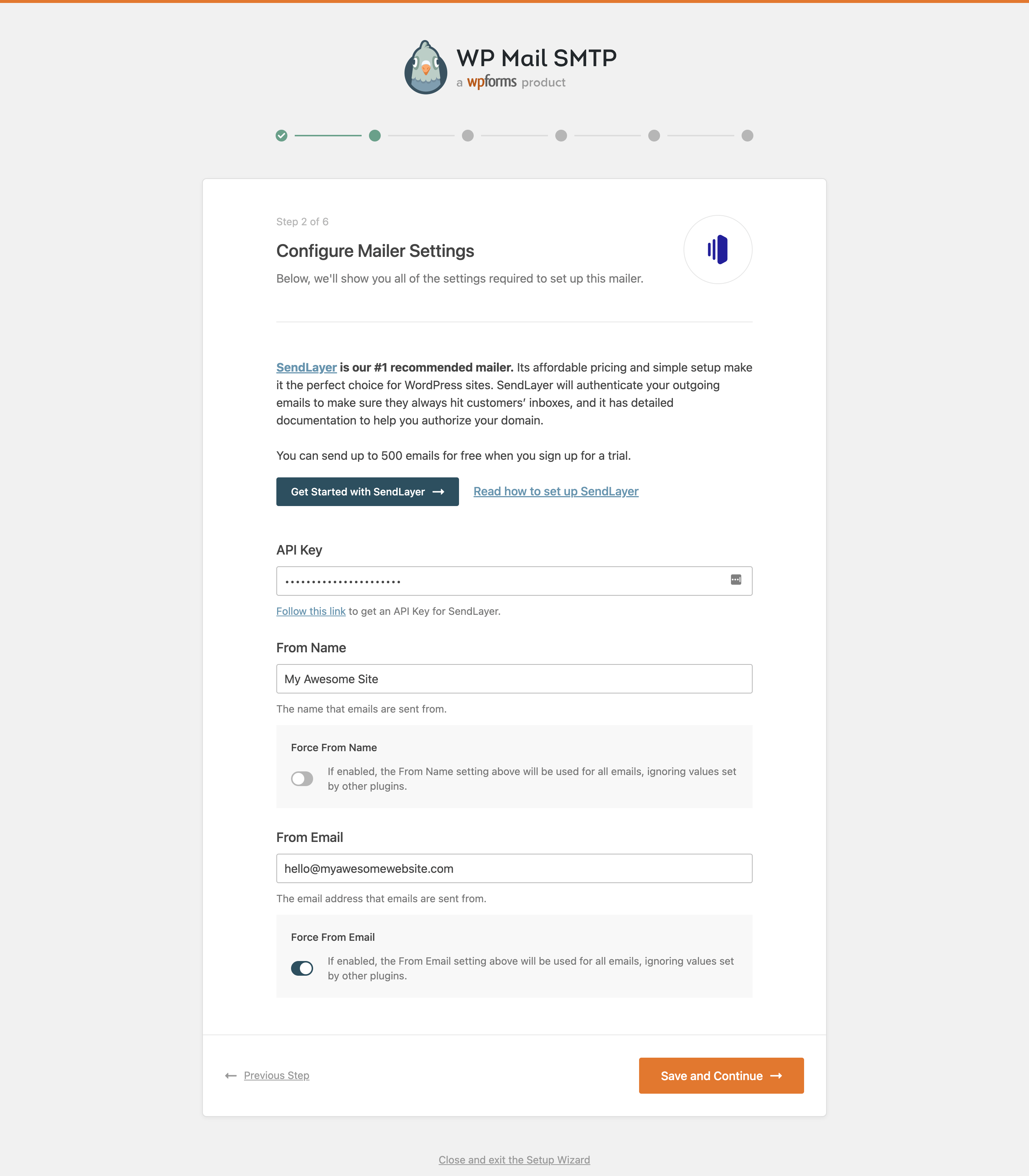
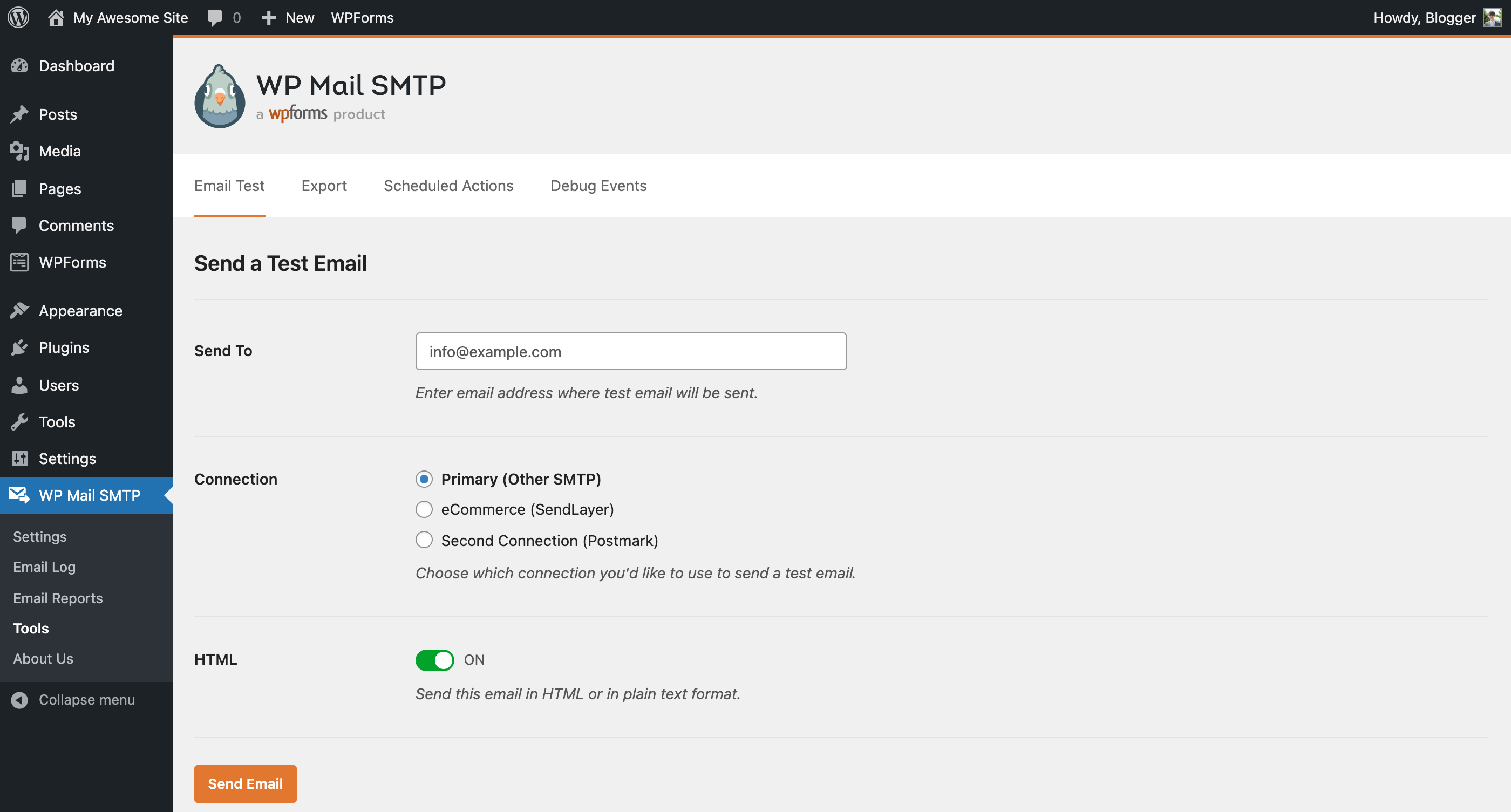
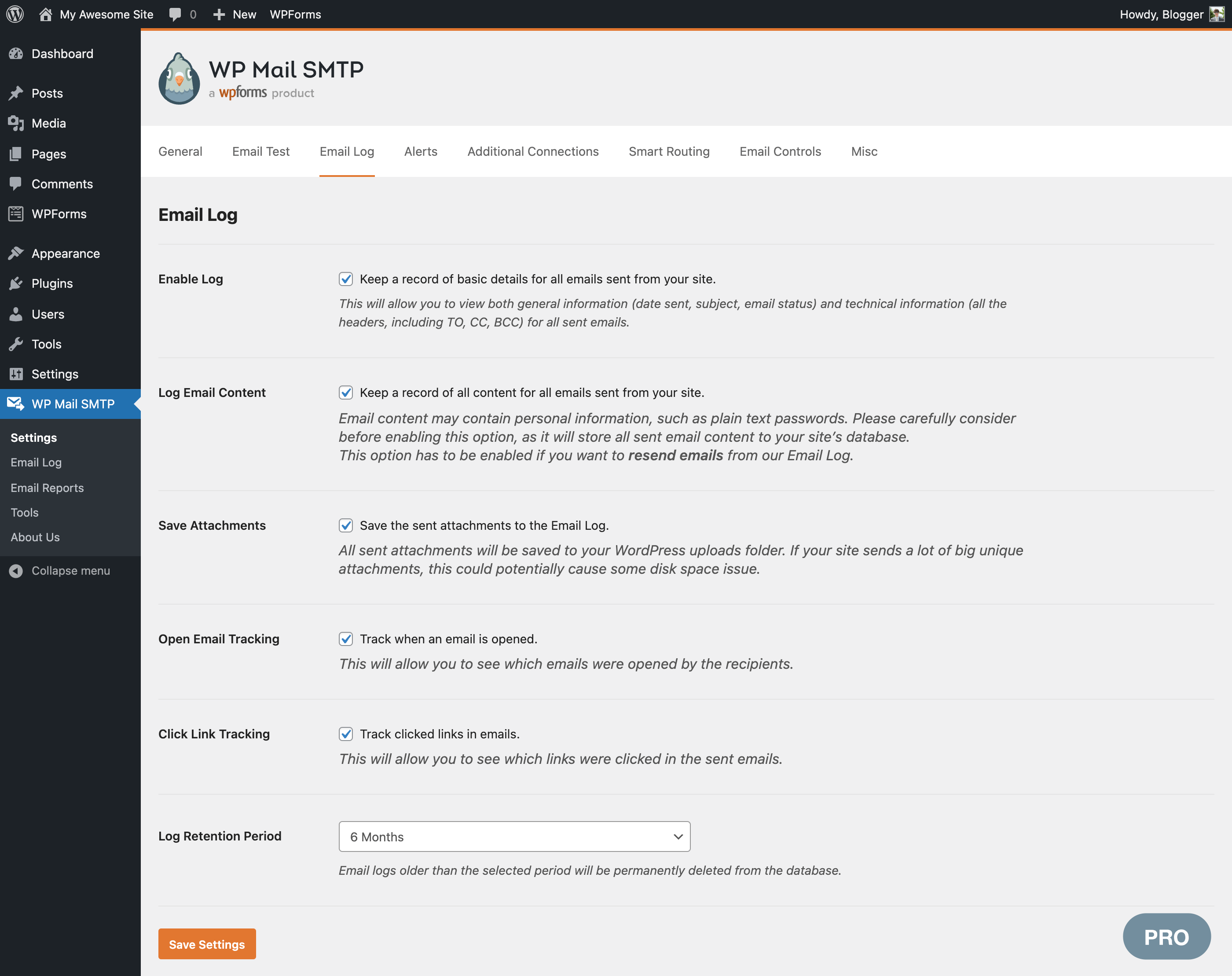
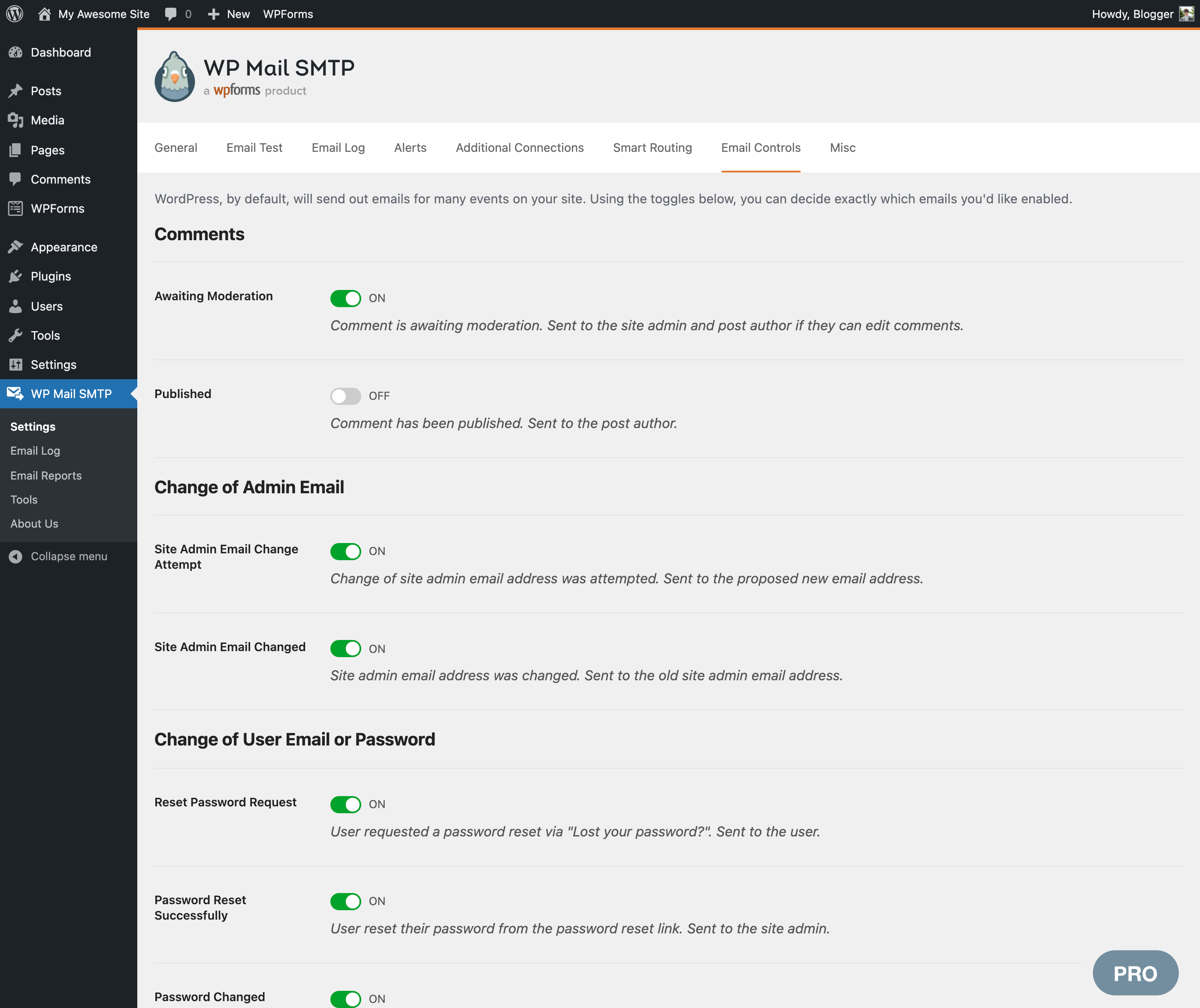
Instalim
- Instalojeni WP Mail SMTP nga WPForms ose përmes depos së shtojcave WordPress.org, ose duke i ngarkuar kartelat te shërbyesi juaj. (Shihni udhëzimet mbi se si të instalohet një shtojcë WordPress-i)
- Aktivizoni WP Mail SMTP nga WPForms.
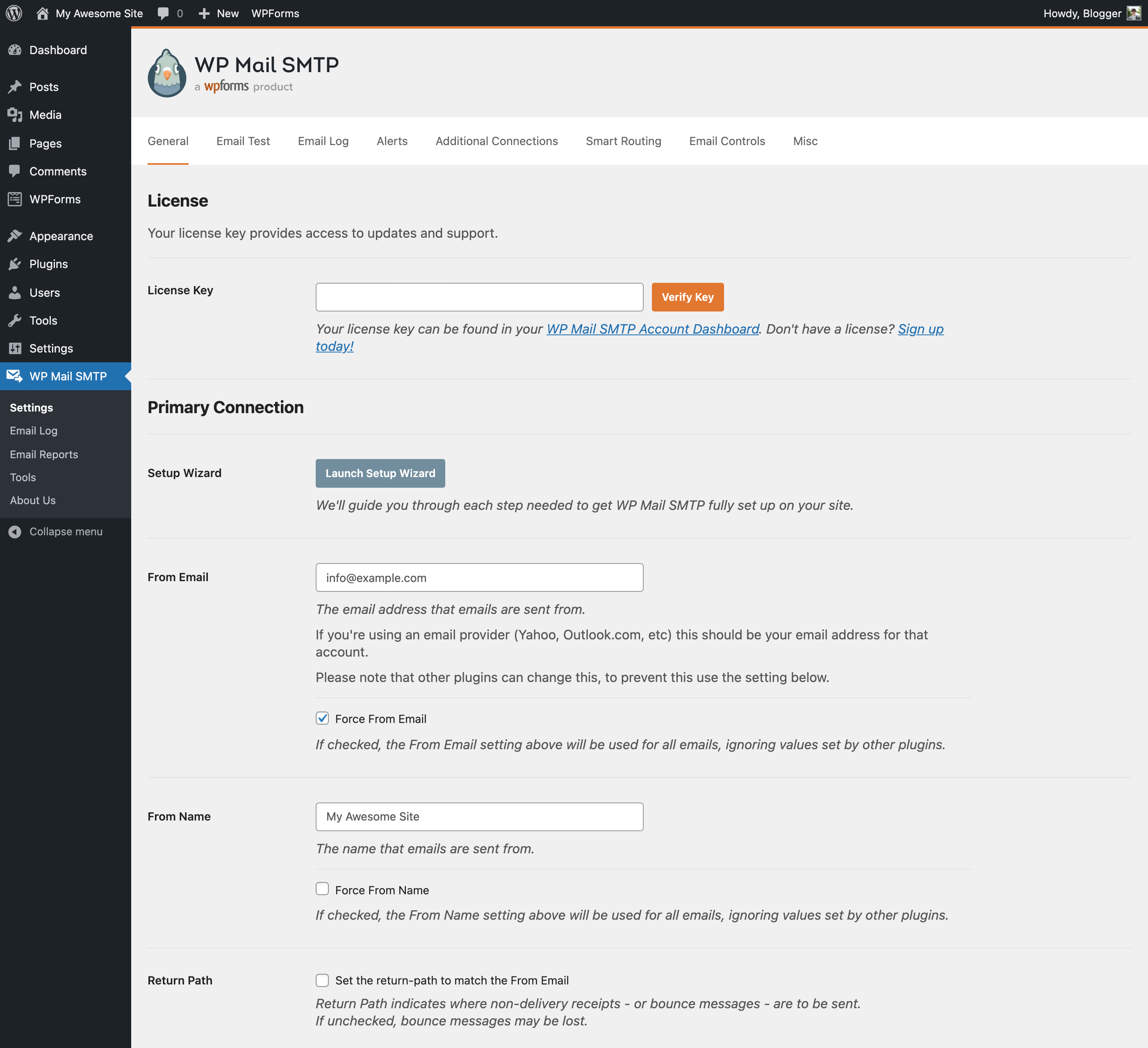
- Kaloni te fusha Rregullime e WP Mail SMTP-së, te përgjegjësi i WordPress-it.
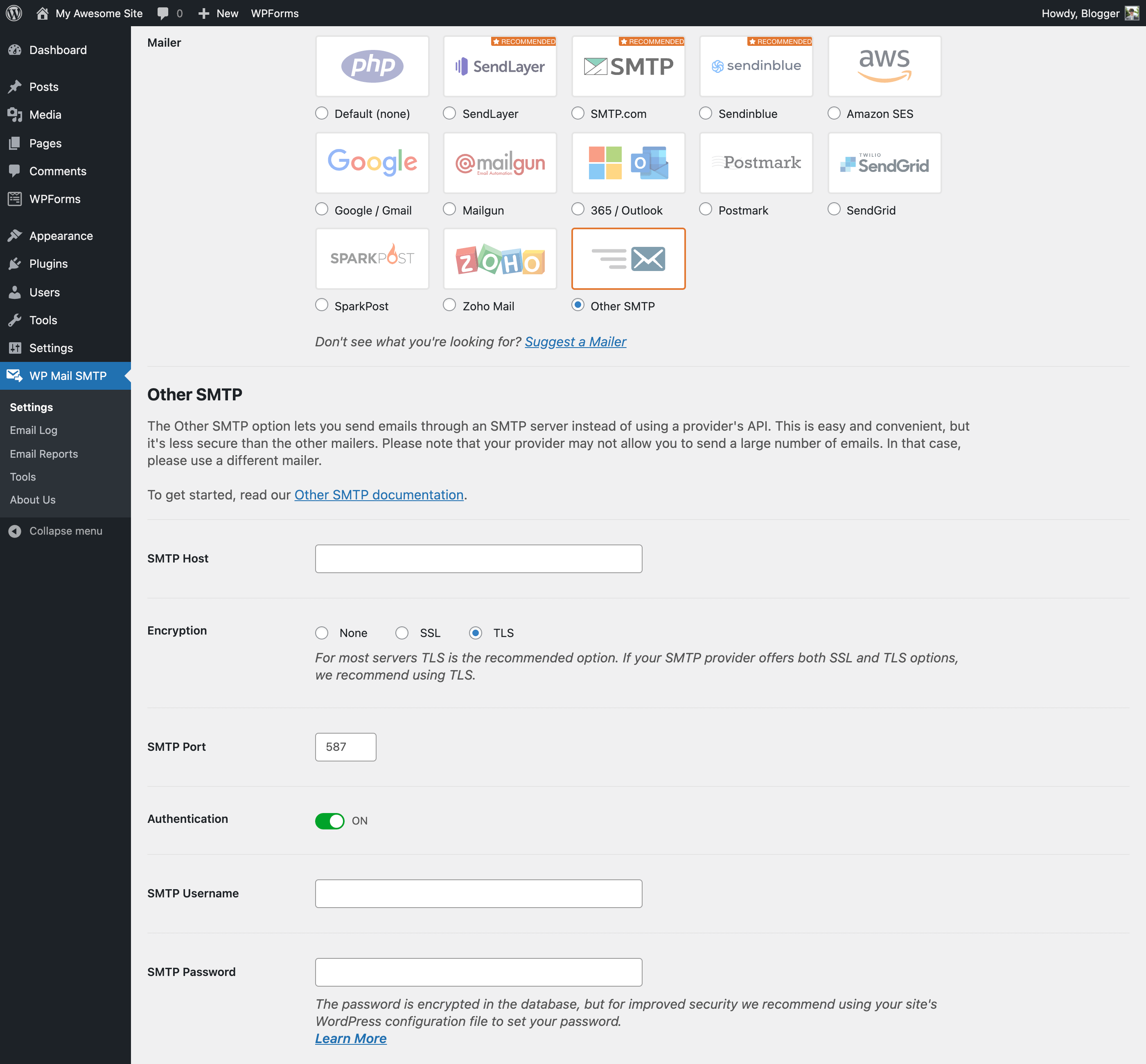
- Zgjidhni SMTP-në tuaj (SendLayer, SMTP.com, Brevo (ish-Sendinblue), Gmail SMTP, Elastic Email, Mailgun SMTP, Mailjet, SendGrid SMTP, Postmark, SparkPost, SMTP2GO, ose SMTP Tjetër) dhe ndiqni udhëzimet për ta ujdisur.
- Ju duhet më tepër ndihmë? Merrni asistencë përmes WP Mail SMTP PRO.
PBR
-
Which email providers does WP Mail SMTP support?
-
SendLayer
SendLayer is our recommended transactional email service.
Its affordable pricing and simple setup make it a great choice for sending emails from WordPress. It also has open and click tracking, email logs, and email list management.
SendLayer is reliable, fast, and easy to set up. You can send hundreds of emails for free when you sign up for a trial.Read our SendLayer documentation for more details.
SMTP.COM
SMTP.com është një shërbim transaksionesh email-esh i rekomanduar.
With over 22 years of email delivery expertise, SMTP.com has been around for almost as long as email itself. They have a strong reputation with internet providers.
Procesi i tyre i lehtë i integrimit ju lejon të filloni dërgim email-esh brenda pak minutash dhe të përfitoni prej vitesh të tëra përvoje. SMTP.com u furnizon përdoruesve 50000 email-e falas për 30 ditët e para.
Read our SMTP.com documentation for more details.
Brevo (formerly Sendinblue)
Brevo është një shërbim transaksionesh email-esh i rekomanduar.
Shërbejnë më shumë se 80 mijë shoqëri gjithnjë në rritje, anembanë botës, dhe dërgojnë më shumë se 30 milion email-e çdo ditë.
Ekspertët e tyre të dërgimit të email-eve janë gjithnjë në punë për optimizimin e qëndrueshmërisë dhe shpejtësisë së strukturës së tyre SMTP. Brevo u ofron përdoruesve 300 email-e falas në ditë.
Read our Brevo documentation for more details.
Gmail SMTP (Gmail, Google Workspace, G Suite)
Shpesh blogues dhe biznese të vogla nuk duan të përdorin shërbime SMPT prej palësh të treta. Po qe kështu, mund të përdorni llogarinë tuaj Gmail apo Google Workspace (e njohur edhe si G Suite/Google Apps) për email-e SMTP.
Kjo ju lejon të përdorni adresën tonë email profesionale dhe të përmirësoni shkallën e dërgimit të emaile-ve.
Our Gmail option uses OAuth to authenticate your Google account, so your Google password is never stored on your site.
WP Mail SMTP Pro also offers a “One-Click Setup” option, which allows you to start sending emails from your Gmail account with just a few clicks. It eliminates the need to manually configure your own Google App, which is a technical and time-consuming process.
Read our Gmail documentation for more details.
Elastic Email
Elastic Email is a cloud-based email marketing platform offering tools for email campaigns, automation, transactional emails, and analytics, designed for businesses of all sizes. Elastic Email offers a limited free plan where you can send emails to your verified addresses.
Read our Elastic Email documentation for more details.
Mailgun
Mailgun SMTP është një shërbim i njohur SMTP që ju lejon të dërgoni sasi të mëdha email-esh. Ju lejojnë të dërgoni 5000 emaile- falas në muaj, për 3 muaj.
Shtojca WP Mail SMTP ofron një integrim organik me MailGun-in. Krejt çka duhet të bëni është të lidhni llogarinë tuaj Mailgun, dhe do të përmirësoni shkallën e dërgimit të email-eve.
Read our Mailgun documentation for more details.
Mailjet
Mailjet is a global email sending service that allows you to design, send, and track marketing and transactional emails. They provide 6,000 free emails per month (up to 200 emails per day).
WP Mail SMTP plugin offers seamless integration with Mailjet. By connecting your Mailjet account, you can enhance your email deliverability and ensure your WordPress emails reach your recipients’ inboxes.
Read our Mailjet documentation for more details.
SendGrid
SendGrid ka një plan SMTP falas që mund ta përdorni për të dërguar deri në 100 email-e në ditë. Me integrim tonë SendGrid SMTP, mund të ujdisni lehtësisht dhe në mënyrë të parrezik SendGrid SMTP-në në sajtin tuaj WordPress.
Read our SendGrid documentation for more details.
Postmark
Dërgoni email-e në mënyrë të siguruar, duke përdorur llogarinë tuaj Postmark përmes API-t tonë për integrime. Mund të regjistroheni për një provë falas pa një kartë krediti, çka ju lejon të dërgoni deri në 100 email-e në muaj.
Read our Postmark documentation for more details.
SparkPost
SparkPost është një shërbim transaksionesh email-esh i besuar nga marka të njohura dhe biznese të vogla. Dërgon më shumë se 4 trilion email-e çdo vit dhe njofton për 99.9% kohë funksionimi shërbimi. Mund t’ia filloni me llogarinë provë falas që ju lejon të dërgoni deri në 500 email-e në muaj.
Read our SparkPost documentation for more details.
SMTP2GO
SMTP2GO is a transactional email provider that offers a robust and reliable email delivery service with global infrastructure, real-time analytics, and advanced security features. If you’re just starting out, you can use SMTP2GO’s free plan to send up to 1000 emails per month.
Read our SMTP2GO documentation for more details.
Microsoft (Outlook.com and Office 365)
The Microsoft 365 / Outlook mailer is a great choice if you already use Microsoft’s email services (Outlook, Office 365, Microsoft 365, or Hotmail). Due to the fairly complex manual Microsoft App configuration, we recommend the One-Click Setup, which will get you up and running in just a few seconds.
Read our Outlook and Microsoft 365 documentation for more details.
Amazon SES
Përdorues të përparuar ose të aftë teknikisht mund të shfrytëzojnë fuqinë e Amazon AWS (Shërbimet Web Amazon) me postuesin Amazon SES. Me këtë integrim, mund të dërgoni një vëllim të madh email-esh me tarifa shumë të arsyeshme.
Read our Amazon SES documentation for more details.
Zoho Mail
Dërgoni email-e duke përdorur llogarinë tuaj Zoho Mail personale ose biznesi, krejt duke mbajtur të parrezikuara kredencialet tuaja për hyrje.
Për më tepër hollësi, lexoni dokumentimin tonë për Zoho Mail.
SMTP Tjetër
Shtojca WP Mail SMTP funksionon gjithashtu me krejt shërbimet e njohur të email-it, fjala vjen, Gmail, Yahoo, Outlook, Microsoft Live, dhe çfarëdo shërbimi tjetër dërgimi email-esh që ofron SMTP.
Mund të ujdisni mundësitë vijuese:
- Specifikoni një strehë SMTP.
- Specifikoni një portë SMTP.
- Zgjidhni fshehtëzim SSL /TLS.
- Zgjidhni të përdoret mirëfilltësim SMTP ose jo.
- Jepni një emër përdoruesi dhe fjalëkalim SMTP.
To see recommended settings for the popular services as well as troubleshooting tips, check out our SMTP documentation.
-
A mund ta përdor këtë shtojcë që të dërgoj email përmes SMTP-sh Gmail, G Suite, Outlook.com, Office 365, Hotmail, Yahoo, ose AOL?
-
Po! Kemi dokumentim të thelluar që mbulon ujdisjen e shërbimeve më popullorë SMTP për email.
Read our docs to see the correct SMTP settings for each service.
-
Ndihmë! Më duhet asistencë ose kam një problem.
-
Për më tepër të dhëna, lexoni rregullat tona për asistencë.
Te forumet e WordPress.org furnizojmë asistencë të kufizuar për përdorues të shtojcës WP Mail SMTP.
Asistencë me email dhe të tillë për udjisjen mund të kenë përdoruesit e WP Mail SMTP Pro-së.
-
How can I migrate from a different SMTP plugin to WP Mail SMTP?
-
Doni të hidheni nga shtojca juaj e vjetër për SMTP te WP Mail SMTP? E kemi bërë të lehtë të migroni rregullimet tuaja për SMTP, me një klikim!
WP Mail SMTP do të pikasë vetvetiu shtojcën tuaj ekzistuese për SMTP (Easy WP SMTP, FluentSMTP, etj), kur vini në punë Ndihmësin tonë të kollajtë të Ujdisjes. Thjesht klikoni mbi Importoje, që të rregullimet tuaja të kopjohen në të.
Mjeti ynë i migrimit me një klikim mbulon krejt këto shtojca:
- Easy WP SMTP
- FluentSMTP
- Post SMTP Mailer
- Postues SMTP
- WP SMTP
-
Is WP Mail SMTP available in other languages?
-
E dimë që shumica e njerëzve nuk flasin anglisht, ndaj kemi përkthyer profesionalisht WP Mail SMTP dhe WP Mail SMTP Pro në gjuhët vijuese:
- Spanjisht (Spanjë),
- Gjermanisht,
- Portugalisht (Brazil),
- Italisht,
- Frëngjisht,
- Japonisht,
- Polonisht,
- Holandisht,
- Rusisht,
- Turqisht
-
How can I increase plugin security?
-
The WP Mail SMTP team takes security very seriously. We have several options available to help keep your site secure.
-
Integrime të drejtpërdrejta postuesish SMTP (e rekomanduar), të tillë si SendLayer, SMTP.com, Brevo (ish-Sendinblue, Mailgun, SendGrid, Postmark, SparkPost dhe SMTP2GO, përdorin API-t zyrtare të shërbimeve. Kjo do të thotë se nuk jepni kurrë emër përdoruesi apo fjalëkalim te rregullimet e shtojcës dhe se këto kredenciale nuk depozitohen te baza e të dhënave. Në vend të kësaj, përdorim token-ë ose kyçe API, të cilët janë shumë më të sigurt.
-
Kur përdoret tjetër postues SMTP, furnizojmë mundësinë për ta dhënë fjalëkalimin tuaj te kartela
wp-config.php, që të mos jetë i dukshëm te rregullimet tuaja për WordPress-in apo të ruhet te baza e të dhënave.
-
-
Gjeta një të metë, po më tej?
-
If you’ve stumbled upon a bug, please report it in the WP Mail SMTP GitHub repository. GitHub is where the plugin is actively developed, and posting there will get your issue quickly seen by our developers (myself and Slava). Once posted, we’ll review your bug report and triage the bug. When creating an issue, the more details you can add to your report, the faster the bug can be solved.
-
A mund t’i shtoni shtojcës veçorinë x, y apo z?
-
Përgjigja shkurt: ndoshta.
Patjetër, ju lutemi, lidhuni me ne për të diskutuar veçori ose mundësi që do të donit t’i shihni të shtuara te shtojca. S’garantojmë dot se do t’i shtojmë të gjitha, por do të marrim parasysh të gjitha kërkesat e arsyeshme. Mund të lidheni me ne prej këtu:
https://wpmailsmtp.com/contact/
Shqyrtime


Kontribues & Zhvillues
“WP Mail SMTP by WPForms – SMTP for Reliable Email Delivery with Gmail, Outlook, Amazon SES, Brevo, SMTP Tjetër & More” është software me burim të hapur. Në këtë shtojcë kanë dhënë ndihmesë personat vijues.
Kontribues


“WP Mail SMTP by WPForms – SMTP for Reliable Email Delivery with Gmail, Outlook, Amazon SES, Brevo, SMTP Tjetër & More” është përkthyer në 40 gjuhë. Faleminderit përkthyesve për ndihmesën e tyre.
Ju intereson zhvillimi?
Shfletoni kodin, shkarkoni depon SVN, ose pajtohuni përmes RSS-je te regjistri i zhvillimeve.
Regjistër ndryshimesh
4.10.4 – 2026-11-11
- Changed: Improved the Setup Wizard.
- Changed: Updated the upgrade flow from WP Mail SMTP Lite to Pro.
4.10.3 – 2026-10-20
- Changed: Improved the Setup Wizard steps.
4.10.2 – 2026-10-08
- Changed: Setup Wizard now returns to the Dashboard page instead of Settings when it is finished or closed.
- Changed: Improved translations across the admin area and the emails the plugin sends.
- Fixed: A “Class not found” fatal error could occur right after updating the plugin on sites with PHP OPcache enabled.
4.10.1 – 2026-10-07
- Changed: Improved security and privacy across the plugin, including temporary file storage and requests to external services.
- Fixed: Some Setup Wizard labels and the Lite install date in Site Health could not be translated.
- Fixed: The Posts, Pages and post editor screens failed with a fatal error on hosts without the PHP intl extension when another plugin, such as All in One SEO, used the intl IDN functions while the Gmail mailer was in use.
4.10.0 – 2026-09-30
- Added: New Dashboard page, now the default screen for WP Mail SMTP, with email statistics, a setup overview, connection status, and recommended next steps.
- Added: Setup Checklist: a new page that guides you through connecting a mailer, sending a test email, and the rest of your email setup, with progress tracked automatically.
- Added: Email Detective: a new tab on the Tools page that sends a test email through your primary connection and emails you a free deliverability report covering authentication, blocklists, and spam filter scoring.
- Added: Setup Wizard now verifies your mailer settings with your email provider before saving them, and guides you through each mailer’s required settings as numbered steps.
- Changed: Setup Wizard’s email test now reports the exact sending error with the fix steps for it, names the setting at fault where it can be identified, and shows the domain checker results.
- Changed: Updated Action Scheduler library to 4.1.0.
- Fixed: The plugin could not be activated on some sites and failed with a fatal error when its stored activation dates were saved in an unexpected format.
- Fixed: A database error was logged and the Dashboard widget’s email error alert never appeared on sites whose MySQL server treats double quotes as identifiers (ANSI_QUOTES mode).
- Fixed: The Setup Wizard’s test email did not send while the “Do Not Send” option was enabled.
- Fixed: Hardened permission checks and request handling across several admin features to address potential security issues.
4.9.0 – 2026-06-26
- Added: WP-CLI commands to configure WP Mail SMTP from the command line, including SMTP and API-key mailer setup and individual setting management.
- Added: Code Snippets tab on the Tools page to browse, preview, and install WP Mail SMTP’s WPCode snippets.
- Added: Support for the WordPress Abilities API (WordPress 6.9), letting connected tools and AI assistants securely read your debug events.
- Added: A one-click option to deactivate a conflicting plugin directly from the conflict notice.
- Added: Confirmation prompt before enabling the “Hide Email Delivery Errors” option, so the setting is not turned on by accident.
- Changed: Improved error handling and troubleshooting guidance when an email fails to send.
- Changed: Updated Action Scheduler library to 4.0.0.
- Fixed: The “Last week” stat in the Lite weekly summary email showed the just-started current week’s count instead of the actual previous week’s total, because the email is sent on Monday at 2pm.
- Fixed: Hardened permission checks and request handling across several admin features to address potential security issues.
4.8.0 – 2026-04-16
- Added: SendLayer Quick Connect – allows connecting to SendLayer without DNS setup in 2 minutes.
- Changed: Improved plugin security.
4.7.1 – 2025-11-26
Added: WordPress playground blueprint file.
Fixed: Text domain in a couple of strings.
Changed: Switched Return-Path option to enabled by default to align with WordPress core.
4.7.0 – 2025-11-12
- Added: New transactional mailer: Resend integration.
- Fixed: Recurring task filling up task meta table.
4.6.0 – 2025-08-26
- Added: New transactional mailer: Mandrill integration.
- Fixed: References and In-Reply-To email headers are now correctly preserved for API-based mailers.
4.5.0 – 2025-06-05
- E RËNDËSISHME: Është ndërprerë mbulimi për PHP 7.2. Nëse xhironi këtë version, DUHET të përmirësoni PHP-në përpara instalimit apo përmirësimit me WP Mail SMTP v4.5. Nëse s’bëhet, kjo do të çaktivizojë funksionin WP Mail SMTP.
- Added: New transactional mailer: MailerSend integration.
- Fixed: Microsoft Outlook basic auth deprecation notice dismissal.
- Changed: Updated the list of conflicting plugins (added Site Mailer, SureMail, Gravity SMTP).
4.4.0 – 2025-03-05
- Fixed: Emails queue runner Action Scheduler task deadlock issue.
- Fixed: Undefined array key “wp_mail_smtp_reports_widget_lite” warning in the dashboard widget.
4.3.0 – 2024-12-11
- Added: New transactional mailer: Elastic Email integration.
- Changed: The “Tools -> Scheduled Actions” menu is now always visible when WooCommerce or the Action Scheduler plugin is active.
- Fixed: SMTP password and username fields ignored
WPMS_SMTP_AUTHconstant.
4.2.0 – 2024-11-06
- Added: New transactional mailer: Mailjet integration.
- Changed: Improved security for sensitive data (API keys).
- Fixed: SMTP2GO mailer special characters handling in from name.
4.1.1 – 2024-08-15
- Changed: Delete
wp-mail-smtpuploads folder on plugin uninstall, if the “Misc > Uninstall” option is enabled. - Changed: Decreased
PHPMailertimeout value to 30 seconds from 5 minutes. - Changed: Improved Weekly Summary Email sending.
- Fixed: Missing Reply-To support in SMTP2GO mailer.
- Fixed: Setup Wizard translations not working correctly.
4.1.0 – 2024-07-17
- U shtua: Postues i ri transaksional: SMTP2GO.
- Changed: Recurring email queue tasks are now removed after completion.
- Fixed: Wrong namespace in PHP 8.0x Symfony polyfills.
- Fixed: All pending background tasks are now canceled on plugin deactivation.
4.0.1 – 2024-02-29
- Added: Optimized Email Sending – move email sending requests in the background process and speed up your site.
- Added: Automatic database table structure migrations after plugin update.
- Changed: Improved error handling when sending emails.
- Fixed: Database error while adding debug events if the
wpmailsmtp_debug_eventstable does not exist.
3.11.1 – 2024-01-22
- Fixed: Setup Wizard texts.
- Fixed: Compatibility for List-Unsubscribe header.
3.11.0 – 2023-12-13
- Added: Filter to customize the capability required for managing the plugin.
- Changed: Hide test tab movement notice for new users.
- Changed: Improved keyboard navigation styles for the Setup Wizard.
- Changed: Removed
WPMailSMTP\Admin\PluginsInstallUpgraderclass and switched to the WordPress CorePlugin_Upgraderclass. - Changed: The “From email” dropdown to the input field in the Gmail mailer.
- Fixed: PHP deprecation notices in the Setup Wizard on WordPress 6.4 and above.
- Fixed: Compatibility issue with Action Scheduler lower than 3.3.0.
3.10.0 – 2023-11-08
- Added: Filter that allows to use your website’s URL for Google OAuth redirect URL.
- U ndryshua: Përmirësim UI rregullimesh shtojce, ndryshim i kutizave në çelësa dhe ca pastrim ndarësish.
- U ndryshua: U zëvendësua biblioteka moment.js me atë që sjell baza e WP-së.
- U ndreq: Vargje përkthimi te widget-i i Pultit.
3.9.0 – 2023-08-30
- U ndryshua: Skeda e Email-it të Provës u kalua nga faqja e rregullimeve te faqja e mjeteve.
- U ndryshua: U hoq bibliotekë SDK Sendinblue, ngaqë u nxor nga përdorimi.
- U ndryshua: Udhëzime API për Mailgun
- Fixed: Debug Event details popup scrolling.
- U ndreq: Përplasje me shtojca të tjera (Alt Manager) që e bënin të papërdorshme faqen e instalimit të Shtojcave WP.
3.8.2 – 2023-07-20
- U ndryshua: U përmirësua formatim dhe stile njoftimesh.
- U ndryshua: Ndërrim marke Sendinblue në Brevo.
- Fixed: Explicitly set “Content-Type” header for the HTML test email.
3.8.0 – 2023-04-26
- E RËNDËSISHME: Është ndërprerë mbulimi për PHP 5.6, 7.0 dhe 7.1. Nëse xhironi një nga këto versione, DUHET të përmirësoni PHP-në, para se të instaloni ose ta përmirësoni me WP Mail SMTP v3.8. Po nuk bëtë këtë, funksionimi i WP Mail SMTP do të çaktivizohet.
- U ndryshua: U përditësua bibliotekë Moments.js me versionin 2.29.4.
- U ndryshua: U hoq bibliotekë e papërdorur sodium_compat.
- U ndreqën: Adresë email me apoftrog te faqja Provë Email-i.
- Fixed: Review request notice display on subsites admin area in WP Multisite installation.
- Fixed: Setup Wizard playing UA anthem for certain WP sites.
3.7.0 – 2022-12-15
- U ndryshua: U përmirësua spastrim të dhënash Planifikuesi Veprimesh, gjatë çinstalimi të shtojcës.
- U ndryshua: U përmirësua punimi për kontrolle vleftësimi tabelash baze të dhënash.
- U ndreq: gabim tabele baze të dhënash elementësh meta.
- Fixed: Gmail mailer authorization error if the oAuth app already had other non mail scopes attached.
- U ndreq: Vleftësim adresash email te ndihmësi i Ujdisjes.
- U ndreq: U hoq kod i panevojshëm vetëngarkimi bibliotekash hartuesi.
- U ndreq: Pikasje përplasjesh për shtojcën Sendinblue – WooCommerce Email Marketing (v3.0+)
3.6.1 – 2022-10-06
- Added: The
wp_mailfunction call backtrace to the Debug Events if the “Debug Email Sending” option is enabled. - U shtua: proces rikrijimi tabelash baze të dhënash të shtojcës te Shëndet Sajti WP.
- U shtua: rregullim për periudhë mbajtjeje Aktesh Diagnostikimi.
- U ndryshua: u përditësua lista e shtojcave me përplasje (u shtua Zoho Mail).
- U ndryshua: u përmirësuan njoftimet për përgjegjësin lidhur me shtojca me përplasje (shfaq disa njëherësh)
- U ndryshua: U kalua te funksioni i WP Core
is_emailpër verifikim adresash email. - U ndryshua: Përmirësim pikasjeje nëse është mbishkruar apo jo funksioni
wp_mail. - U ndreq: përdorim jo Adresës së saktë Email Nga nga Gmail te Kontrollor Përkatësish.
- Fixed: Setup Wizard steps navigation, when going backwards.
3.5.2 – 2022-08-17
- U ndreq: Kontrolli nëse funksioni
wp_mailështë mbishkruar në shërbyes Windows.
3.5.1 – 2022-07-14
- U ndreq: U hoq MailPoet nga lista e shtojcave me përplasje.
- U ndreq: sinjalizim PHP për ndryshore të papërkufizuar, kur përdoret postuesi Parazgjedhje (asnjë).
3.5.0 – 2022-07-14
- U shtua: Kontroll nëse funksioni
wp_mailështë mbishkruar. - U shtua: Pastrim tabele baze të dhënash (
wpmailsmtp_tasks_meta), pas kryerjeje veprimesh të vënë në plan. E mban të vogël madhësinë e bazës së të dhënave. - U ndryshua: U përditësua lista e shtojcave me përplasje (u shtua Branda dhe MailPoet).
- U ndryshua: U përditësua bibliotekë Action Scheduler me versionin 3.4.2.
- U ndreq: kodim lënde email-esh për postuesin SMTP.com.
- U ndreq: grafik widget-esh baze pulti, kur s’ka të dhëna regjistrash email-esh.
- Fixed: Missing Sendinblue email body WP filter.
- U ndreq: biblioteka Chart.js përplase me shtojca të tjera.
3.4.0 – 2022-04-27
- U shtua: Postues i ri transaksional: Integrim SendLayer-i.
- U ndryshua: U përmirësua përftim mesazhi gabimi API Mailgun.
- U ndryshua: Standardizim formati mesazhesh gabimi dhe përmirësim përftimi gabimesh kërkesash të largëta WP.
- U ndreq: Spastrim mundësish shtojce gjatë veprimesh çinstalimi të versionit Lite të shtojcës, ndërkohë që është aktiv versioni Pro.
- U ndreq: Fshehje në faqe WP Mail SMTP shënimesh të palidhura përgjegjësi rrjeti.
3.3.0 – 2022-02-17
- E RËNDËSISHME: Është ndërprerë mbulimi për versione WordPress 5.1.x ose më të ulët. Nëse përdorni një nga këta versione, ju DUHET të përmirësoni WordPress-in, përpara se të instaloni ose përmirësoni WP Mail SMTP me v3.3. Nëse s’bëhet kjo, do të çaktivizohet funksionimi i WP Mail SMTP-së.
- U shtua: përputhshmëria me PHP 8.1.
- U ndryshua: U përditësua lista e shtojcave me përplasje (u shtua FluentSMTP dhe WP HTML Mail).
- U ndryshua: U përmirësua mesazh diagnostikimi gabimesh për “Tjetër postues SMTP”, te Akte Diagnostikimi.
- U ndryshua: U përditësua bibliotekë Planifikuesi Veprimesh në 3.4.0.
- U ndryshua: U përmirësua punimi i Planifikuesit të Veprimeve.
- U ndreq: Njoftime PHP të nxjerra nga përdorimi në bibliotekën Sendinblue (PHP 7.4+).
- U ndreq: Rreshti tabela DB, te ndarja Hollësi Shëndeti Sajti, tani është privat.
- U ndreq: Skena “Akte Diagnostikimi” që shfaqet te faqja e përgjithshme e Mjeteve.
- U ndreq: vendosja djathtas e Mundësive të Ekranit.
3.2.1 – 2021-11-17
- U ndreq: Përputhshmëri me PHP 8, kur shfuqizohet lidhje ekzistuese postuesi Gmail.
3.2.0 – 2021-11-11
- U shtua: Postues i ri transaksional – Integrim SparkPost-i.
- U shtua: Migrim me një klikim që nga shtojca FluentSMTP.
- U shtua: Integrim konstantesh shtojce në Ndihmës Ujdisjeje.
- U ndreq: Problem çaktivizimi para kohe të shtojcës, me shtojca regjistrimi veprimtare.
3.1.0 – 2021-09-28
- U shtua: Postues i ri transaksional – Integrim Postmark-u.
- U shtua: Mbulim për bashkëngjitje vargjesh (shtuar përmes objekti PHPMailer).
- U ndryshua: U përmirësua pikasja e Burimit të Email-it te Akte Diagnostikimi, për email-e të dërguar nga WP Core.
- U ndryshua: U përmirësua procesi i çinstalimit. Tani heq krejt të dhënat dhe tabelat e bazës së të dhënave për shtojcën.
- U ndreq: Pikasje Burimi Email-i te Diagnostikim Aktesh, për shtigje kartelash me pjerrake së prapthi.
- U ndreqën: Elementë figurash të turbulluara te Email Përmbledhës Javor.
- U ndreq: Zgjerim PHP mb_strings pa polyfill si duhet.
- U ndreq: U shtuan filtra is_email_sent që mungonin për postuesit Sendinblue, Mailgun, dhe Gmail.
- Fixed: Debug Events double-entry DB save, because of a bug in is_email_sent method for certain mailers.
3.0.3 – 2021-08-09
- U ndreq: Dërgimi i Email-eve Përmbledhës Javor, kur kodi i migrimit nuk e shkaktoi ende.
3.0.2 – 2021-08-05
- U ndreq: Gabim fatal PHP në versionin 5.2 të WP-së dhe më të hershëm (mungesë funksioni wp_timezone).
3.0.1 – 2021-08-05
- U shtua: Email Përmbledhës Javor – dërgim statistikash me email te Të marrët tuaj.
- U shtuan: Akte Diagnostikimi – regjistrim i krejt gabimeve të dërgimit të email-eve dhe akteve të diagnostikimit.
- U shtuan: Lidhje të shpejta te zona e përgjegjësit.
- U ndryshua: U përditësua skena për Provë të suksesshme Email-i.
- U ndryshua: U përditësua librari Planifikuesi Veprimesh në 3.2.1.
- Fixed: WP core admin spinner for the dashboard widget.
- U ndreq: Gabim PHP, për rastet kur objekte që sendërtojnë metodën
__invoke()përdoreshin si hook callbacks për njoftime përgjegjësi.